EasyManua.ls Logo

Smith-Root eDNA Sampler - User Manual

Smith-Root eDNA Sampler
25 pages
Print Icon
To Next Page IconTo Next Page
Loading...
11569.01 eDNA Backpack Sampler Instruction Manual
INSTRUCTION MANUAL
For eDNA Sampler videos and tutorials, visit:
www.smith-root.com/support/tutorials
Question and Answer IconNeed help?

Do you have a question about the Smith-Root eDNA Sampler and is the answer not in the manual?

Summary

eDNA Sampler Unit Components

Telescoping Sampling Pole

The telescoping pole with bipod for sample collection.

Transect Sampling Pole

Pole for mobile sampling with filter housings.

Sample Storage and Filters

Storage tray and single-use filter packets.

Tubing and Remote Control

Input/output tubing and the remote control unit.

Power Components

AC charger and rechargeable battery for the unit.

Backpack Sampler Unit

The main backpack unit of the eDNA sampler system.

System Components and Safety

Stand-alone and Backpack Sampler Views

Labeled diagrams of both sampler configurations.

Critical Operation Warnings

Essential safety precautions for battery and general use.

Battery Installation

Backpack Battery Setup

Steps to access and prepare the battery tray in the backpack unit.

Remote Control Battery Installation

How to install AA batteries into the remote control.

eDNA Sampler Interface

Navigation and Control Buttons

Explanation of Menu, Select, and Back buttons.

Key Display Parameters

Understanding Target Volume, Target Flow, and current readings.

Operational Status Indicators

Interpretation of Log ID, GPS, and connection indicators.

Sampling Modes

Auto Mode Operation

How the system operates in automatic sampling mode.

Manual Mode Operation

How the system operates in manual sampling mode.

Menu Screen Settings

Pressure and Flow Settings

Configuring maximum pressure and minimum flow limits.

Volume Offset and Display Options

Adjusting volume offset and display mode settings.

Device Information Access

How to view software and firmware details.

Volume Offset Calculation

Point Sampling Setup

Initial Parameter Programming

Setting Target Volume, Flow, and Pressure.

Pole Assembly and Tubing Connection

Connecting tubing to the pole and sampler unit.

Filter Housing Attachment

Securing the filter housing to the telescoping pole.

Point Sampling Operation

Pole Extension and Mode Selection

Extending the pole and choosing Auto/Manual mode.

Starting and Monitoring Filtration

Initiating sampling and understanding filtration indicators.

Completing Filtration and Clearing Lines

Steps after filtering, including clearing water and stopping pump.

Determine Realistic Sample Volume

Sample Volume Determination Method

Sample Preservation Techniques

Filter Folding and Vial Placement

Steps to fold filters and place them into vials.

Sample Labeling and Field Storage

Labeling samples and storing them in the unit's dry bags.

Metadata Recording

Documenting essential field data associated with samples.

Transect Sampling Overview

Transect Sampling Operations

Estimating Transect Duration

Calculating total sampling time based on parameters.

Initiating Transect Sampling

Starting data records and adjusting flow for transects.

Walking the Transect

Maintaining speed and positioning for consistent sampling.

Handling Sampling Obstructions

Transect Completion and Maintenance

Completing Transect Filtration

Final steps to clear lines and preserve filters.

System Sterilization Procedure

Steps for sterilizing the unit between different water bodies.

Cleaning the Sampler Unit

Recommended methods for cleaning the sampler.

Storage and Marine Applications

Proper Storage Procedure

Steps for storing the sampler to ensure longevity.

Marine Water Sampling Notes

Guidelines for using the sampler in saltwater environments.

Data Access and Management

Troubleshooting and Long-Term Care

Resolving Priming Issues

Solutions for the system failing to achieve prime.

Remote Control Connectivity

Troubleshooting the remote control display and communication.

Long-Term Operation Tips

Best practices for maintaining the sampler over extended periods.

Self-Preserving Filter Instructions

Filter Handling and Biodegradation

Filter Drying and Packaging

Steps for drying and packaging filters for preservation.

Laboratory Processing and Material Properties

Handling filters in the lab and their biodegradability.

System Specifications

Battery and Runtime Details

Specifications for main and remote batteries.

Dimensions, Weight, and Physical Specs

Physical measurements and weights of the sampler components.

Sensor, GPS, and Communication Specs

Technical details on sensors, GPS, and communication interfaces.

Pump Performance Specifications

Details on pump ports, vacuum capabilities, and flow rates.

Overview

The eDNA Sampler is a portable device designed for environmental DNA (eDNA) sampling, primarily for filtering water to collect genetic material from aquatic environments. It is available in both backpack and stand-alone configurations, offering flexibility for various sampling scenarios, including point sampling with a telescoping pole and mobile transect sampling.

Function Description:

The eDNA Sampler operates by drawing water through a filter housing, capturing eDNA for subsequent laboratory analysis. It features a pump control system that allows users to set target volumes and flow rates, and it monitors pressure and flow during filtration. The device records various parameters, including sample volume, collection time, pressure, flow rate, and GPS data, which can be exported via a USB drive for data management and analysis. It supports both automatic and manual operating modes, catering to different sampling needs and environmental conditions. The system is designed to facilitate the preservation of collected eDNA filters immediately after sampling.

Important Technical Specifications:

Batteries:

  • Main battery: 9.6 Ahr 12.8V LiFePO4
  • Remote battery: 1900 mAHr 1.2V NIMH
  • Runtime Main Battery: 6-8 Hrs
  • Runtime Remote Battery: ~4 Hrs

Dimensions and Weights:

  • Dimensions w/backpack: 30.5 (775mm) H x 16.4 (416.5mm) W x 15 (381mm) D
  • Handheld unit dimension: 16 (406.4mm) H x 15 (381.0mm) W x 9.25 (235mm) D
  • Weight w/o battery: 24.0 lbs. (10.89kg)
  • Handheld unit weight w/o battery and remote: 16.2 lbs. (7.35kg)
  • Main battery weight: 3.0 lbs. (1.36kg)
  • Remote battery weight: 0.1 lbs (45.4g)
  • Telescoping pole dimensions including bipod: 41.5 (1054.1mm) to 144 (3657.6mm) L x 5.25 (133.4mm) D
  • Telescoping pole weight with bipod: 7 lbs. (3.18kg)
  • Remote control dimensions: 4.7 (119.4mm) L x 2.5 (63.5mm) W x 0.94 (23.9mm) H
  • Remote weight: 0.4 lbs. (181.5g)

Sensor Specs:

  • Minimum flow rate: 0.1 L/min
  • Maximum flow rate: 1.4 L/min
  • Maximum measurable volume: 999.9 L
  • Volume accuracy: > 90% at 0.1 L/min or higher flow
  • GPS system compatibility: GNSS (GPS, Galileo, GLONASS, BeiDou)
  • Number of channels: 72
  • GPS, GLONASS sensitivity: -167dBm
  • GPS position accuracy: 2.5 meter

Communications:

  • USB: 2.0
  • Log File Format: .csv

Pump Specs:

  • Ports: 1/4 inch ID tubing
  • Priming vacuum: ~5 psi
  • Maximum wetted vacuum: 14 psi (96.5 kilo-pascals)

Usage Features:

eDNA Sampler Unit:

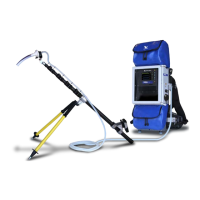
The unit includes a control/display panel, USB connector, speaker/volume control, power switch, water inlet and outlet, and a GPS antenna. For backpack units, it also features a harness, upper and lower dry bags, and a waterproof door. The stand-alone sampler includes an input power cable and a battery.

Remote Control:

A remote control is provided for operating the pump, featuring ON/OFF, AUTO/MANUAL mode selection, START/STOP, and RESET buttons. It uses rechargeable AA batteries.

Telescoping Sampling Pole:

Used for point sampling, the pole comes with a support bipod. It allows for precise placement of the filter housing in the water.

Transect Sampling Pole:

Designed for mobile sampling, this pole (purchased separately) can accommodate up to three filter housings simultaneously, allowing for standardized volume filtered per unit distance during transect walks.

Filter Housings and Packets:

Single-use filter packets (purchased separately) contain filter housings and extension tubes for each sampling location. The system also supports self-preserving filter housings.

Operating Modes:

  • Auto Mode: The system automatically stops filtration and alerts the user (with two beeps) when the target sample volume is reached, accounting for water in the hose and filter housing via a "Volume Offset" value. A new sample ID and data record are generated upon starting in this mode.
  • Manual Mode: Useful when the target volume is unknown or when frequent starting and stopping of the pump is required (e.g., during transect sampling). This mode does not generate a new data record on start or an alarm for target volume.

Users can adjust settings such as:

  • Maximum Pressure: The maximum negative pressure (PSI) before the pump throttles.
  • Minimum Flow: The flow rate (L/min) at which a low flow alarm (five rapid beeps) will sound, indicating filter clogging.
  • Volume Offset: A value (in ml) deducted from the target volume to alert the user when to invert the filter, accounting for water in the tubing and filter housing. This value needs to be recalibrated if tubing length or filter arrangement changes.
  • Display Mode: Allows selection between dark and light display modes.
  • Device Information: Provides software and firmware version details.

Point Sampling Procedure:

  1. Program target volume, target flow, and maximum pressure (suggested starting points: 1.0 L/min and 10 PSI).
  2. Press Reset for a new data record.
  3. Set up the telescoping pole with the bipod.
  4. Connect long tubing to the "IN" port and short tubing to the "OUT" port.
  5. Attach a new filter housing to the extension tube and then to the pole clamp.
  6. Power on the remote control and select Auto or Manual mode.
  7. Place the nozzle in water and start sampling.
  8. Continue filtering until the target volume is reached (Auto Mode), low flow alarm sounds (Manual Mode), or desired volume is achieved.
  9. Invert the filter housing and raise the nozzle to clear water from tubing and filter.
  10. Retract the pole and turn off the pump.

Transect Sampling Procedure:

The eDNA Sampler is optimized for mobile sampling while wearing the backpack unit. It uses GPS to record the filtration transect and provides a constant output of ml/meter, allowing for standardization of filtered volume per unit distance. The Smith-Root Transect pole (Part # 11203) can be used for up to three filter housings simultaneously.

  1. Press Reset for a new data record.
  2. Use Manual mode if frequent stops are expected.
  3. Set Target flow to a lower range (e.g., 0.5 L/min) to extend transect duration.
  4. Start at the beginning of the transect (downstream, moving upstream).
  5. Place extension tubes into the water.
  6. Start the pump via remote control and begin walking at a constant speed to maintain a consistent ml/meter value.
  7. If obstructions are encountered, stop the pump, invert filter housings, move around the obstruction, and restart while flipping the pole back into position.

Sample Preservation:

  1. Open the filter housing by pulling the nozzle tab.
  2. Extract the filter using forceps and fold it into a vial containing user-provided preservative (e.g., ethanol). The nozzle extension tube can assist in folding.
  3. Label the sample with an ID and store it in a storage box or the unit's dry bags.
  4. Record the Log ID and any relevant metadata.
  5. For self-preserving filters, crack the seal (do not open) and run the pump for approximately 20 seconds to air dry the filter membrane. Then, remove the extension tube, place the filter housing back into its original foil pouch, reseal, and label. Store at ambient temperature.

Data Access and Management:

  1. Plug a FAT32 formatted USB thumb drive into the USB port.
  2. The unit automatically transfers data logs to the USB drive.
  3. Remove the USB drive when prompted. Each sampling event generates a separate .csv file with summary information and raw parameter data recorded every 2 seconds.

Maintenance Features:

Battery Installation:

  • For backpack units, access the battery tray in the lower dry bag, place the battery in the rubber footer, and connect it to the power cable.
  • For the remote control, use a small screwdriver to remove the watertight cover, install two rechargeable AA batteries (noting polarity), and replace the cover.

Sterilization (Optional):

While not required between every sample, sterilization is advisable when moving between watersheds to prevent pathogen transfer.

  1. Fill a 1L bottle with a 2% bleach water solution (20ml household bleach + tap water).
  2. Place both IN and OUT tubes (without filter) into the bleach water and start the pump.
  3. Run the pump for 10 minutes to circulate the bleach water.
  4. Rinse the system with clean tap water by repeating the process. Note: Higher bleach concentrations (>2%) may damage internal components.

Cleaning:

  • Clean the sampling pump with a soft cloth and mild soap and water solution.
  • Do not use chlorinated or solvent-based cleaners on the window or enclosure, as they can cause damage.

Storage Procedure:

  1. Always replace the orange "IN" and "OUT" port caps when not in use.
  2. For storage longer than 24 hours:
    • Attach tubing, place the "IN" tube in a clean container with >3L fresh tap water, and the "OUT" tube in a sink.
    • If bleach was used for decontamination, ensure the system is fully flushed with fresh water.
    • Run the pump in manual mode at 1L/min for 2 minutes, but do not run it dry.
    • Stop the pump after 2 liters have flushed through.
    • Disconnect tubing and replace orange caps, ensuring diaphragms remain moist.

Marine Applications:

The eDNA Sampler can be used in saltwater, but a freshwater rinse is required after each use. Follow the storage procedure to flush the system.

Troubleshooting:

  • System cannot achieve prime: Check particulate load, max pressure setting, and head pressure. Try lowering pump elevation, increasing pump pressure, or using a larger pore size filter.
  • Remote control display flickering or not communicating: Change remote control batteries. Carry spare AA batteries and a Phillips head screwdriver.

Tips for Long-Term Operation:

  • Follow pump storage guidelines (do not store dry).
  • Use port caps when the system is not in use.
  • Avoid getting water inside the remote control battery compartment.
  • Do not twist bipod legs; use the button to extend or retract.

Smith-Root eDNA Sampler Specifications

General IconGeneral
BrandSmith-Root
ModeleDNA Sampler
CategorySamplers
LanguageEnglish