30
RS232 / RS485 Communication
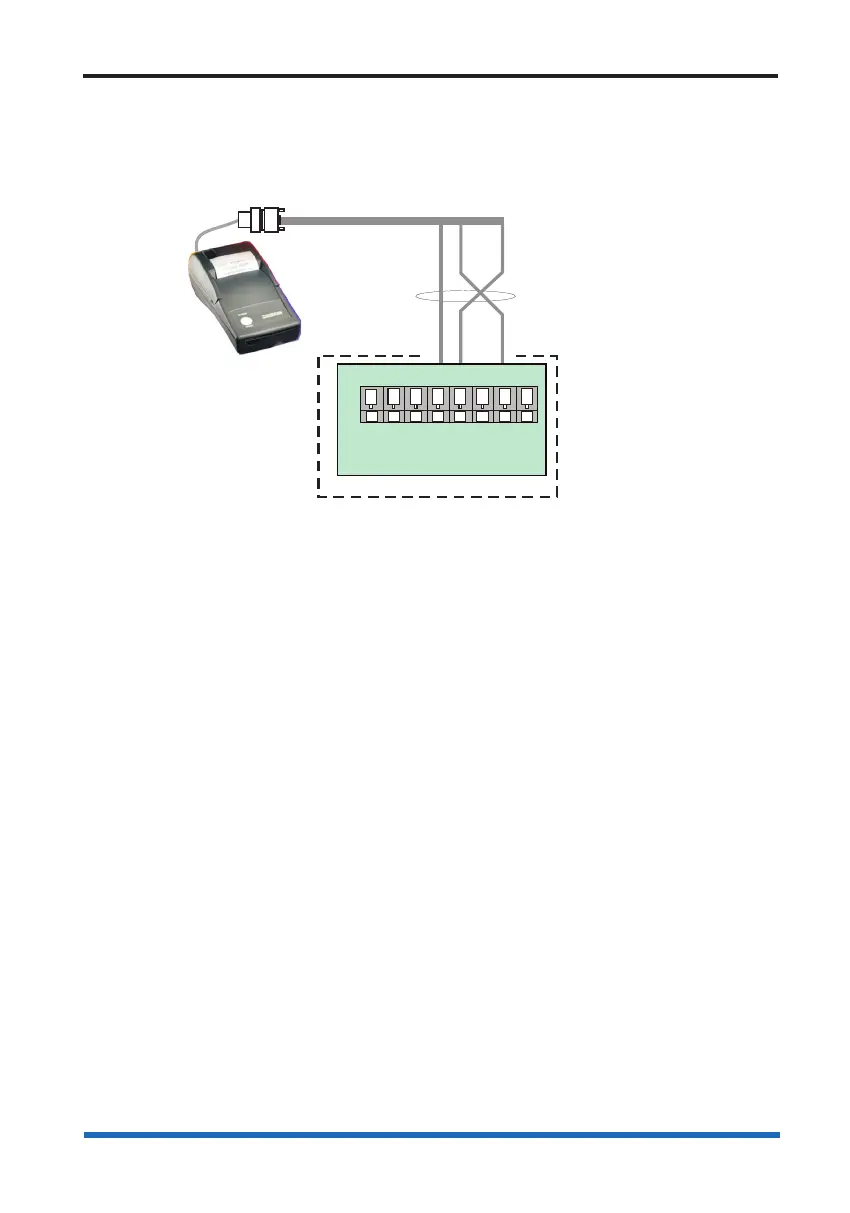
Wiring a Remote printer
An IO card (not supplied) must be inserted in slot 2 of the backplane of the panel,
which will facilitate remote printer functionality. When a remote printer is connected to a
standalone SENTRI4 panel, it will print local system events.
GND GND
Tx Tx
Rx Rx
PANEL / NODE
Tx
CTS
Rx
RTS
Terminals for
fitted in slot P2 of the backplane
If the
is installed in a spare slot
on the backplane then use
the corresponding terminals
IO card configured for
Remote printer
(rotary switch position 2)
IO card to which a
remote printer is connected
RS232
Terminal card
P4
A
5V
B
0V
RS485
9-way D-type connector
Hand held printer
Thermal printer



 To Next Page