© 2009 snom technology AG
man_snom870_v101_en
45
snom 870 User Manual
Directories
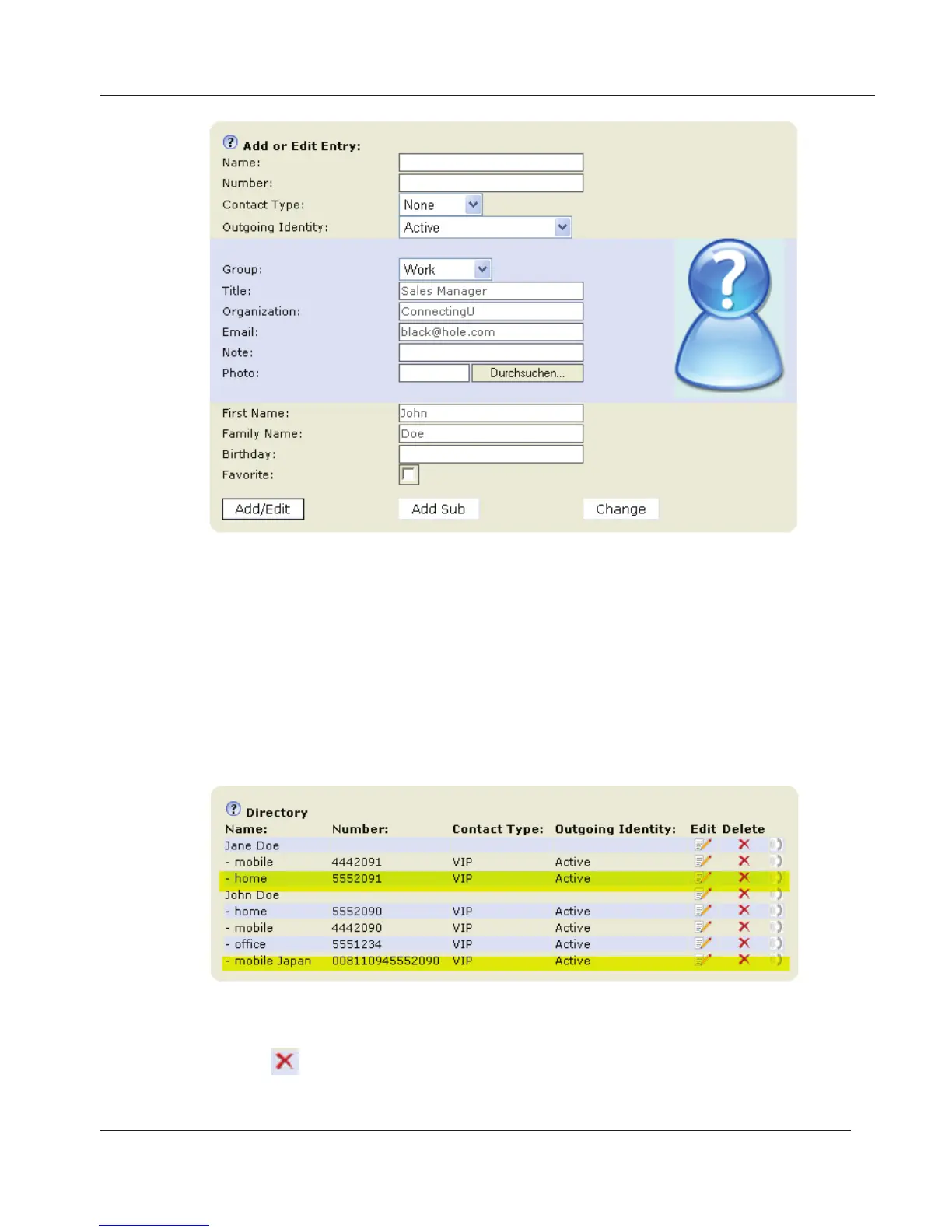
• Enter the new type of phone in text field of "Name", for example
"mobile Japan".
• Enter the phone number in the text field of "Number".
• If you wish, select a contact type and an outgoing identity from
drop-down lists.
• Click on "Add Sub".
c. The directory now contains Jane Doe's home phone number and John
Doe's Japanese mobile phone number.
• Click on in the line of the master record to delete the name and all
associated phone numbers.
www.InternetVoipPhone.co.uk | sales@internetvoipphone.co.uk | 0800 088 48 46



 To Next Page