© 2009 snom technology AG
man_snom870_v101_en
9
snom 870 User Manual
Setting up the Phone
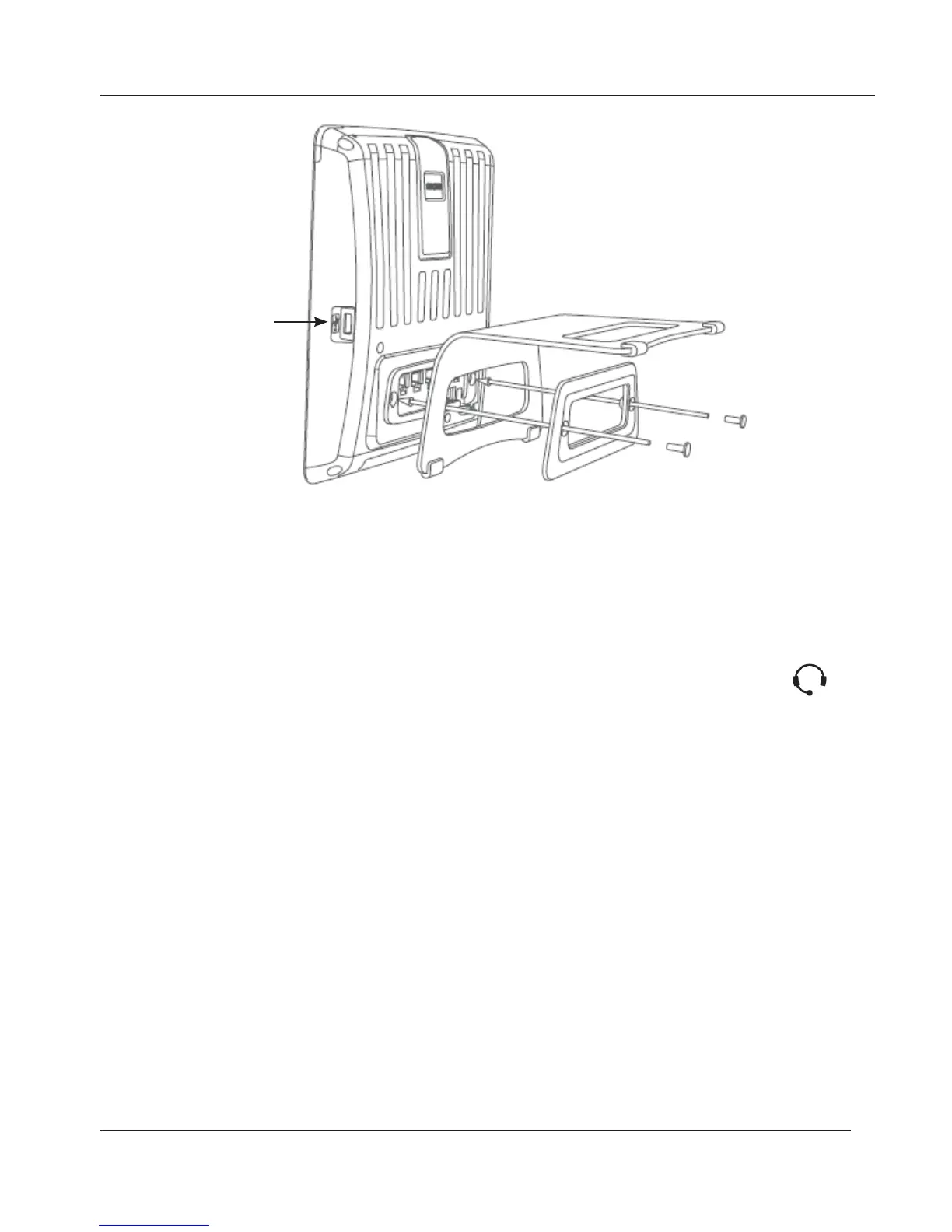
4. Plug the Ethernet (network) cable into the RJ45 connector labeled “NET”,
and plug the other end into the network side to establish a data link.
The second RJ45 connector, labeled “PC”, is for daisy-chaining further
Ethernet devices without the need for a second Ethernet connection line.
5. If you are not using PoE, insert the plug of the power supply into the
connector labeled “DC 5V”, and hook up the plug to the wall outlet.
6. If you want to use a headset, connect it to the RJ audio jack labeled
2
.
If you want to use a wireless headset, connect the snom Wireless Headset
Adapter to the connector labeled "EHS".
7. Place the phone on an even, horizontal surface.
Initialization and registration
To be able to use VoIP, you or your company need to have:
1. A broadband internet connection.
2. Access to the internet via a router. This could be a separate device
available in various versions from many different manufacturers or in the
form of a router on a server or a PC.
3. Account information provided by your network administrator or a VoiP
account with a VoIP service provider who supports the VoIP SIP standard.
You can use up to 12 VoIP accounts with one or more VoIP providers.
USB port for
expansion module
(not included in
delivery)
www.InternetVoipPhone.co.uk | sales@internetvoipphone.co.uk | 0800 088 48 46



 To Next Page