© 2009 snom technology AG
man_snom870_v101_en
23
snom 870 User Manual
Getting to Know Your Phone
Active identity, currently selected as the identity for outgoing calls.
Active identity. Can be called, can be selected for outgoing calls.
Inactive or unregistered identity. Cannot be called from external
phones or selected for external calls. May be avaible for internal
calls depending on server setup
Inactive or unregistered identity, currently selected as outgoing
identity. Cannot be called from external phones or selected for
external calls. May be avaible for internal calls depending on server
setup
Received from NTP time server. To select your timezone, see "Time Zone" on
page 68. To change the time format, see "Date and Time Formats" on page 69.
Freely programmable function keys. The factory default setting is "line". See
"Configuring the Function Keys" on page 59.
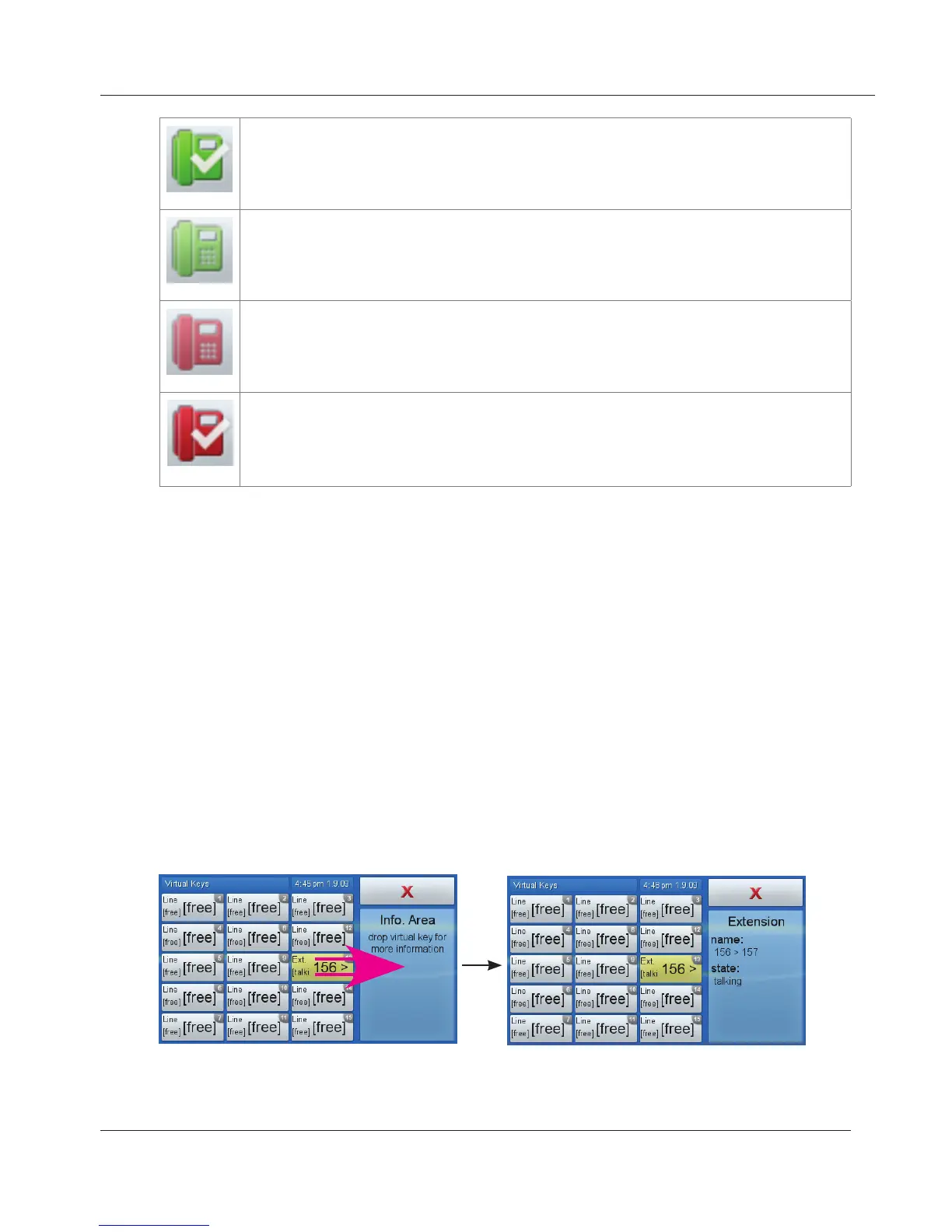
Drag-and-drop any key into the info area on the right to show more information
on the current activity of the function mapped onto it.
www.InternetVoipPhone.co.uk | sales@internetvoipphone.co.uk | 0800 088 48 46



 To Next Page