© 2009 snom technology AG
man_snom870_v101_en
24
snom 870 User Manual
Getting to Know Your Phone
DnD
Tap the icon to turn DND on and off. Works like the hard key - see page 14.
DND is off:
DND is on:
Screen showing calls monitored on another extension within network for call
pickup when not answered, etc. Tap icon to turn on display; tap or press
to return to springboard. Alternative idle screen (home screen), setting on
web interface > Advanced > Behavior > Phone Behavior > Default Idle
Screen > Drop-down list: Call Monitoring > "Save".
Must be supported by PBX, and the function must be mapped onto one or
more of the virtual function keys (see "Configuring the Function Keys" on page
59 and "Extension monitoring and call pick-up" on page 61).
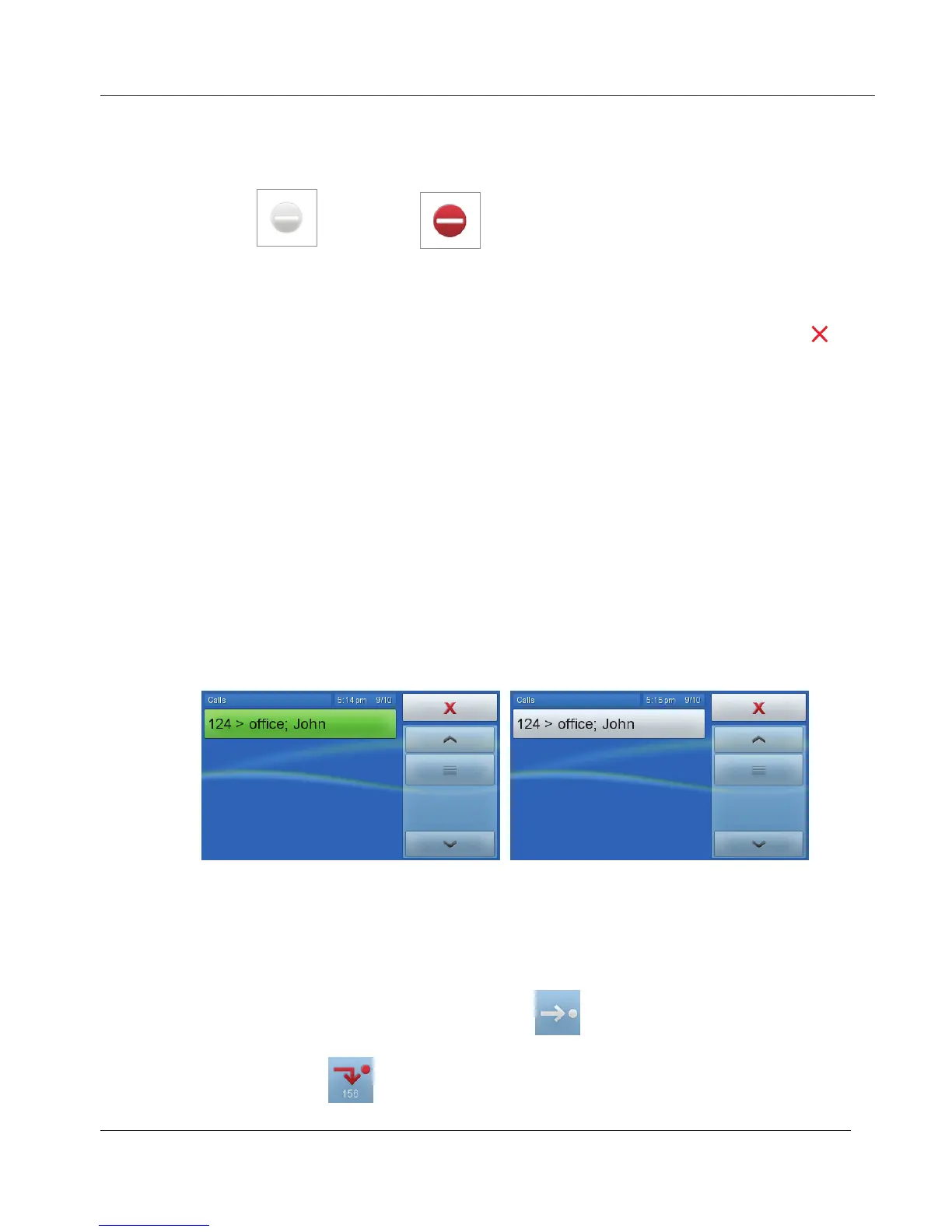
Example - monitoring extension 156. 156 is listed in the phone's directory as
John's office number:
1. Call ringing - 124, which is not in the directory, calling 156. If John does
not answer the call, tap the green button to pick up the call.
2. Talking: When John accepts the call, the button turns white and is no
longer accessible.
Turn call forwarding for all incoming calls on and off. Settings: See "Call
Forwarding" on page 56 .
Call forwarding of all incoming calls is off:
.
Call forwarding for all incoming calls is on, all calls will be forwarded to the
number indicated:
.
www.InternetVoipPhone.co.uk | sales@internetvoipphone.co.uk | 0800 088 48 46



 To Next Page