© 2009 snom technology AG
man_snom870_v101_en
57
snom 870 User Manual
Using the Phone
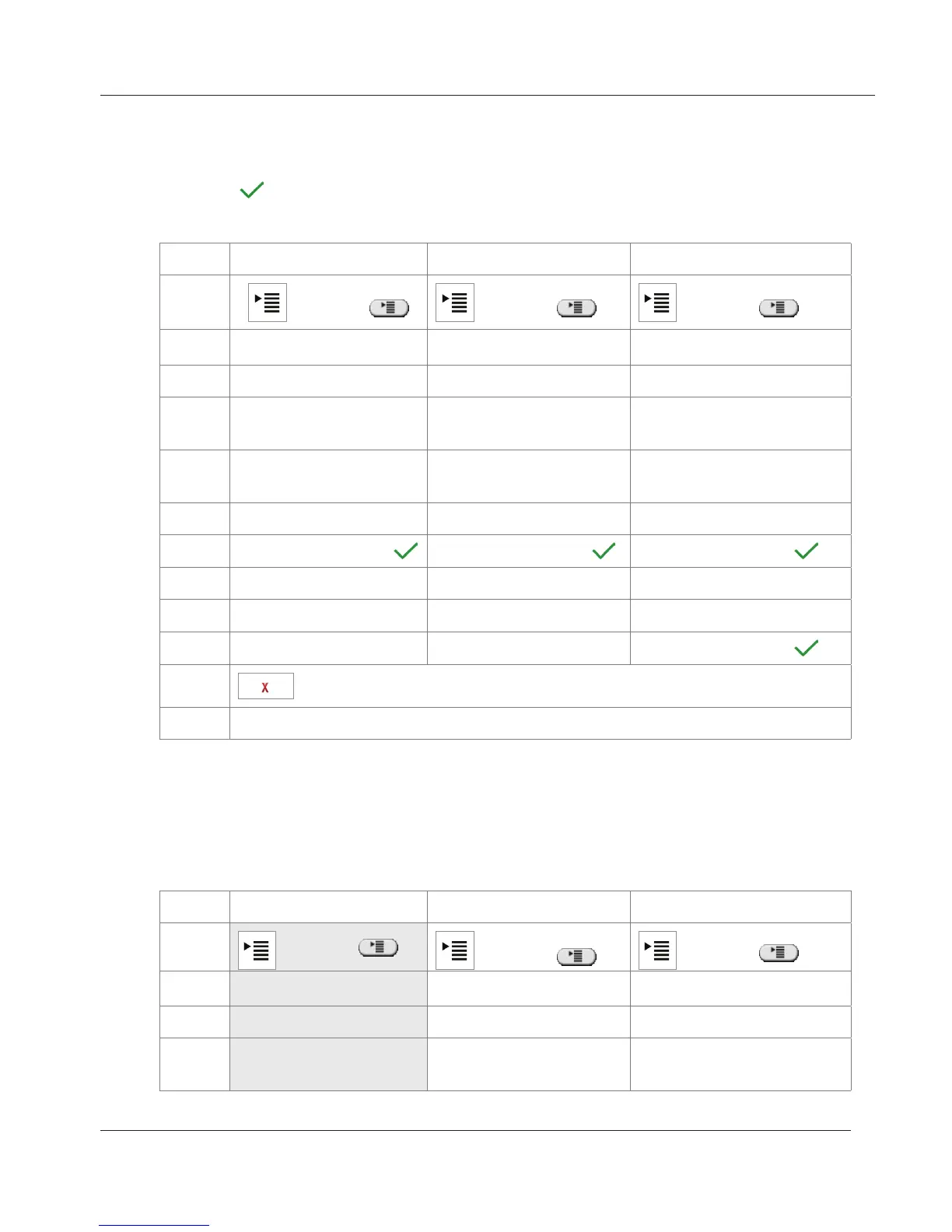
Making/changing settings on the phone
Setting phone numbers: See the following table. Tapping the text field or
pressing after typing the number saves the setting and returns the display
to the previous screen.
Forward all Forward when busy Forward after timeout
Tap
or press or press or press
Tap 2 Call Features 2 Call Features 2 Call Features
Tap 1 Call Forwarding 1 Call Forwarding 1 Call Forwarding
Tap
1 Forward All 2 Forward when
Busy
3 Forward after
Timeout
Tap
2 Target when
forwarding
2 Target when
forwarding
2 Target when
forwarding
Type phone number phone number phone number
Tap
text field or press
text field or press text field or press
Tap 3 Call Forwarding time
Type number of seconds
Tap
text field or press
Tap
to return to idle screen or
turn on call forwarding
Turning on call forwarding
If the phone number has not been set or needs to be changed, follow
instructions from top of table. If the phone number has been set, skip the
gray-shaded area.
Forward all Forward when busy Forward after timeout
Tap
or press
or press
or press
Tap
2 Call Features 2 Call Features 2 Call Features
Tap 2 Call Forwarding 2 Call Forwarding 2 Call Forwarding
Tap 1 Forward All
2 Forward when
Busy
3 Forward after
Timeout
www.InternetVoipPhone.co.uk | sales@internetvoipphone.co.uk | 0800 088 48 46



 To Next Page