© 2009 snom technology AG
man_snom870_v101_en
50
snom 870 User Manual
Using the Phone
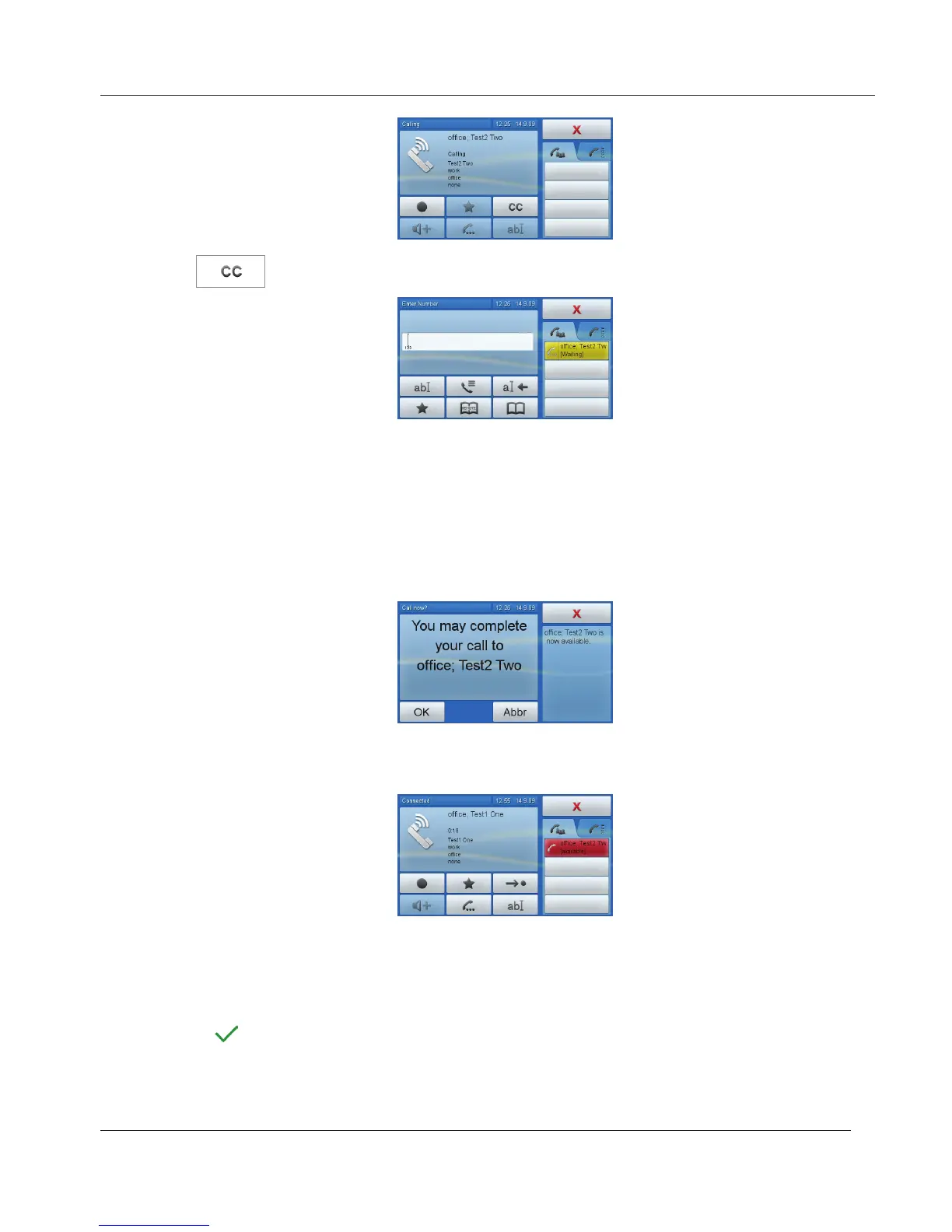
Tap to activate call completion.
You can now dial another number, receive calls, or hang up the handset to
return to the idle screen. Call completion will not interfere with the normal
operation of your phone. When the number called is no longer busy or
unavailable, your phone will ask whether to dial or not.
1. Display when phone is idle: Tap "OK" to dial, tap "Cancel" to terminate
call completion for this call.
2. When in call: Tap red button to put current call on hold and dial the
previously busy number.
Redial
From the idle screen:
Press
to show the last 100 dialed numbers on the display. See "Call Lists"
on page 20 for navigation, selection, and dialing calls from list of dialed calls.
www.InternetVoipPhone.co.uk | sales@internetvoipphone.co.uk | 0800 088 48 46



 To Next Page