© 2009 snom technology AG
man_snom870_v101_en
52
snom 870 User Manual
Using the Phone
using speakerphone and handset or headset.
1. Accept the call with the handset or the headset.
2. Tap
to add speakerphone. Tap to turn off speakerphone.
Automatically
The default is "off". Changing the setting: See "Automatic acceptance of
incoming calls" on page 66.
Missed calls are indicated by the lit call LED and by the number of missed
calls in the upper right corner of the missed call list icon
. Press to turn
both indicators off.
CaLL piCk-up from another extension
Must be supported by the PBX. Setting: See "Extension monitoring and call
pick-up" on page 61. When there is activity on a monitored extension your idle
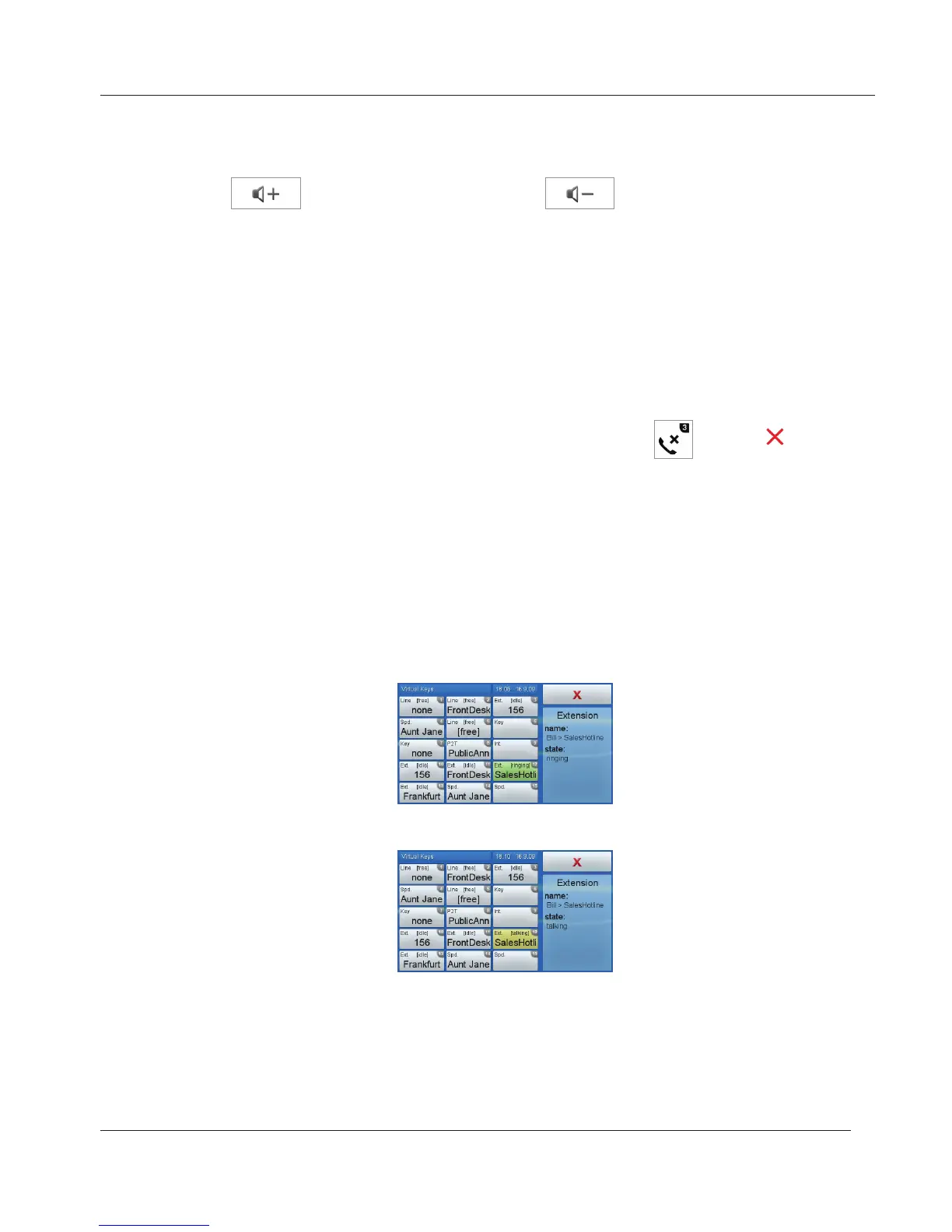
screen will be replaced by the virtual keys screen:
1. Call ringing indicated by the green key. If the call is not answered, tap the
green key to pick it up.
2. Monitored extension is in call: Indicated by the yellow key.
Mute/unmute and volume control: See "Mute Key" on page 14 and "Volume
Keys" on page 14.
www.InternetVoipPhone.co.uk | sales@internetvoipphone.co.uk | 0800 088 48 46



 To Next Page