© 2009 snom technology AG
man_snom870_v101_en
63
snom 870 User Manual
Configuring the Function Keys
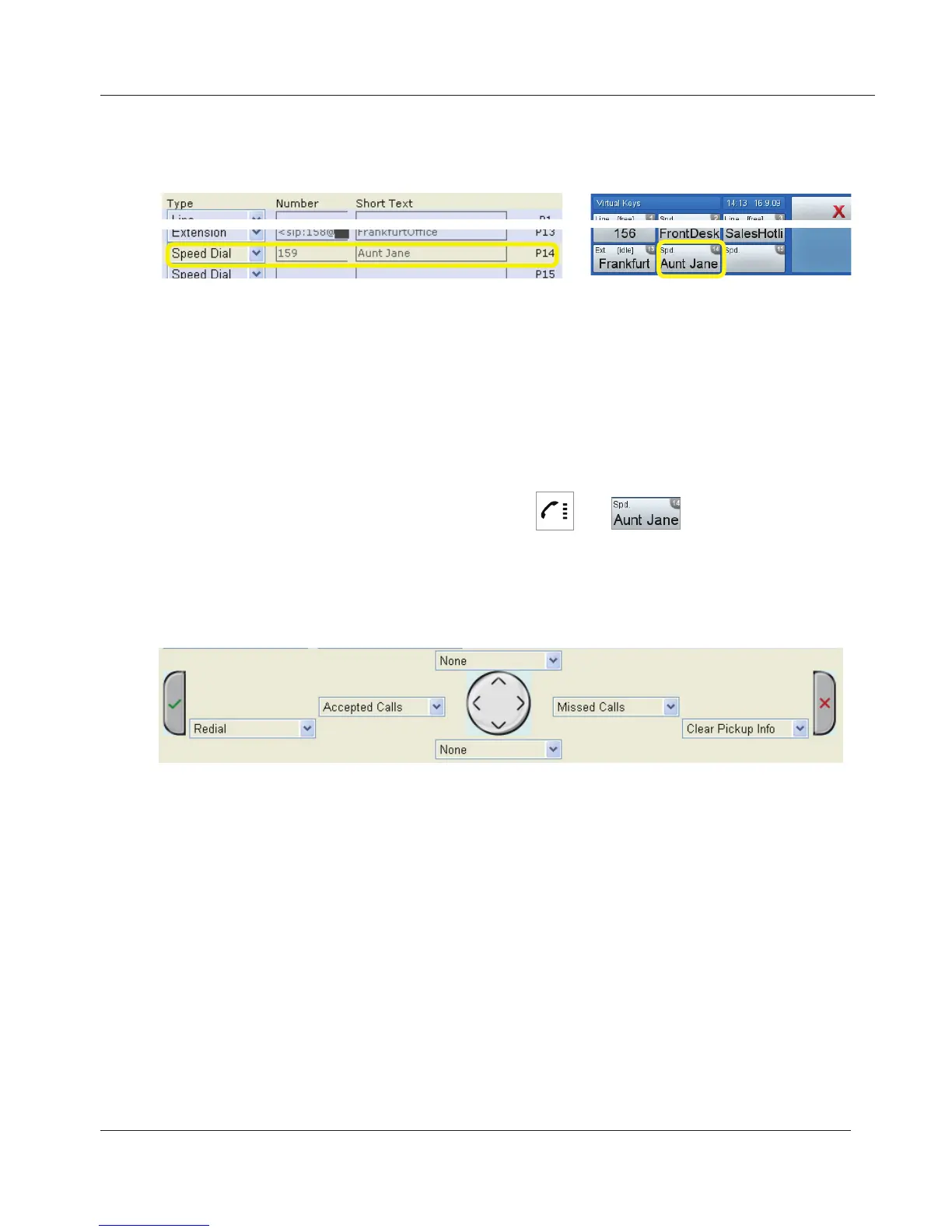
Mapping speed dial number onto virtual function key
Example: Dialing Aunt Jane's phone number by tapping virtual key 14 (P14).
1. Under "Type", select "Speed" from the drop-down list of P14.
2. Under "Number", enter Aunt Jane's phone number exactly as you would
dial it, i.e., with country and area code, if applicable, and without hyphens,
parentheses, or empty spaces.
3. The "Short Text" is optional. If you do not enter text ("Aunt Jane", for
example), the phone number will be shown on the virtual key
4. Click on "Save".
Speed dialing Aunt Jane's phone number:
> .
Navigation keys
Factory settings for navigation keys when screen is idle - see page 13. Other
key events can be mapped onto the navigation keys, but these events are also
available only when the phone is idle.
www.InternetVoipPhone.co.uk | sales@internetvoipphone.co.uk | 0800 088 48 46



 To Next Page