83
D345 User Manual Customizing the Phone Settings
Setting on the web interface
1. Open Preferences page > Privacy Settings section > Suppress own number (CLIP/CLIR).
2. Select the radio button Hide.
3. Click on "Apply" and "Save".
Rejecting anonymous calls
With this setting you will not receive calls from phones whose number is not shown on your display.
Anonymous callers will hear the busy signal.
Please note that calls from analog phone connections will, most likely, be received as
anonymous calls. The default is o.
Setting on the phone
1. Press > 2 Call Features > 3 Incoming Calls > 1 Reject anonymous.
2. Press
or to change setting from o to on: 1
Reject anonymous.
3. Press
briefly to return to the previous menu, press for two seconds to return to the idle
screen.
Setting on the web interface
1. Open the Preferences page > Privacy Settings section > Reject incoming anonymous calls.
2. Select the radio button "Reject".
3. Click on "Apply" and "Save".
Number guessing
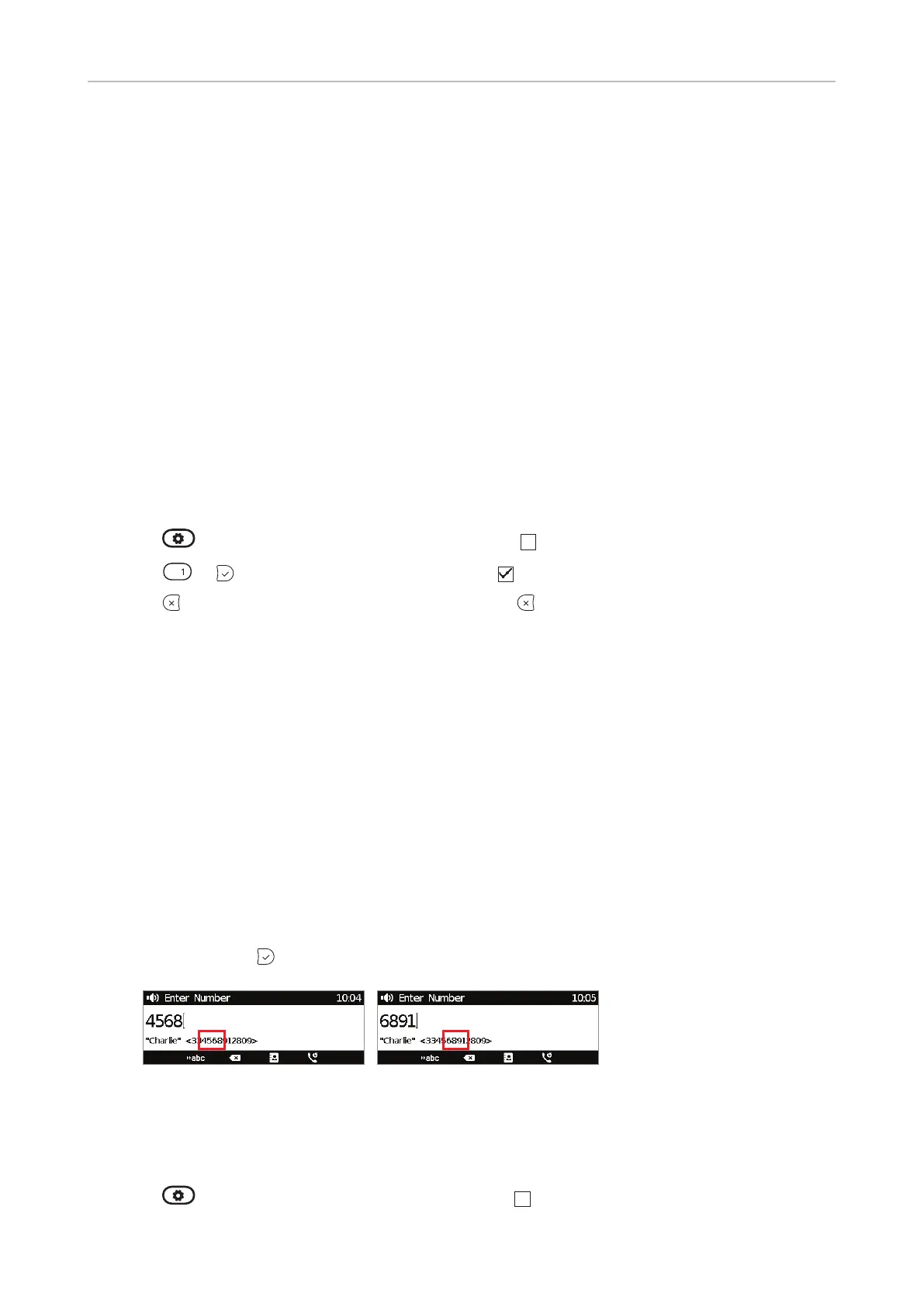
When you have typed the minimum number of characters you have specified for this function, the
phone will look for numbers containing that string of characters in its call lists and directories and, if
it finds matches, show the number(s) on the display. If the number proposed on the display is the one
you want to dial, press
; if not, continue entering digits.
The default setting is o. You can turn the setting on and o on the phone and on the web interface;
changing the minimum number of characters can only be done on the web interface.
Setting on the phone
1. Press > 2 Call Features > 2 Outgoing Calls > 3 Number Guessing.



 To Next Page