93
D345 User Manual Appendix 3
Appendix 3 - Wall Mounting
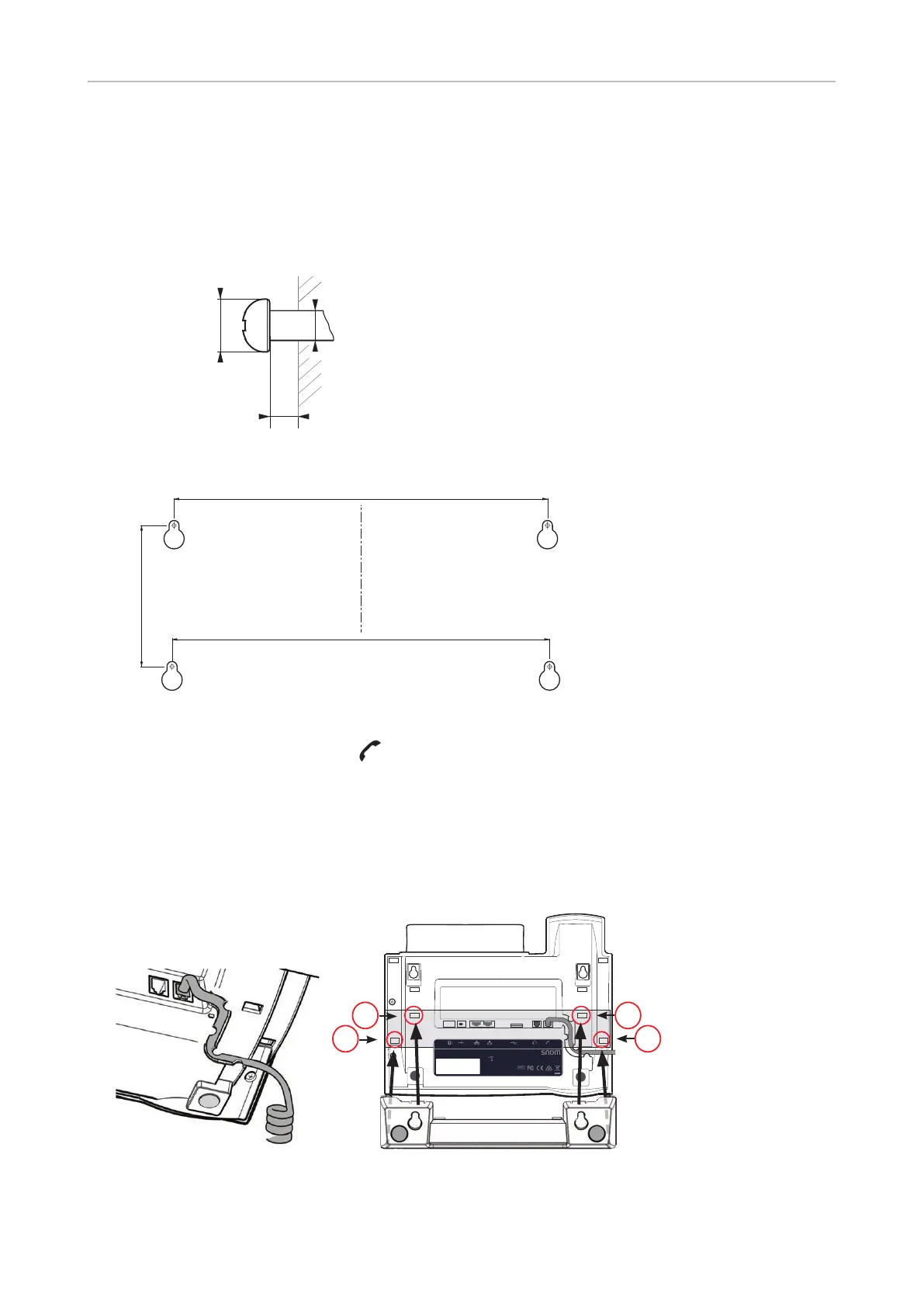
The four screws and two screw anchors/molly bolts/wall plugs appropriate for your type of wall are
not included in the delivery.
Distance to wall
Abstand zur Wand
Distance au mur
Distanza dalla parete
Distancia a la pared
Distância à parede
∼ 5 mm (0.197")
ø max
8 mm
(0.315")
ø max
4,5 mm
(0.177")
")
185,00 mm (7.284")
1. Before attaching the footstand in the position for wall mounting, plug the long end of the handset
cord into the connector labelled "
" on the bottom of the phone and place the cord in the cable
guide (Fig. 1).
2. Insert the snap-fits on the longer ends of the footstand into the holes marked (Fig. 2).
3. Tilt the footstand away from you and insert the snap-fits on the shorter ends into the holes
marked (Fig. 2 and 3). Make sure that all four snap-fits have securely locked in place before
mounting the phone on the wall.
D345
PN 00004260
EXT DC 5V NET PC USB AUDIO
S/N
MAC address
Use only power supply
listed in the user guide.
Snom Technology AG
Wittestr. 30 G · 13509 Berlin · Germany
© 20xx by Snom Technology AG. All Rights Reserved. Made in Xxxxxxx
Rn
Adapter 5V 2A
PoE 48V 0.25A
2 2
1
1
Fig. 1 Fig. 2



 To Next Page