October 21
st
, 2021 29
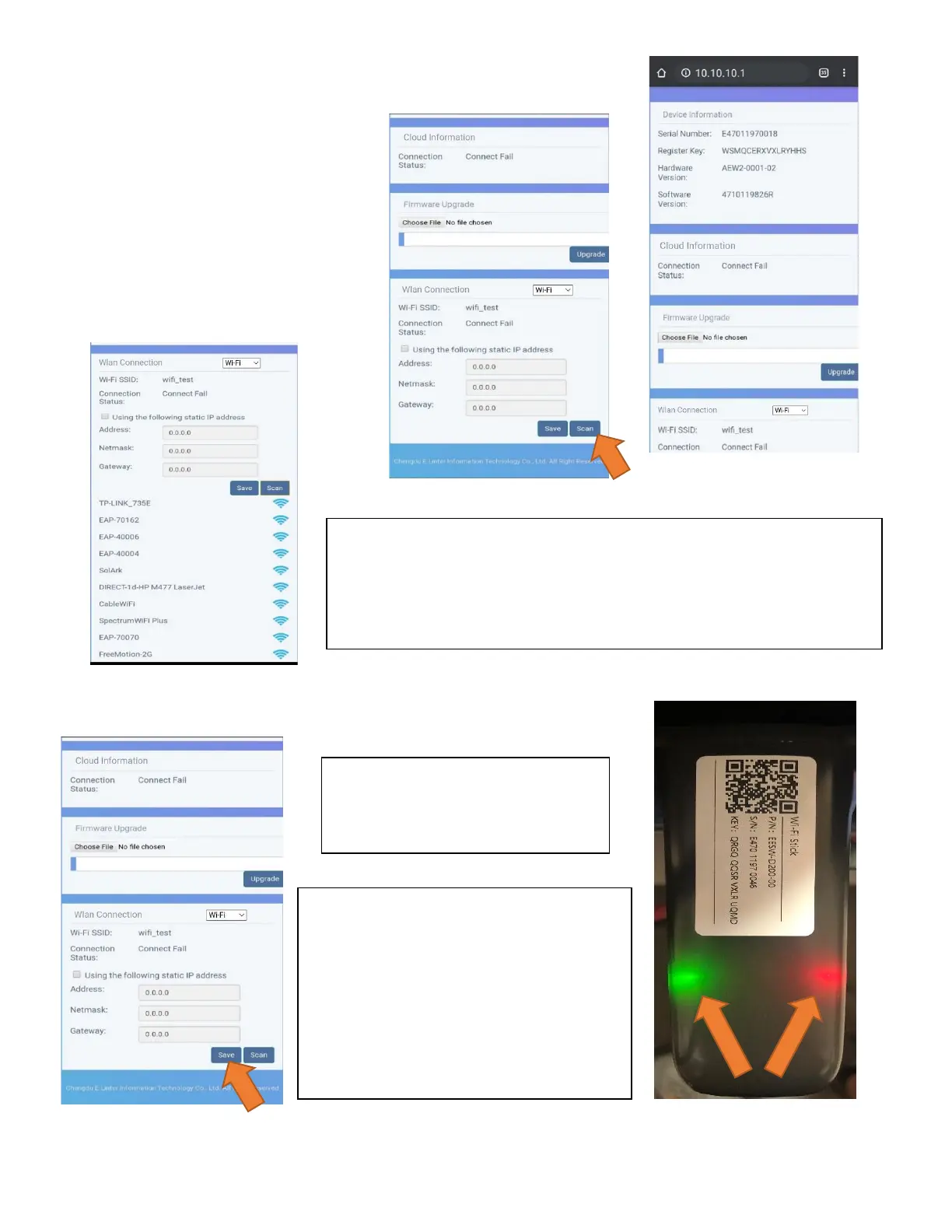
Login to Web Portal using ANY Search Browser
A. Open Google or Safari → type in the
search bar: 10.10.10.1
B. Scroll Down to "Wi-Fi Connection"
C. Press "Scan" to search local networks
Select Your HOME Network
A. Find the home network
B. Enter personal Wi-Fi Password
C. DO NOT SELECT DONGLE NETWORK
D. Select "Connect"
Save Your Information
*Disclaimer*
Connecting the dongle via the IP address only connects the dongle to
the internet
*YOU MUST STILL CREATE AN ACCOUNT VIA THE POWER VIEW APP*
If Successful you should see a Red
and Green light on the Dongle
showing a successful connection.
Red LED: Connected to Sol-Ark and has
power.
Green LED: Connected to Internet and
Server
Flashing Green LED: Connected to
router but not server (usually a VPN or
firewall issue)



 To Next Page