October 21
st
, 2021 36
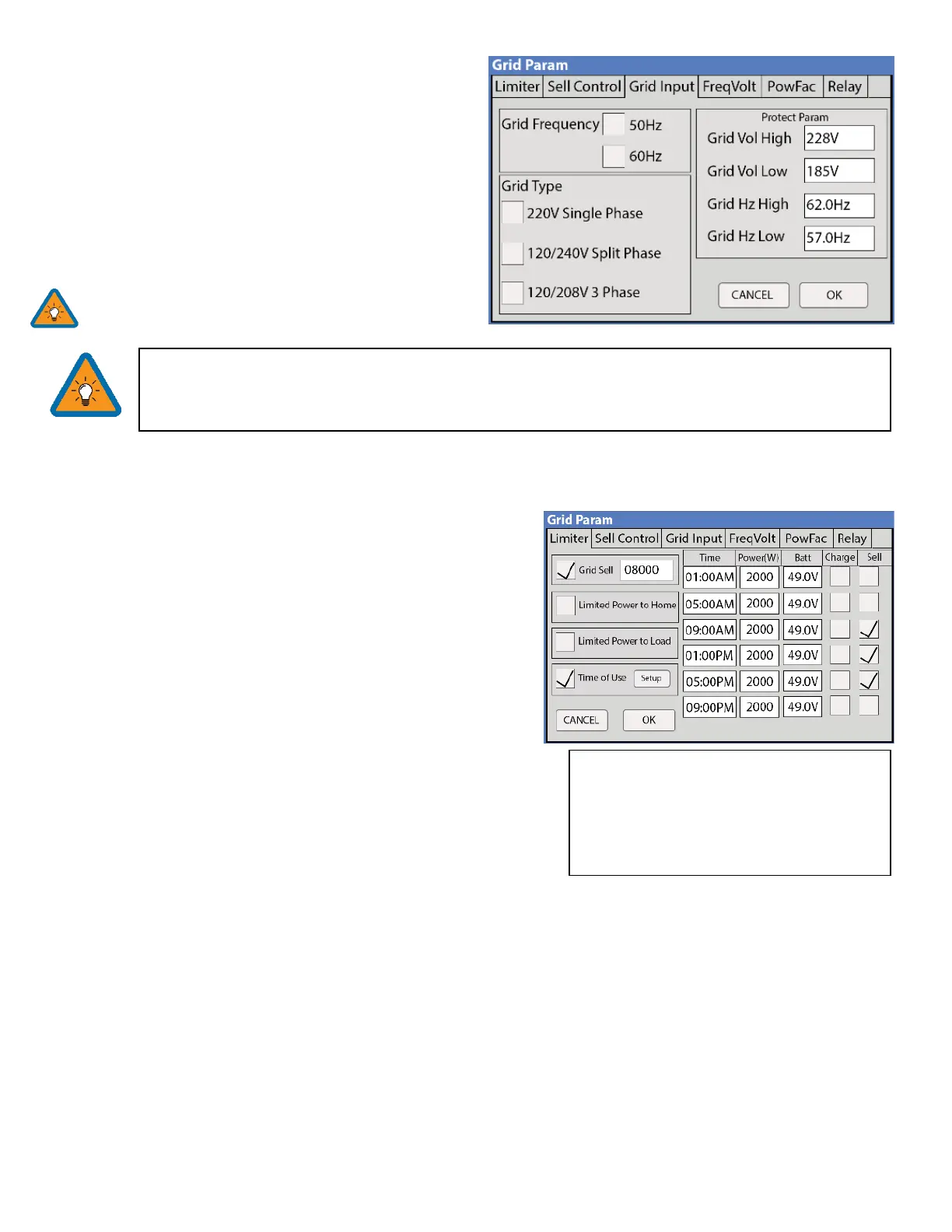
Grid Input
Grid Frequency: Select the Grid Frequency connection
Grid Type:
• 220V Single Phase (Call us before using)
• 120/240V Split Phase (North America)
• 120/208V 3 Phase
Protect Parameters: (when Settings when the system
will connect/disconnect from the grid. UL 1741 & IEEE1547
do not use these parameters.
We recommend widening the frequency range when
connecting a generator to the grid breaker (55-65Hz)
Selecting Power Mode
Sol-Ark 12K will simultaneously use various power sources available to meet loads demand. The following power modes
allow the user to determine the power sources available to the Sol-Ark 12K.
Limited Load / Self Consumption
A. Sol-Ark will only power loads connected to it.
B. It will not produce more power than the connected loads
require.
C. This mode will neither sell back to the Home nor Grid.
Limited To Home (Zero-Metering)
Main Menu → System Settings → Grid Setup → Limiter → Limited
to Home
A. Pushes power to the whole Home without selling back any
excess to the grid (no net metering agreement required)
B. This mode requires the use of the limiter sensors
C. Power source priority is the same as Grid Sell Back
Grid Sell Back
Main Menu → System Settings → Grid Setup → Limiter → Grid Sell
A. This mode allows Sol-Ark 12K to sell back any excess power produced by the solar panels to the grid.
Power source priority:
1. Solar Panels | 2. Grid | 3. Generator (Manual) | 4. Batteries (until reaching programmable % discharge)
Time Of Use (using batteries during peak power times)
Main Menu → System Settings → Grid Setup → Limiter → Time Of Use
A. Use the batteries to reduce power consumption from the grid during a user programable peak pricing time.
Power source priority:
1. Solar Panels | 2. Batteries (programmable % discharge) | 3. Grid (control when Grid charges) | 4. Generator



 To Next Page