Sola Neumasem Plus Drill Control
10
View/Set Implement Width
In order for the instrument to accumulate area
correctly, the implement working width must be
programmed. The units are in metres.
View/Set Left/Right Wing Width
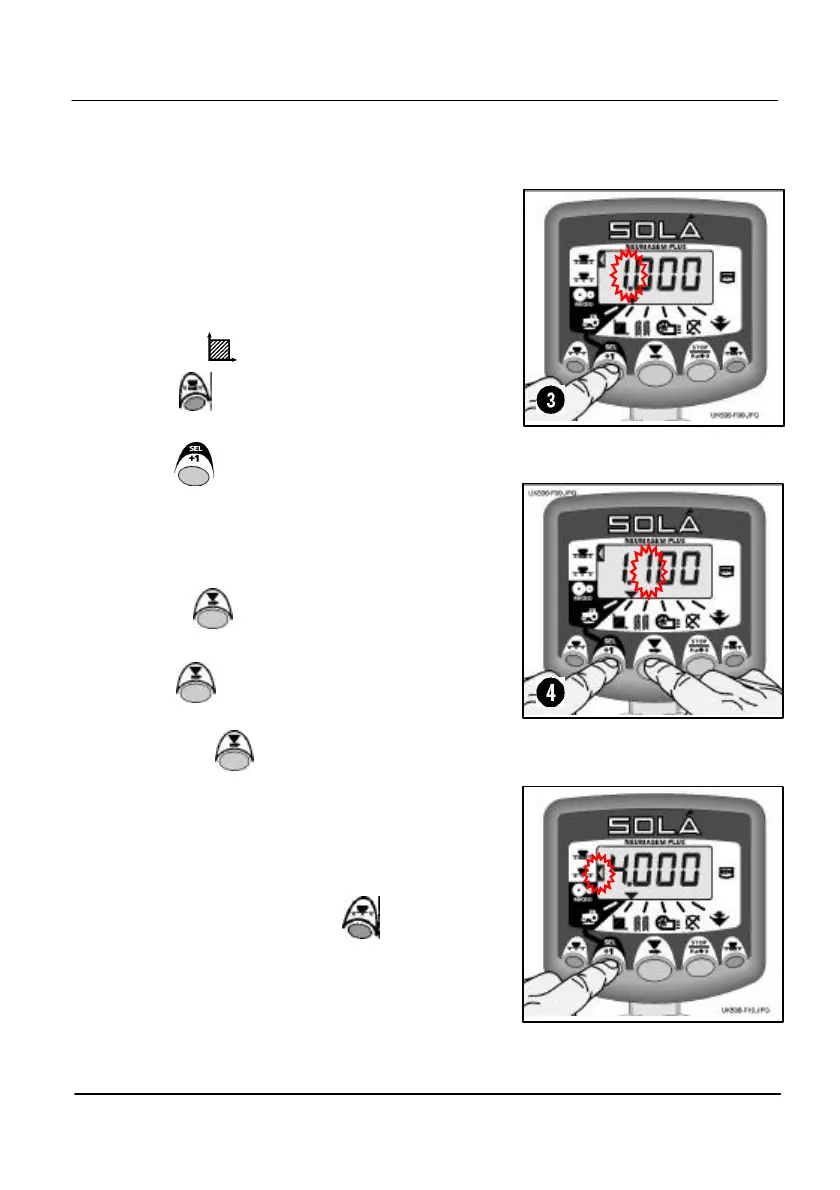
1. Select the channel.
2. Press to select left/right wing shutoff as
shown by the left top indicator (fig. 8).
3. HOLD to enter programme mode 1.
After 5 seconds the current wing width is
displayed with the first digit flashing.
4. To change the value, continue holding the
button and…
5. PRESS to select the digit or decimal
point to change.
6. HOLD to change the selected digit (or
move the decimal point).
7. RELEASE to select the next digit and
repeat as above, otherwise simply release
both buttons. The instrument will then return
to the normal display mode.
View/Set Full Width
As above except first press to select full
width shutoff as shown by the left middle
indicator (fig. 10).
Figure 8: View Wing Width
Figure 10: Set Full Width


 To Next Page