Sola Neumasem Plus Drill Control
11
5. Tramlining
The display defaults to the channel after 10 seconds (unless the Area Total was
selected).
There are five systems of tramlining - symmetric, asymmetric left, asymmetric right,
10 bout and 18 bout. The tramline bout is programmable from 1 to 15 in symmetric,
asymmetric left and asymmetric right sequences.
Selection of asymmetric tramlining is denoted by a decimal point on the display
between the current bout number on the left and the tramline bout number on the
right. Left or right asymmetric tramlining is selected in the programming mode.
NOTE: There is an option in the programme mode to disable the tramline function
altogether.
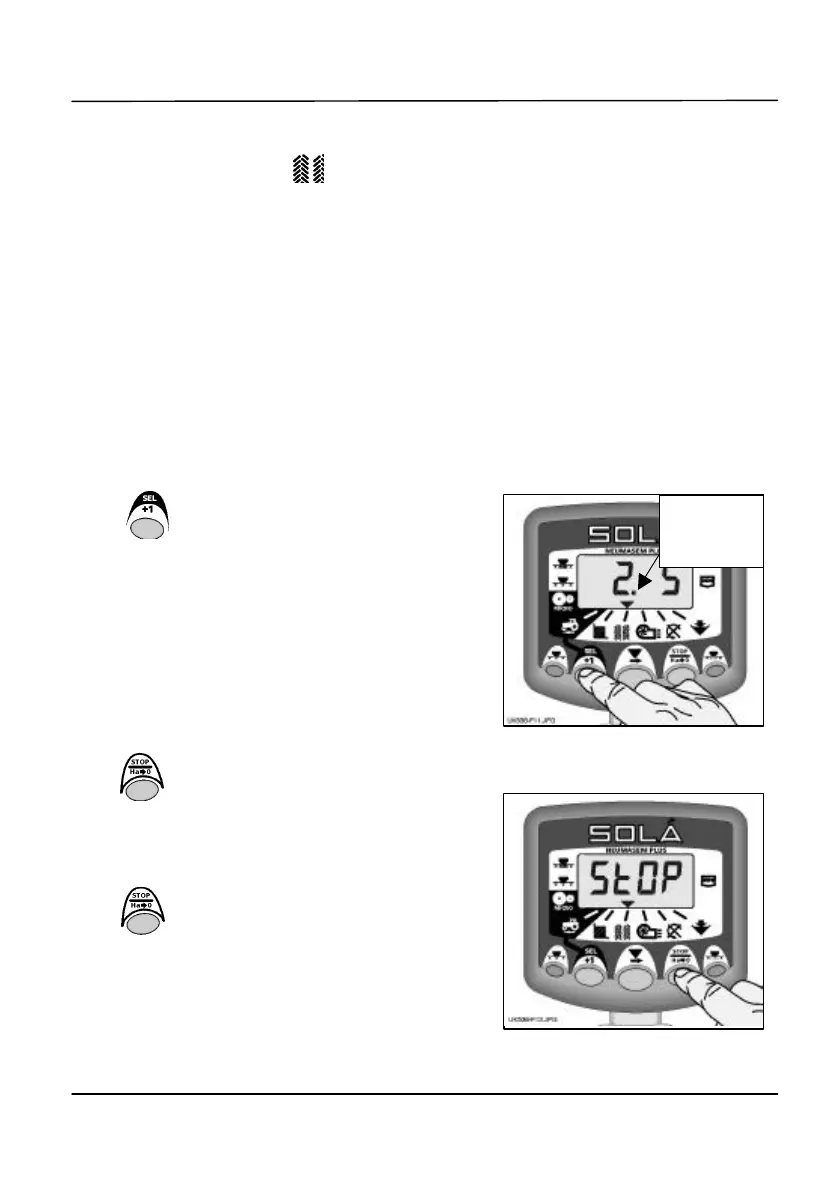
Manually advance the bout number
Press to advance the current
bout number by 1.
Hold the bout number
Press to 'hold' the current bout when the drill
goes out of work.
The display will flash 'StOP'.
Press again to resume the normal bout
sequence.
Figure 11: Advance bout number
asymmetric
Figure 12: Hold bout number


 To Next Page