Sola Neumasem Plus Drill Control
17
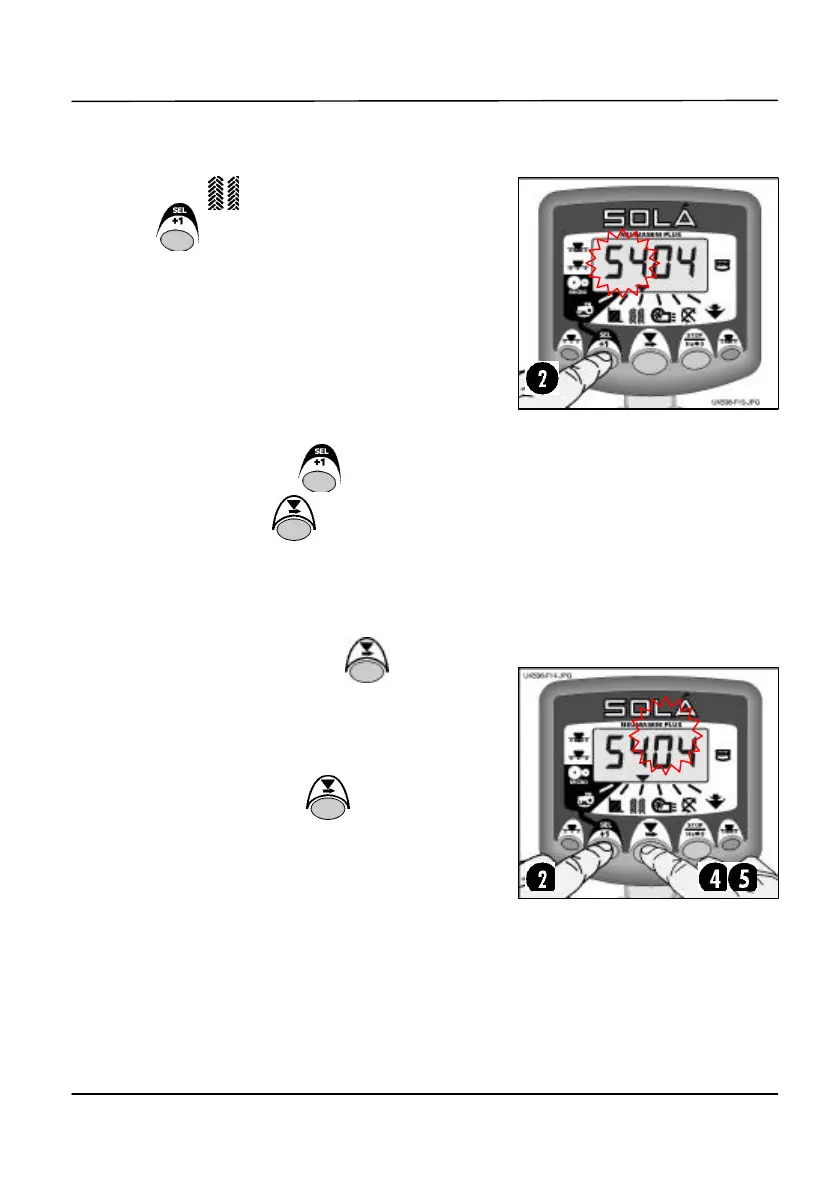
Selecting the Tramline Sequence
1. Select the channel.
2. Hold to enter programme mode 1.
After 5 seconds the first two digits flash,
indicating the tramline sequence currently
set:-
‘SY’ = Symmetric
‘AL’ = Asymmetric Left
‘Ar’ = Asymmetric Right
‘AS’ = Special Asymmetric sequences e.g.
10 bout and 18 bout.
3. Continue holding the button and press
and HOLD the button to select the
required sequence.
Setting the Tramline Bout
4. PRESS and RELEASE the button to
toggle between the tramline sequence and
tramline bout number display.
The 3
rd
and 4
th
digits flash indicating the
tramline bout number currently set.
5. PRESS and HOLD the button to cycle
the tramline bout from 1 to 15.
NOTE: If either asymmetric left (‘AL’) or
asymmetric right (‘Ar’) sequences are selected,
the tramline output is also switched on for the
bout following the target bout (i.e. bout 1).
If the special asymmetric sequence (‘AS’) is
selected, the only options for the tramline
bout number are 10 and 18.
Figure 13: Tramline Sequence
Figure 14: Tramline Bout Number


 To Next Page