Sola Neumasem Plus Drill Control
9
4. Area Total / Implement Width
The area is derived from the forward speed and the
programmed implement width and is accumulated
to whichever total is selected on the display – total
1 or total 2.
Area will only accumulate while the drill is in work,
i.e. forward speed is being registered, and is
automatically calculated based on the seeding
width selected.
The two separate area totals can be independently
reset to zero.
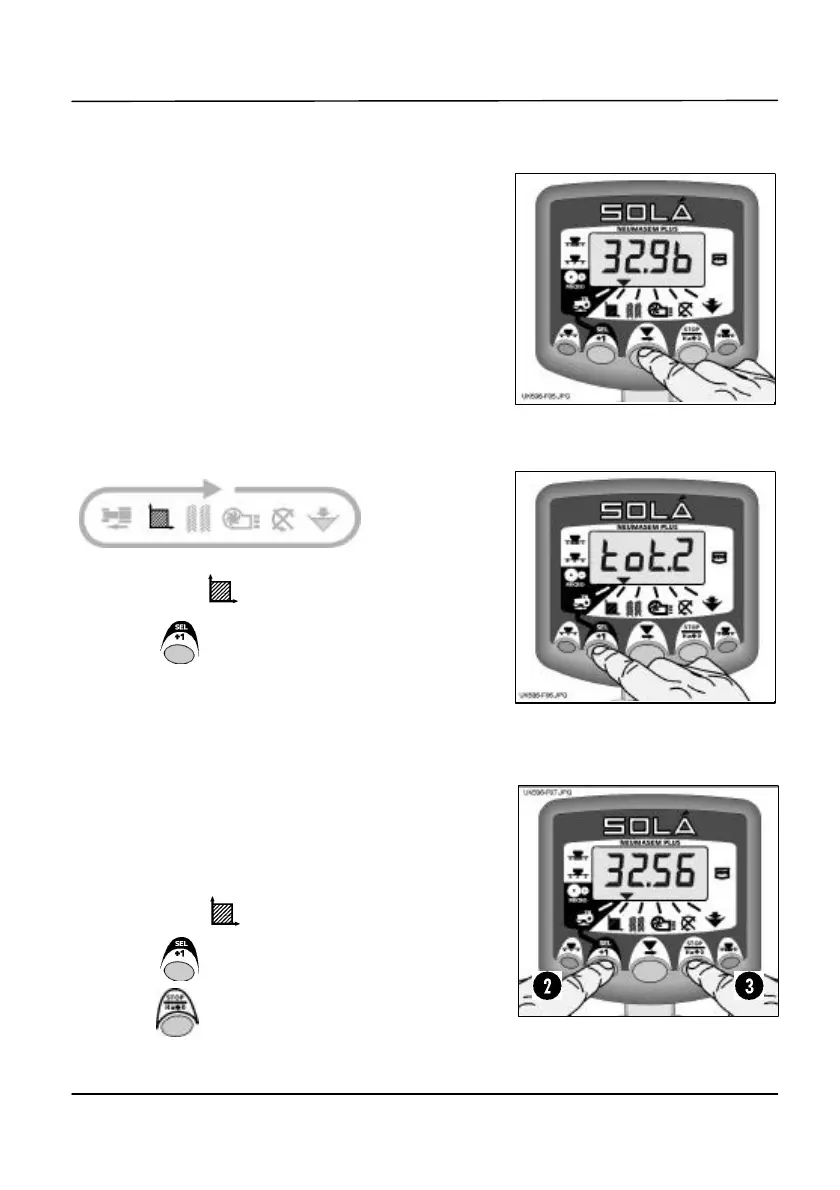
Display Area Total
1. Select the channel.
2. Press to cycle between the two area totals.
The display will then show ‘tot.1’ or ‘tot.2’ before
displaying the area accumulated since that total
was last reset.
Area total displays for 10 seconds before returning
to the tramline display.
Reset Totals
1. Select the channel.
2. Press to cycle between the two area totals.
3. Hold for 5 seconds to zero that total.
Figure 5: Display Area Total
Figure 6: Select Total 1 or Total 2


 To Next Page