Sola Neumasem Plus Drill Control
6
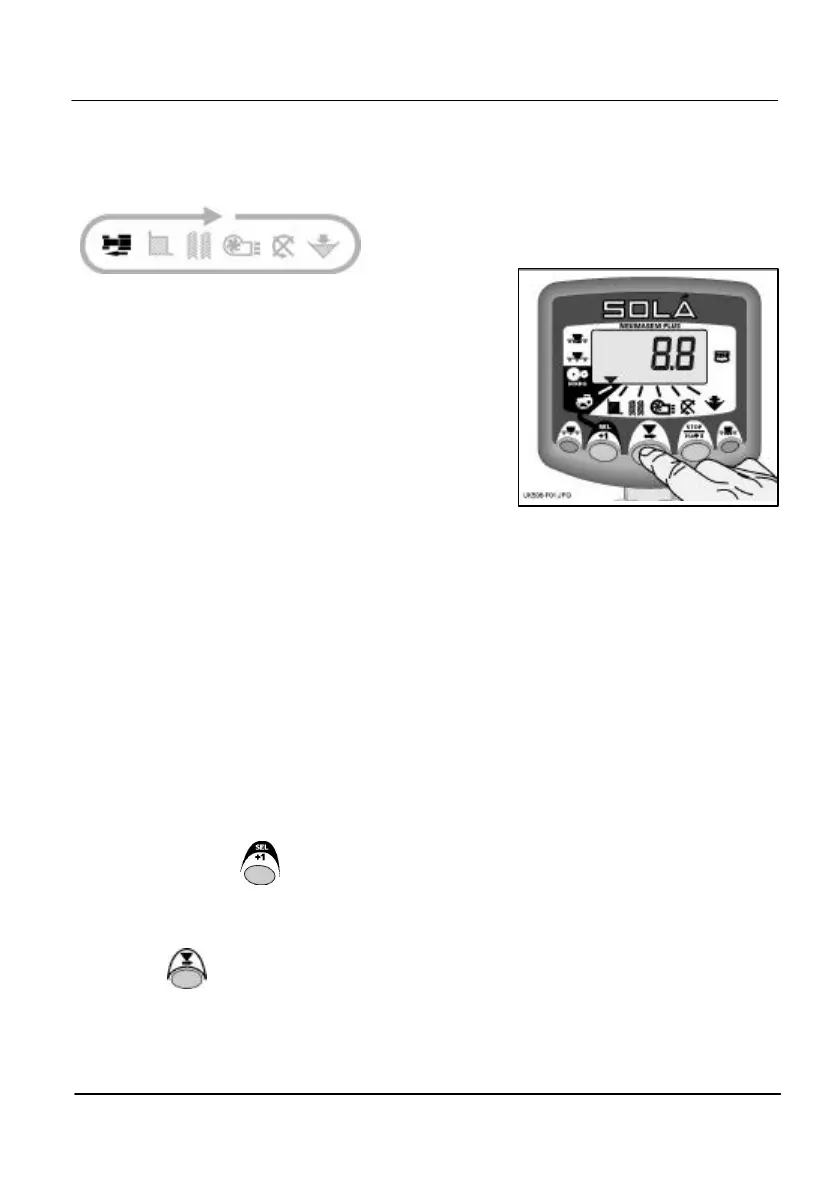
3. Forward Speed
Display Forward Speed
Forward Speed displays for 10 seconds before
returning to the tramline display.
If an alarm condition occurs, the display will default
to the appropriate channel, the buzzer will sound 5
beeps, and the display will remain flashing on that
channel until either,
(i) the alarm condition is rectified.
(ii) the forward speed drops below 2km/h.
(iii) another channel is selected and the alarm
ignored.
Forward Speed Alarm
If you stop while the drill is in work, then the
instrument will beep twice, and the display will
alternate between '0.0' and 'ALAr'
This continues until the speed is increased above
the 2.0 km/hr threshold.
Disable Forward Speed Alarm
1. Press and hold whilst switching on the
instrument to enter programme mode 2. The
display should show '1' indicating the alarm is
enabled.
2. Press to set '0' and disable the alarm.
3. Switch the instrument off and on again to
resume normal operating mode.
Figure 1: Display Forward Speed


 To Next Page