Version 1.0, October 2024
Replace Top of Home Hub Inverter — North America
8
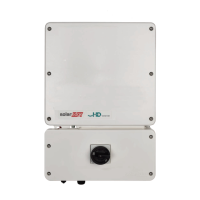
Reinstall inverter covers
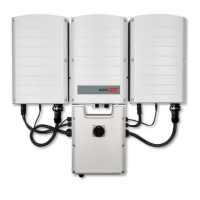
1. Reinstall both the front covers of both the inverter and DCD unit. Install new seismic screws.
2. Tighten the covers with seismic screws.
3. Record the new serial number for later use.
Power ON the inverter
1. Turn ON the AC main breaker.
2. Turn ON the DCD switch.
3. Turn the P/1/0 switch to ON (0).
After the green LED indicator is blinking, continue with recommissioning the inverter.
Recommission the inverter
Make sure to pair the inverter using SetApp before recommissioning.
Step 1: Add Modbus communication.
1. Open SetApp and scan the QR code to connect to the inverter. The firmware automatically
updates.
2. From the Main menu go to Commissioning > Site Communication > RS485-1 and tap Add
Modbus Device.
3. Confirm the following:
Battery Protocol is LG
Device ID is 15
For sites with two batteries, repeat Step 1 and set the Device ID to 14.
Step 2: Validate meter settings.
From Site Communication go to RS485-1 and validate the following:
Meter 1 is set to Function Production for systems with BUI.
Meter 2 (only relevant if there is a BUI) is set to Export+Import (E+I)
CT Rating is as follows:
• Blue current transformers: 200A
• White current transformers: 225A
• BUI with internal current transformers: 200A
Step 3: Run test.
From the Commissioning go to Maintenance > Diagnostics > Self Tests and tap Run Test.
After the Self Tests passes, continue with the next step.
Step 4: Set mode of operation.
1. From Commissioning go to Power Control > Energy Manager > Energy Control and select
the type of operation mode.


 To Next Page
 Loading...