23
L30US-IB80, L30US-IB00, L40US UPS
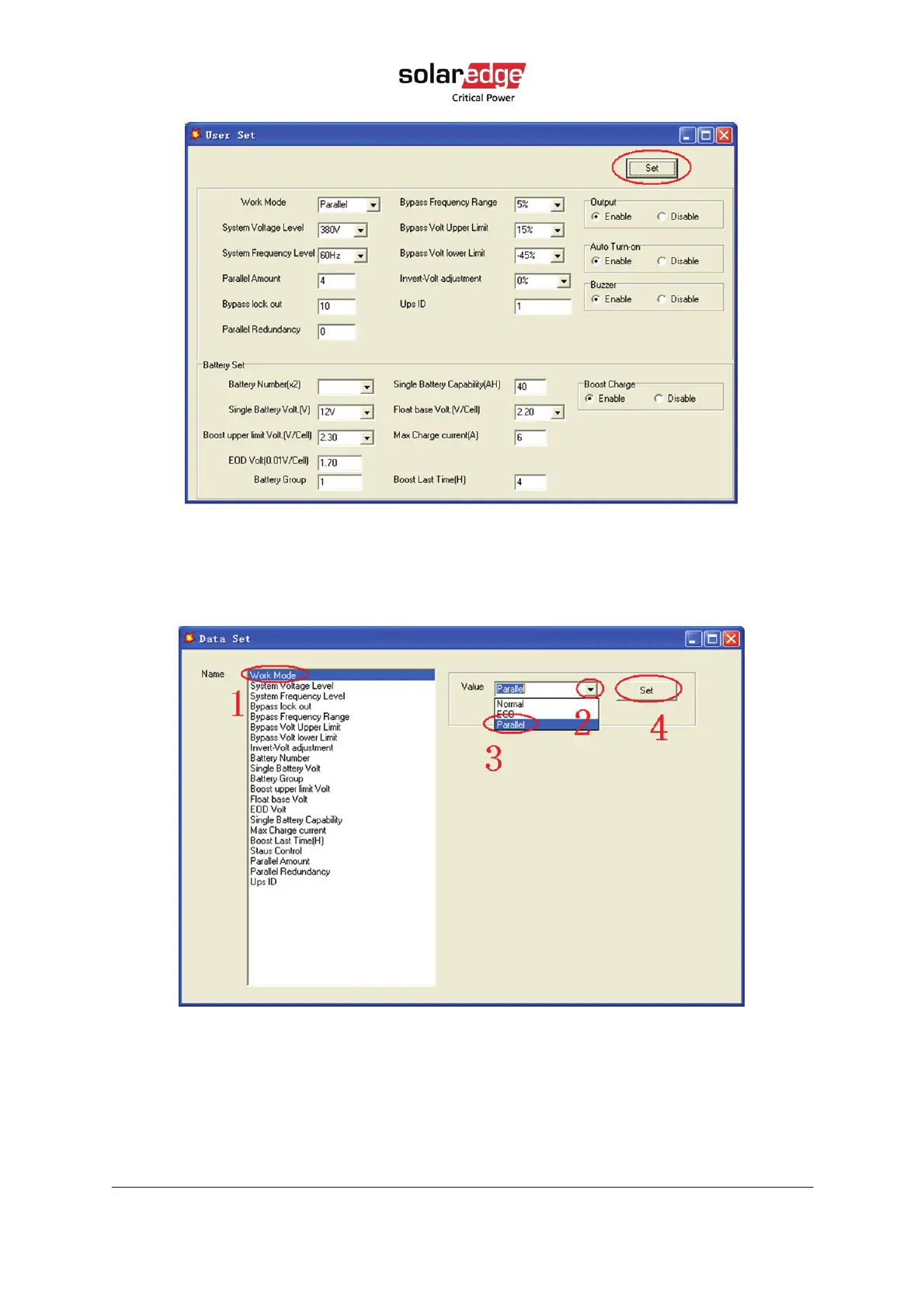
Figure 17 Muser5000 user setting page
On the Data Set screen, click Work Mode, choose Parallel for the value, then click Set (see
the figure below). If the UPS sounds a beep, that means the setting is correct.
Figure 18 Muser5000 work mode setting page
At the screen of Data Set, click Ups ID, write a value for the parallel UPS ID at the right
side, such as 1, then click Set (see the figure below). If the UPS sounds a beep, the setting
is correct.



 To Next Page