EasyManua.ls Logo

SolarEdge SE4000H - User Manual

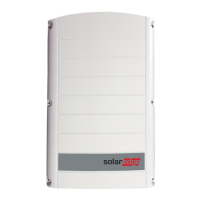
SolarEdge SE4000H
90 pages
Print Icon
To Next Page IconTo Next Page
Loading...
Installation Guide
EV Charging Single Phase
Inverter
with SetApp Configuration
For Europe, APACand South Africa
Version 1.5

Table of Contents

Other manuals for SolarEdge SE4000H

Questions and Answers

  • M
    Mr. Brian SimpsonAug 31, 2025
    What to do if SolarEdge SE4000H Inverter shows 'Over Temperature'?
    • S
      Susan CookeAug 31, 2025
      If your SolarEdge Inverter displays 'Over Temperature', verify proper clearances around the inverter and EV Charger Cable. After verification reconnect the EV charger cable to the EV.
  • S
    sharon51Aug 30, 2025
    Why is the string voltage lower than the number of optimizers on my SolarEdge SE4000H Inverter?
    • A
      amber42Aug 30, 2025
      If your SolarEdge Inverter displays 'String voltage not 0V but lower than number of optimizers', it can be caused by: * Power optimizer(s) not connected in the string. Connect all power optimizers. * Panel(s) not connected properly to power optimizer inputs. Connect the modules to the optimizer inputs. * String reverse polarity. Check string polarity using a voltmeter and correct if needed.
  • K
    Kirk BakerAug 29, 2025
    Why is the string voltage higher than the number of optimizers on my SolarEdge Inverter?
    • W
      waustinAug 29, 2025
      If the SolarEdge Inverter displays 'String voltage is higher than number of optimizers', it could be due to several reasons: * An extra power optimizer is connected in the string. * A module is connected directly to the string, without a power optimizer. * Power optimizer(s) malfunction. In this case: 1. Disconnect the wires connecting the power optimizers in the string. 2. Measure the output voltage of each power optimizer to locate the power optimizer that does not output 1V safety voltage. 3. If a malfunctioning power optimizer is located, check its connections, polarity, module, and voltage. 4. Contact SolarEdge Support.
  • L
    Lori EstesAug 28, 2025
    What to do if the SolarEdge SE4000H Inverter shows 'Gateway not responding'?
    • J
      Jacqueline HawkinsAug 28, 2025
      If your SolarEdge Inverter shows 'Gateway not responding', it means the ping to the router failed. Check the physical connection to the switch/ router. Check that the link LED at the router /switch is lit (indicating phy-link). If OK - contact your network IT, otherwise replace the cable or change it from cross to straight connection.
  • R
    Ronald WaltersAug 27, 2025
    How do I resolve a 'No DHCP' error on my SolarEdge Inverter?
    • M
      michelleburnsAug 27, 2025
      If your SolarEdge Inverter displays 'No DHCP', it indicates an IP settings issue. Check the router and configuration. Consult your network IT.
  • V
    Veronica CortezAug 26, 2025
    How to troubleshoot 'LAN cable disconnected' error on SolarEdge SE4000H Inverter?
    • D
      Daniel JonesAug 27, 2025
      If your SolarEdge Inverter displays 'LAN cable disconnected', it means there is a physical connection fault. Check the cable pin- out assignment and cable connection.
  • A
    ashley16Aug 25, 2025
    How to fix No Internet connection on SolarEdge SE4000H Inverter?
    • D
      David BurtonAug 26, 2025
      If your SolarEdge Inverter displays 'No Internet connection', it means the ping to google.com failed. You should connect a laptop and check for internet connection. If internet access is unavailable, contact your IT admin or your internet provider. For Wi-Fi networks, ensure that user-name and password are as defined in the internet provider AP/ router.
  • A
    aharrisAug 25, 2025
    What to do if SolarEdge SE4000H Inverter displays 'Pairing failed'?
    • S
      Shirley AllisonAug 25, 2025
      If the SolarEdge Inverter displays 'Pairing failed' and the power optimizers are shaded, and if you connected the inverter to the monitoring platform, retry pairing remotely when there is sunlight. Make sure to leave the inverter ON/OFF/P switch ON and that S_OK appears in the status screen.

Summary

HANDLING AND SAFETY INSTRUCTIONS

IMPORTANT SAFETY INSTRUCTIONS

Chapter 1: Introducing the SolarEdge Power Harvesting System

Chapter 2: Installing the Power Optimizer

Safety

Highlights critical safety notes and warnings applicable to power optimizer installation.

Chapter 3: Installing the Inverter

Mounting the Inverter

Provides detailed instructions and clearance requirements for mounting the inverter.

Chapter 4: Connecting the AC and the Strings to the Connection Unit

Chapter 5: Activating, Commissioning and Configuring the System

Step 1: Activating the Installation

Guides through the initial activation process of the inverter using the SetApp.

Step 2: Commissioning and Configuring the Installation

Details the steps for commissioning and configuring the inverter settings via SetApp.

Step 3: Verifying Proper Activation and Commissioning

Creating Logical and Physical Layout using Installation Information

Chapter 6: Setting Up Communication to the Monitoring Platform

Communication Options

Lists the available communication options for connecting the inverter to the monitoring platform.

Creating an Ethernet (LAN) Connection

Detailed procedure for establishing an Ethernet connection to the monitoring platform.

Creating an RS485 Bus Connection

Instructions on how to create an RS485 bus for connecting multiple inverters.

Appendix A: Errors and Troubleshooting

Identifying Errors

Describes how errors are indicated on the inverter and in the monitoring platform.

EV Charger-related Troubleshooting

Troubleshooting guide for errors specifically related to the EV charger functionality.

Troubleshooting Communication

Provides solutions for common communication issues like Ethernet and RS485.

Troubleshooting Ethernet (LAN) Communication

Specific troubleshooting steps for Ethernet communication problems.

Troubleshooting RS485 Communication

Troubleshooting steps for RS485 communication issues.

Additional Troubleshooting

General troubleshooting steps for network and communication problems.

Power Optimizer Troubleshooting

Guidance on diagnosing and resolving issues related to power optimizers.

Appendix B: Replacing and Adding System Components

Replacing an Inverter

Step-by-step guide for replacing an existing inverter with a new one.

Replacing the Connection Unit

Procedure for replacing the Connection Unit of the inverter.

Appendix C: Connecting the Energy Meter To the Inverter

Appendix D: SafeDC

Technical Specifications - EV Charging Single Phase Inverter (Europe & APAC)

Inverter Specifications

Provides detailed electrical and performance specifications for the inverter models.

Default Trip Limits and Times According to IEEE1547

EV Charger and EV Charger Cable Specifications

SolarEdge SE4000H Specifications

General IconGeneral
ModelSE4000H
ManufacturerSolarEdge
AC Output Power4000 W
Rated AC Power4000 W
Max. AC Power4000 VA
AC Voltage240 V
Max. Input DC Voltage480 Vdc
Dimensions26.2 x 15.4 x 8.3 in
Weight44.1 lbs
CoolingNatural Convection
Protection RatingIP65
AC Voltage Range211-264 V
Frequency60 Hz
Number of MPP Trackers1
Protection DegreeIP65
Max. Output Current16.7 A
MPPT Voltage Range380 - 480 Vdc
Max. DC Input Current15 A
Operating Temperature Range-25°C to 60°C
Maximum Efficiency99%
Max. Efficiency99%

Related product manuals