Disconnecting the AC Plug
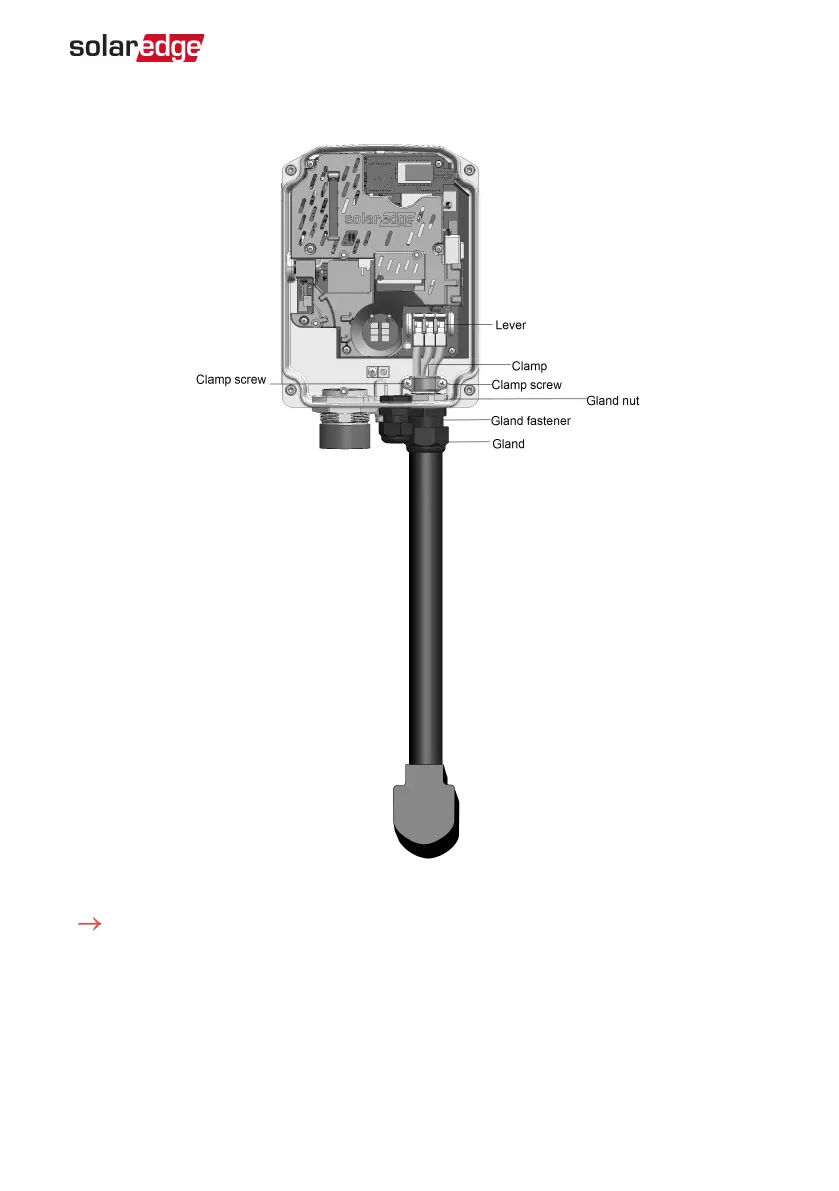
Figure 6: Inside the Smart EV Charger
To disconnect the AC plug:
1.
Remove the Smart EV Charger covers. See
Removing the Smart EV Charger Covers
on
page 24.
2.
Release the two clamping screws and remove the clamp. See
Figure 6
.
3.
Push the terminal blocks levers up to release the G, L1 and L2 wires. See
Figure 6
.
A neutral connection to the Smart EV Charger is not required.
Chapter 5: Professional Installer- Connecting the AC Directly to the Smart
EVCharger 26
Smart EV Charger Installation MAN-01-00657-1.0



 To Next Page