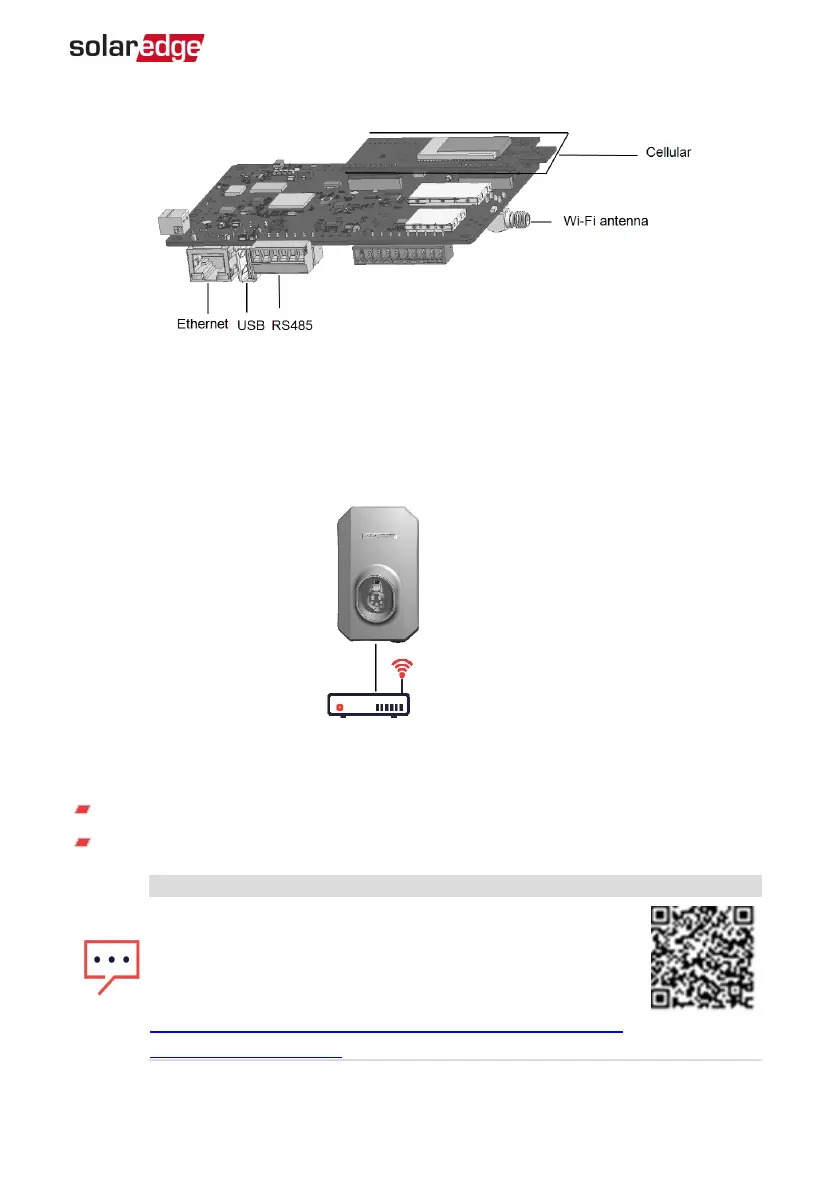
Figure 10: Communication board connectors
Creating an Ethernet (LAN) Connection
This communication option enables using an Ethernet connection to connect the Smart
EV Charger to the monitoring platform through a LAN.
Figure 11: Example of Ethernet connection
Ethernet cable specifications:
Cable type – a shielded Ethernet cable (Cat5/5E STP) may be used
Maximum distance between the Smart EV Charger and the router –330 ft.
NOTE
If using a cable longer than 33 ft in areas where there is a risk
of induced voltage surges by lightning, it is recommend to use
external surge protection devices.
For details refer to:
https://www.solaredge.com/sites/default/files/overvoltage_
surge_protection_na.pdf.
Chapter 6: Professional Installer - Setting Up Communication 38
Smart EV Charger Installation MAN-01-00657-1.0



 To Next Page