22
Installation Installation
23
5.5 Connections of the Inverter
5.5.1 The Main Steps to Connect to the Inverter
PV String Connection
The inverter has a couple of PV connectors which can be connected in
series into 2-strings PV modules. Please select PV modules with excellent
function and reliable quality. Open circuit voltage of module array
connected should be <Max.DC (shown in table below) input voltage, and
operating voltage should be within the MPPT voltage range.
Ø
Table 3 Max. DC Voltage Limitation
Max.DC Voltage
600V
WARNING!
WARNING!
Please do not ground PV positive or negative!
NOTE!
DANGER!
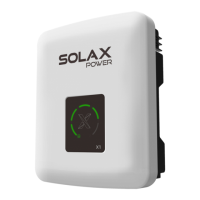
X1-6K-T-D
Danger to life due to high voltages on DC conductors.
• When exposed to sunlight, the PV array generates
dangerous DC voltage which is present in the DC
conductors. Touching the DC conductors can lead to
lethal electric shocks.
• Cover the PV modules.
• Do not touch the DC conductors.
PV module voltage is very high which belongs to
dangerous voltage range, please comply with the electric
safety rules when connecting.
Please follow the requirements of PV modules as below:
• Same type; Same quantity; Identical alignment; Identical
tilt.
• In order to save cable and reduce the DC loss, we
suggest installing the inverter near PV modules.
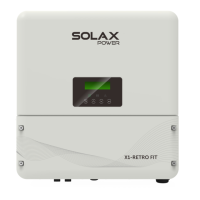
X1-6K-T-N
Model
X1-
Boost-
3K-G4
X1-
Boost-
3.6K-G4
X1-
Boost-
4.2K-G4
X1-
Boost-
5K-G4
X1-
Boost-
6K-G4
X1-
Boost-
2.5K-G4
X1-
Boost-
3.3K-G4
Connection Steps
Tools below are needed before connection.
MC4 crimping tool recommended
model: H4TC0001
manufacturer: Amphenol
Wire stripper
Crimping tool
MC4 crimping tool
( )
2 2
4mm - 6mm
d) Crimp pin contact by using the .MC4 crimping tool
c) Insert striped wire into pin contact and ensure all conductor strand are
captured in the pin contact.
Crimp these parts
a) Turn off the DC switch, then Choose 4mm² wire to connect the PV module.
b) Strip 7mm of insulation from the wire end by using the wire stripper.
(recommended model: H4TC0001, manufacturer: Amphenol)
Positive PV pin
Negative PV pin
MC4 crimping tool
( )
2 2
4mm - 6mm



 To Next Page
 Loading...