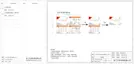
Total Import:
0.0kWh
Meter Energy
• Meter Energy
• Error Logs
The user can check the import and export energy by this function. There
are four parameters: “Total Import”, “Total Export”. Press “Up” and “Down”
to browse the values.
The Error log contains error information happened. It can record six items
at most. Press “Up” and “Down” button to review parameter. Long press
“up” to return to the main interface.
Error Logs
>
No error
>
76 77
19) General Control
Under the Australia safety regulations, general control will show as meter
control.
>General Control
>Soft Limit
Hard Limit
>Mode Select
Enable
>User Value
60000 W
• About
This interface shows information of the inverter, including “Product SN”,
“Register SN”, “Master”, “Manager” and “Internal Code”.
About
Product SN:
XXXXXXXXXXXXXX
• Level 3
Long press the “Enter” button to enter the third-level interface.
a) Status: The user can see the U/I/P parameters of the grid and the PV,
such as the Ugrid, Igrid, P and F of the grid, and the Usolar, Isolar and
Psolar of the PV.
b) Language: This inverter provides several languages for customer to
choose.
c) Settings: Entering the installer password, the information of the LCD
interface is shown in the previous page.
(1) Safety: The user can set the right safety standard here.
(2) Grid: Usually end user do not need to set the grid parameters.
If you need to reset, any changes should comply with the requirement of
local grid.
>About
> Pu_Ratio1/2/3/4
> P(u) Function
> Q(u) Function
>Information
> Pu_GridV1/2/3/4
> Enable/Disable
> QuLockIn
> QPowerLockEn
> QuGridV1/2/3/4
> Qu_Ratio1/2/3/4
20) SelfTest
The user can test the safety regulations using this function.
Mode Select
ON
SelfTest
21) LocalCommand
The user can select broadband and narrow band according to local
command using this function.
All Test
Test Report
LocalCommand


 To Next Page
 Loading...