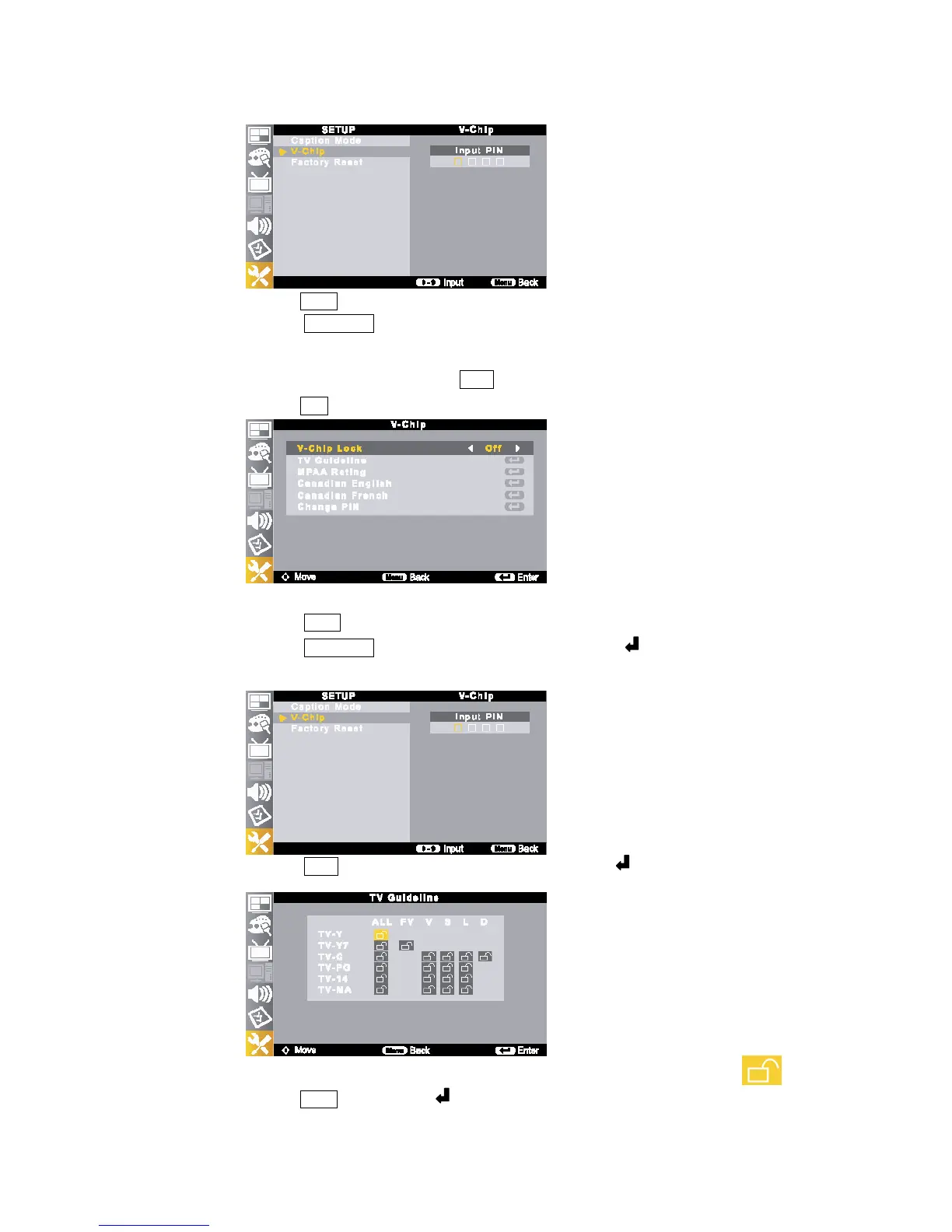
① Press the MENU button.
②
Press the (▲/▼//◀▶) buttons to move to <V-Chip>.
The message <Input PIN> will appear. Enter your 4 digit PIN number.
The <V-Chip> screen will appear.
③ To enable the V-Chip feature, press the /◀▶ buttons to move to <On>.
④
Press the EXIT button to return to the normal screen.
5) How to Setup Restrictions using the “TV Guideline”
①
Press the [MENU] button.
②
Press the (▲/▼//◀▶) buttons to move to <V-Chip>, then press the button.
The message <Input PIN> will appear. Enter your 4 digit PIN number.
The <V-Chip> screen will appear.
③
Press the (▲/▼) button to move to <TV Guideline>, then press the button.
The <TV Guideline> screen will appear.
④
You can independently lock the TV ratings. The blocked TV (FCC) ratings are indicated by a<
>.
Press the ▲/▼/) buttons and the button to activate the appropriate restrictions for TV (FCC) Rating



 To Next Page