LOCAL NETWORK
Press the Interactive Button twice (Two short presses) to activate Setup Mode on
the Qendercore Hub. The “Mode” light (Green) should start flashing on and off
approximately every 1.5 seconds. Connect your smart device or computer to the
same network as the Qendercore Hub. On computers with Windows 10 or above,
navigate to http://qendercore.local/ in your chosen web browser. This should
automatically navigate to the Qendercore Setup Page. Otherwise, login to the
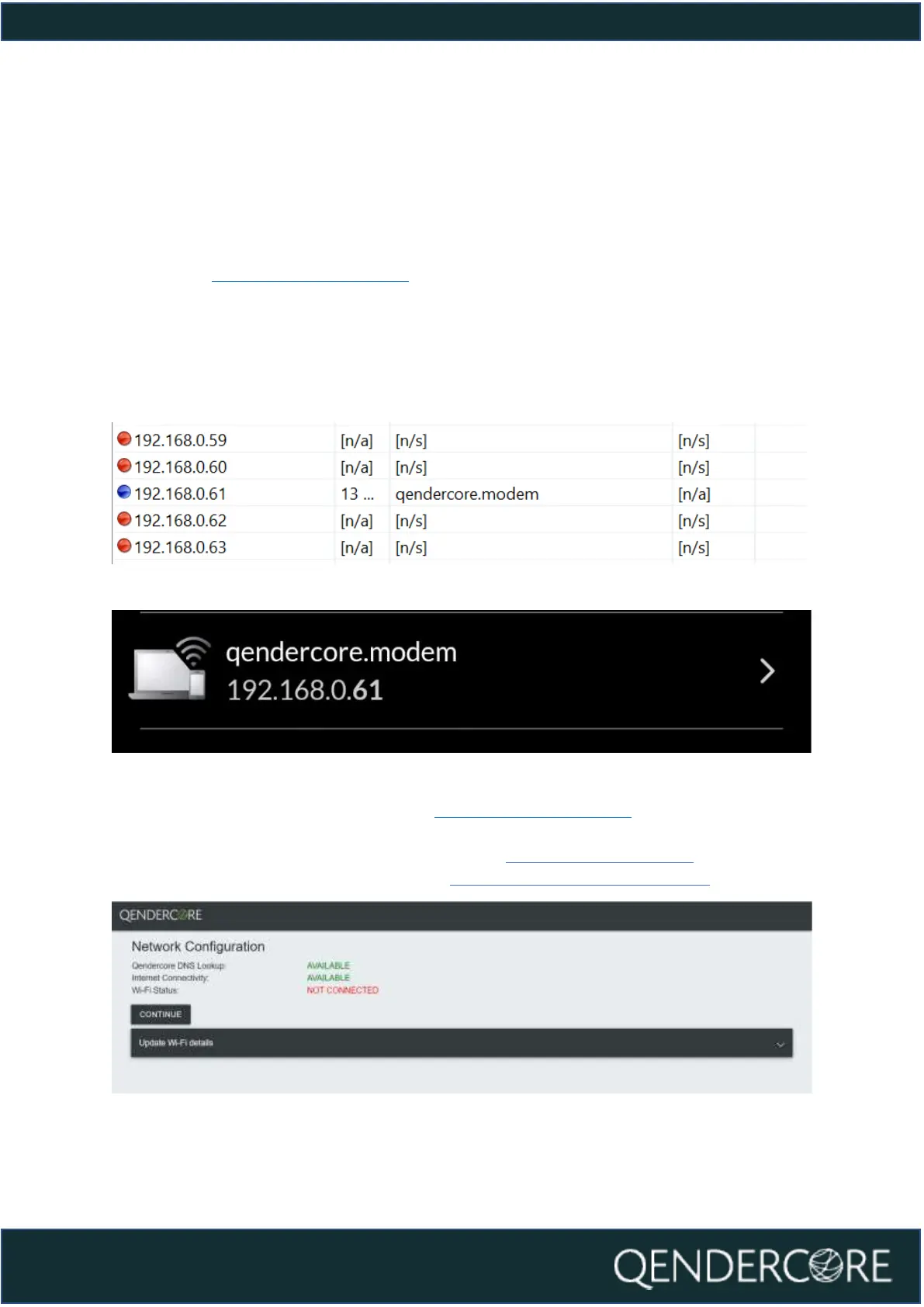
Modem or use a method of IP scanning to determine the assigned IP address for
the Qendercore Hub (Screenshots below from Angry IP Scanner for Windows and
WiFiMan for Android).
Figure 7 - Angry IP Scanner for Windows
Figure 8 - WiFiMan for Android
Navigate to the correct IP address (Or http://qendercore.local/ while the Hub is in
Setup Mode. You will be directed to the below webpage, on this webpage you can
elect to set a WiFi network as a backup option WiFi Network Setup – ), or you can
continue to link a Qendercore Account (Linking a Qendercore Account).
Figure 9 - Ethernet Network Configuration, Completed



 To Next Page