Ethernet Connection Setup
Assemble the Ethernet connector by passing the Ethernet cable through the
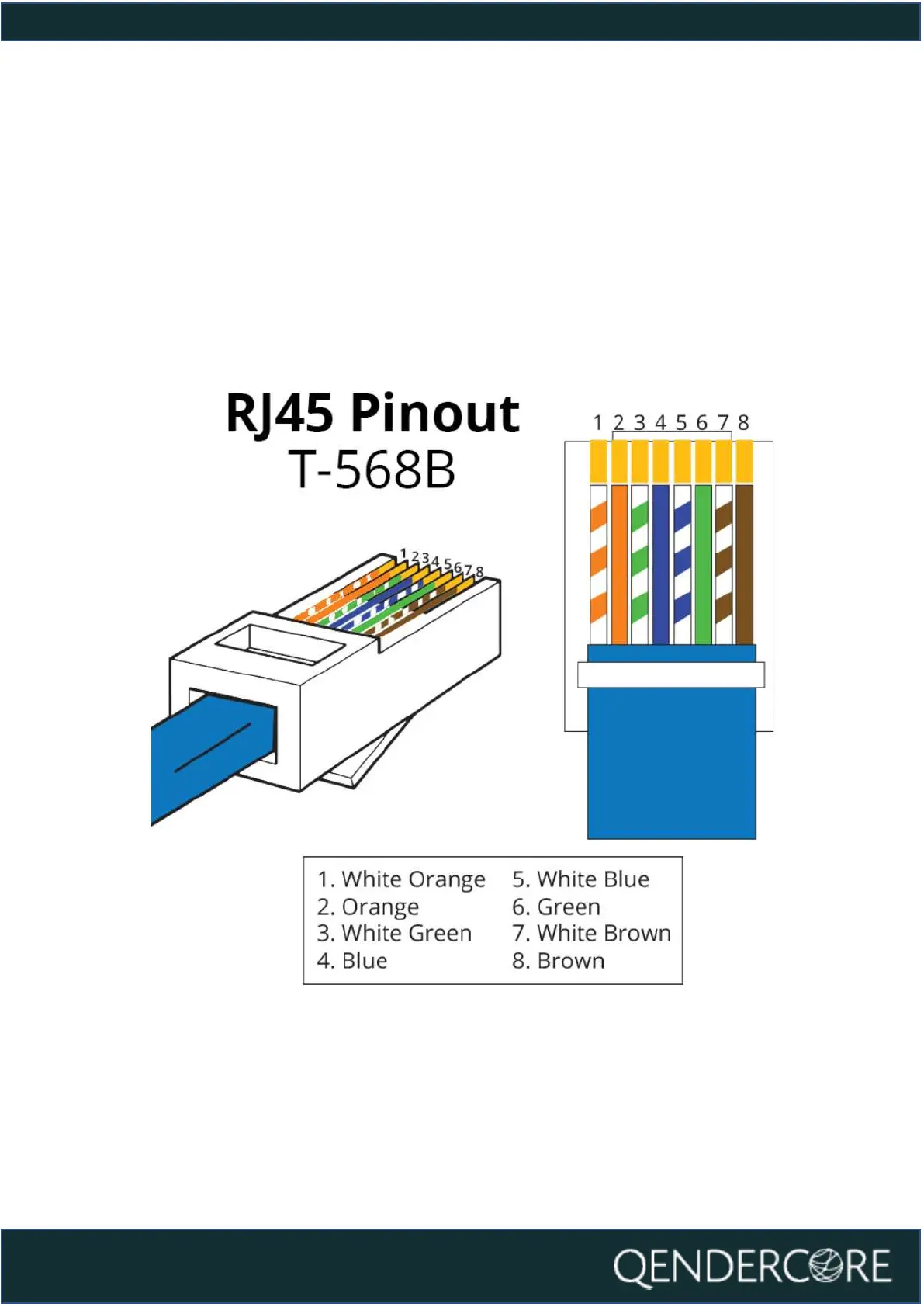
weatherproof gland, and then fitting off an RJ45 connector using the T-568B
connection standard. Once the Status LEDs of the Hub are flashing, connect the
RJ45 connector to the Ethernet port of the Qendercore Hub and twist the
weatherproof lockring onto the Ethernet port. Tighten the weatherproof gland
until it is firm.
Figure 12 - RJ45 Ethernet Pinout



 To Next Page