Linking a Qendercore Account
After connecting to your Qendercore Hub (Connecting to Qendercore Hub)and
configuring your internet connection (Internet Connection), click on “Continue” to
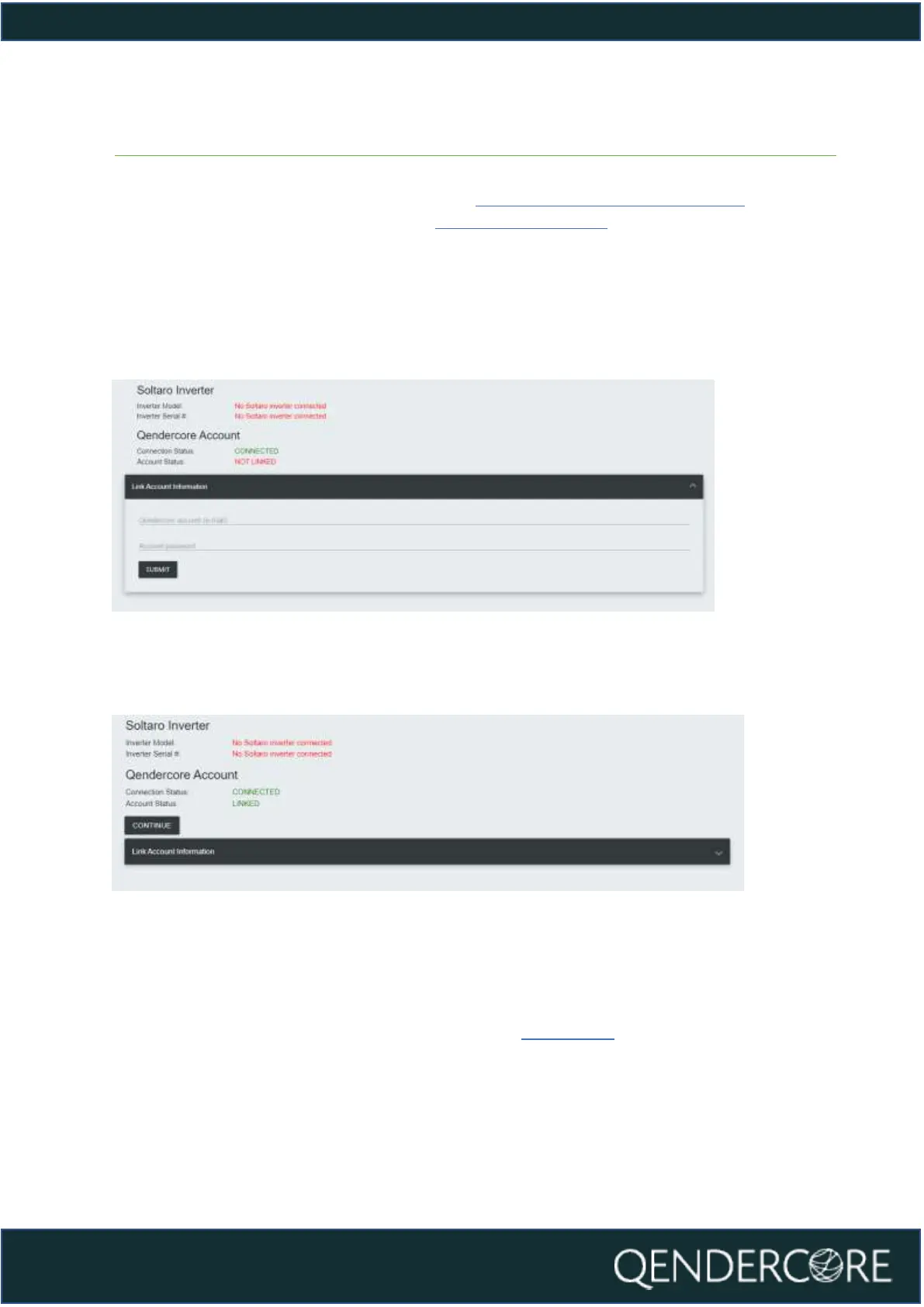
be taken to Qendercore Account Linkage. The Inverter Model and Serial # will be
shown at the top and the Qendercore Connection Status will be shown
underneath. Please input the Account information for the End User associated
with this Inverter Serial #, and then press Submit. The Hub will attempt to connect
to the Qendercore servers and verify the information, if correct, this Hub will be
automatically linked to the End User’s account.
Figure 14 - Qendercore Account, Unlinked
Once initial verification has been completed, the Account Status should display
“Linked”. Please press “Continue”.
Figure 15 - Qendercore Account, Linked
After pressing “Continue”, you will be directed to the page below. Setup Mode will
end, and the Qendercore Hub Setup is complete. You will be able to view your
connected inverter on your Qendercore Account (Please allow up to 30 minutes
for information to populate for the first time). LEDs should change status to
indicate setup mode exited and account linked (LED Status
Error! Reference source not found.Error! Reference source not found.)



 To Next Page