Internet Connection
There are various methods of connecting your Qendercore hub to your local
network:
1. Local Access Point – WiFi (LOCAL ACCESS POINT (AP))
2. Wi-Fi Protected Setup (WPS) – WiFi (Only available for Wi-Fi routers with
WPS Push Button/ PBC functionality) (WiFi Setup – WPS)
3. Ethernet Connection (Error! Reference source not found.)
These methods are outlined in the following sections.
WiFi Network Setup – Manual Entry
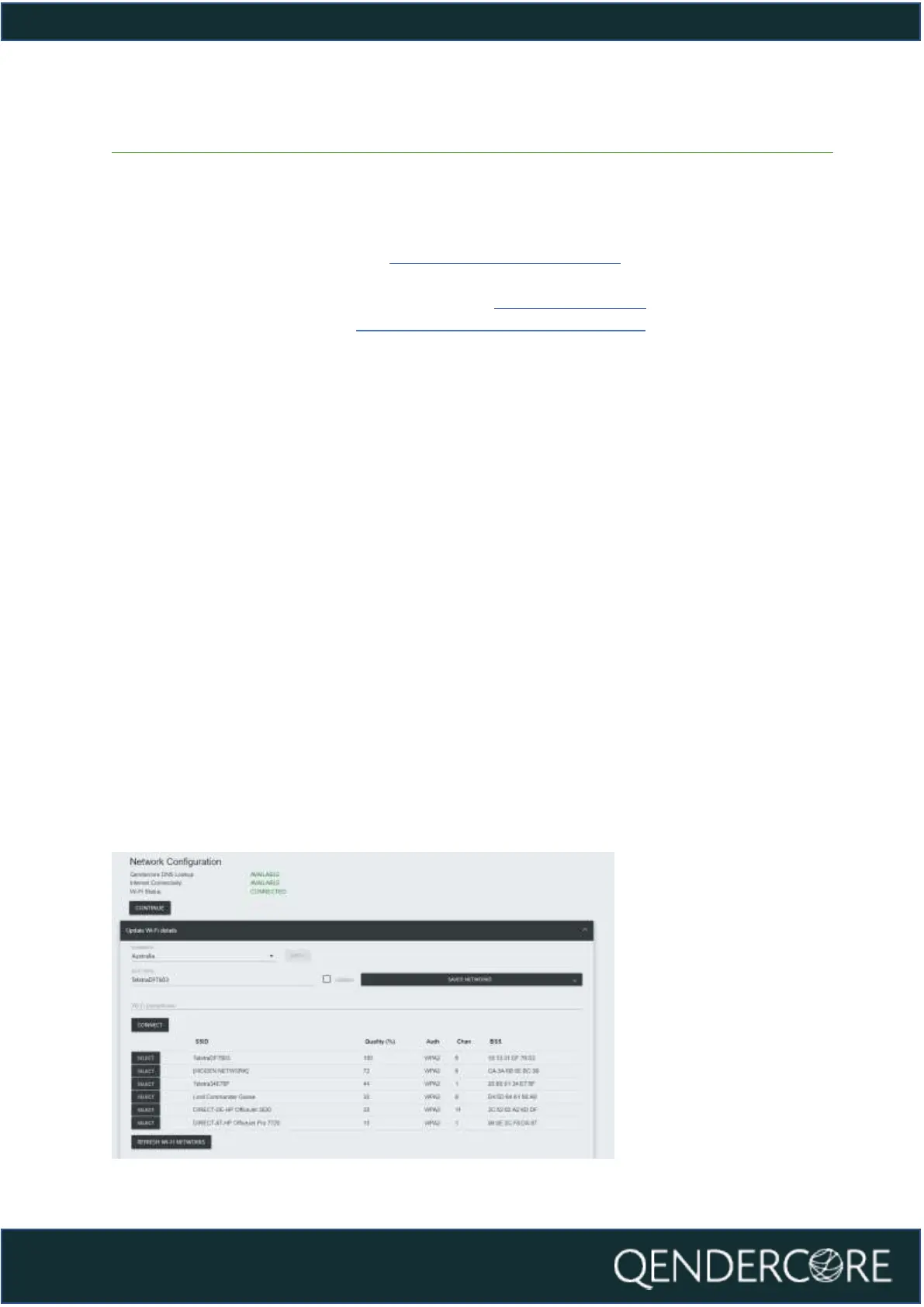
Once you have connected to your Qendercore Hub following the steps above,
input your installation Country and press “Apply”. Select your preferred Wi-Fi
network by clicking on it and input the correct password for this network into the
“Wi-Fi Passphrase” section. If your chosen network is not broadcasting an SSID,
you can select “Hidden Network” to enter an SSID manually (please ensure that
“Hidden” is selected in this scenario). Once all details have been input, please press
CONNECT to attempt Wi-Fi connection to the chosen Wi-Fi network.
Once it has successfully connected to the Local network, the page will refresh and
will show you the availability of:
1. Qendercore DNS Lookup
2. Internet Connectivity
3. Local Wi-Fi connection
If any of these are not showing as “Connected” or “Available”, please refer to the
Troubleshooting section of the manual.
If everything is OK, please press the “Continue” button to move to Linking a
Qendercore Account.
Figure 10- Network Configuration, Completed



 To Next Page