31
Chapter 2 Hardware Setup
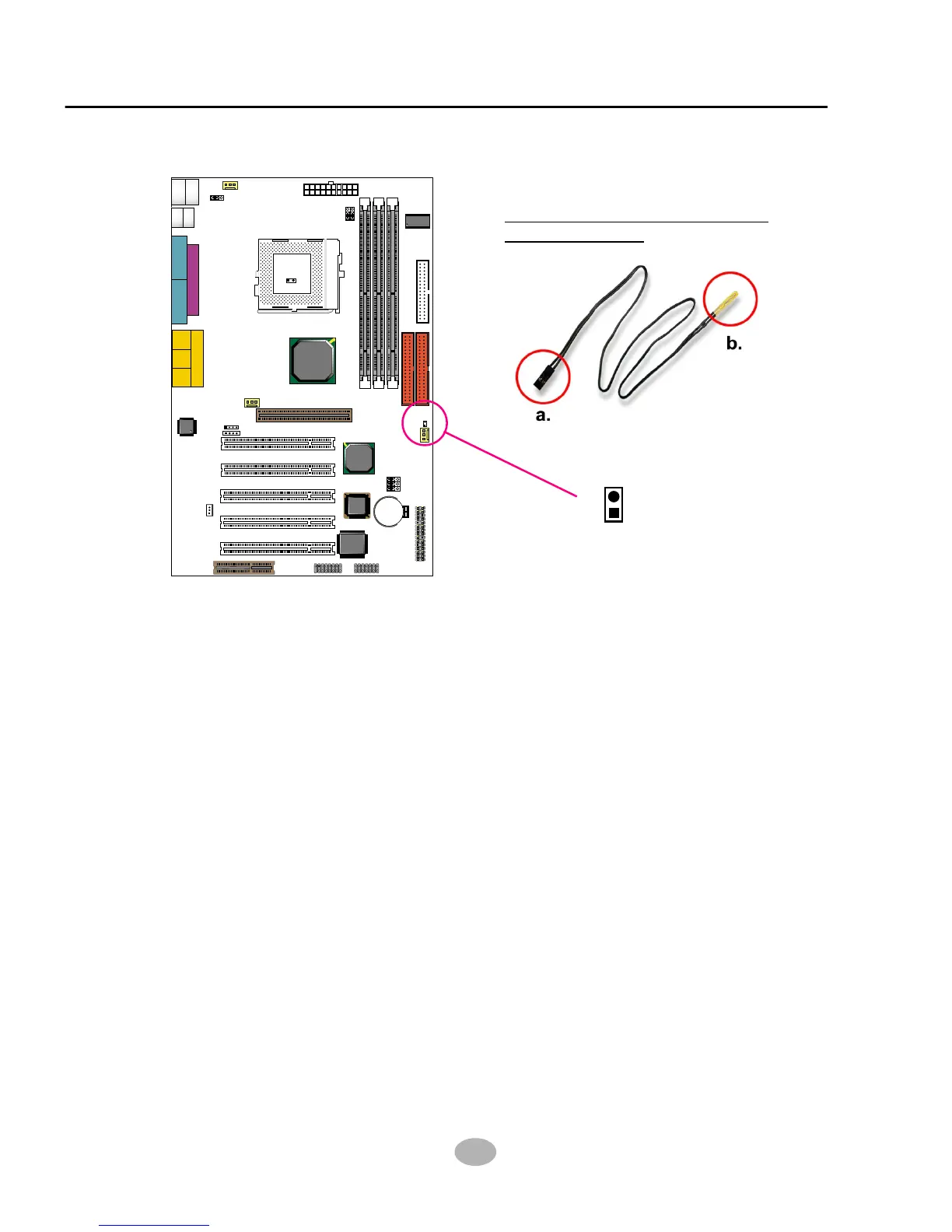
2-5.5 Thermal Sensor Connector (RT2) (Optional)
We provide a thermal cable in the mainboard package. This thermal cable
is to monitor device which will generates a lot of heat, such as HDD,
Graphics card etc. Please connect one end (A) of the thermal cable to
mainboard RT2 header, and tape another end (B) of thermal cable on to
the device which you want to monitor. After you have finish the thermal
cable installation, you will see the detected temperature in BIOS setup
or Hardware monitor utility.
Clock
Generator
J2
J3
SPK RST KEYLOCK T/LED
HDD/LED IR PWR SUSPEND
++
--
+
-
1 15
1 15
I/O
Controller
FWH
Intel
ICH2
SOCKET 370
LPT1
COM1COM2
GAME/MIDI PORT
LINE
OUT
LINE
IN
MIC
Intel
82815EP
MCH
Li
Battery
RT1
DIMM2
DIMM1
DIMM3
PCI 1
PCI 2
PCI 3
PCI 4
PCI 5
JWOL1
CD_IN1
CD_IN2
CNR1
SCR1
IDE2
IDE1
FDC1
CPUFA1
ATX POWER
AUXFA1
1
11
1 3
1 3
JP5
JP6
CHAFA1
RT2
AC'97
Codec
1 3
1 3
1 3
JBAT1
JBAT2
JP16
USB1
1
16
1 3
1 3
1 3
PS/2
MOUSE
PS/2
K/B
upper
lower
USB1
USB0
upper
lower
1 4
1 4
1 3
JP1
AGP 4X
Thermal Sensor Connector
(RT2) (Optional):
RT2



 To Next Page