23
Hardware Setup
VIA
VT82C694X
VIA
VT82C
686A
LPT1
COM2 COM1
GAME/MIDI PORT
LINE
OUT
LINE
IN
MIC
AC'97
Codec
FLASH BIOS
ISA
FDD1
1
IDE2
IDE1
1
1
Li
Battery
DIMM1
DIMM2
DIMM3
PCI 1
PCI 2
PCI 3
AGP 4X
SPK RST PWR/LED T/LED
HDD/LED IR PWR SMI
CON1
++
--
+
-
SW1
O
N
D
I
P
1
2
3
4
5
6
7
8
ATX POWER
FAN1
FAN3
F
A
N
2
USB2
16
1
JWOL1
3
1
Clock
Generator
1 3
JBAT1
1 3
JP5
1 3
JP6
1 3
JP1
SOCKET 370
RT1
1 4
1 4
C
D
_
I
N
1
C
D
_
I
N
2
USB1
USB0
PS/2
MOUSE
PS/2
K/B
upper
lower
upper
lower
RT2
1
30
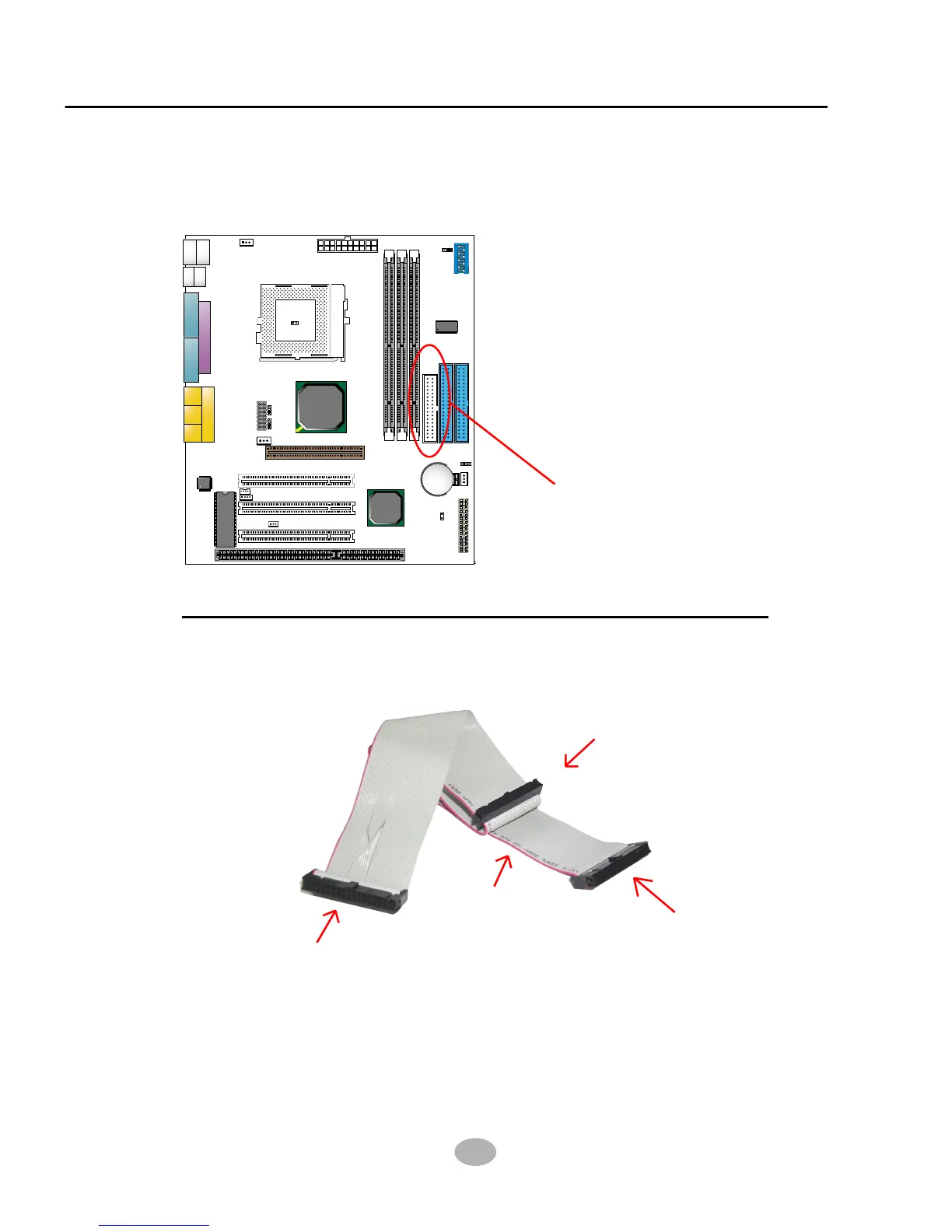
• To install FDD (Floppy Disk Drive), you may connect the end with single
connector to the board , and connect the other and with two plugs to the
floppy drives.
Floppy Disk Drive Connector:
Orient the red line on the
floppy ribbon cable to Pin1.
FDD Cable
To 1st Floppy Drive
To mainboard
To 2nd Floppy Drive
red line



 To Next Page