65KIV/KIV2
44
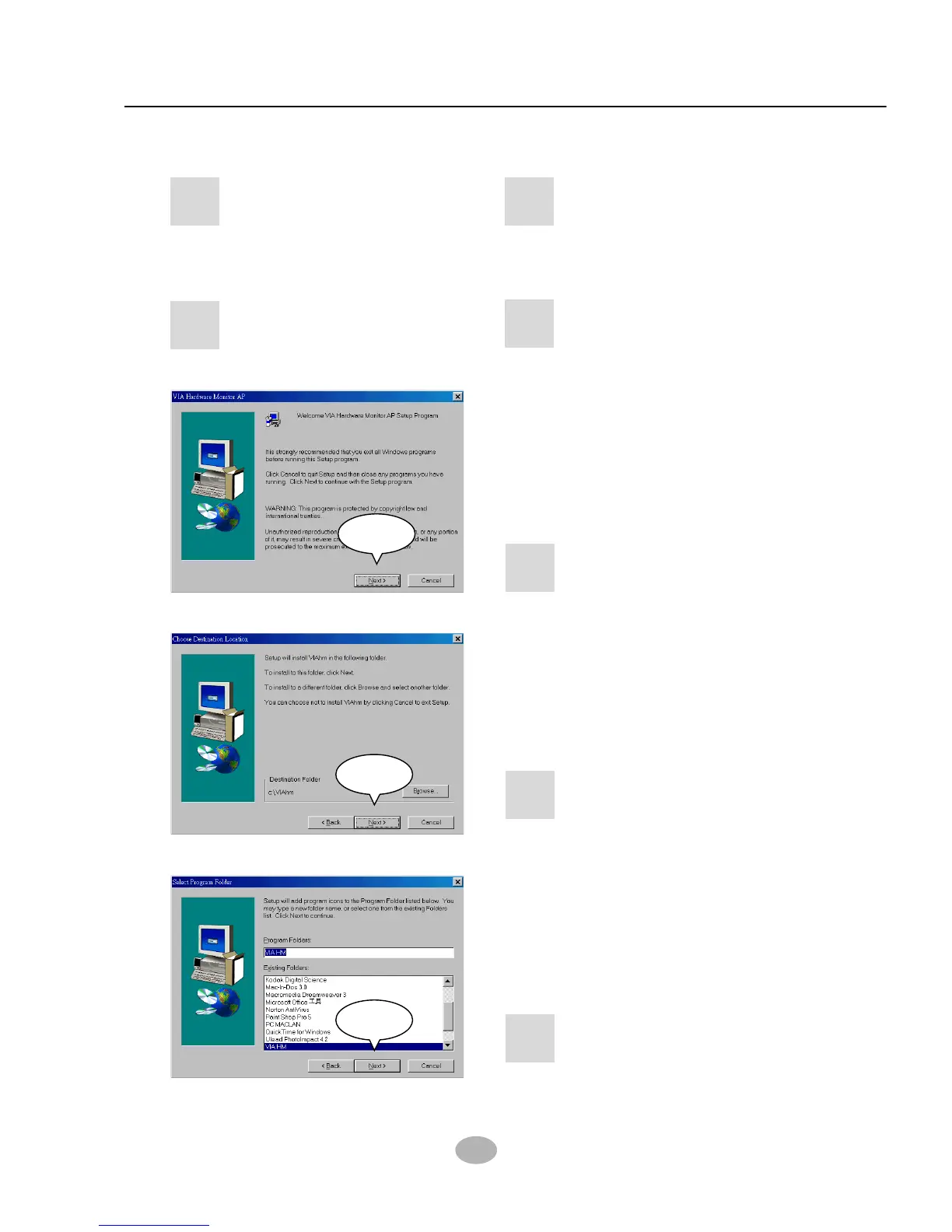
3-3 HARDWARE MONITOR INSTALLATION
• Please put the Support CD
provided in your mainboard
package into the CD-ROM
drive.
1
• When a welcome window
appears on the screen,
users should choose “Install
Driver”.
2
• Click on the “VIA Chipset
Driver”.
3
• Click on the “Hardware
Monitor Utility”.
4
• Press “Next” button to
continue.
5
Next
• Press “Next” button to finish
the Hardware Monitor setup
process.
7
Next
• The default destination is
C:\VIAhm, then press
“Next” button to continue.
6
Next



 To Next Page