Software Setup
41
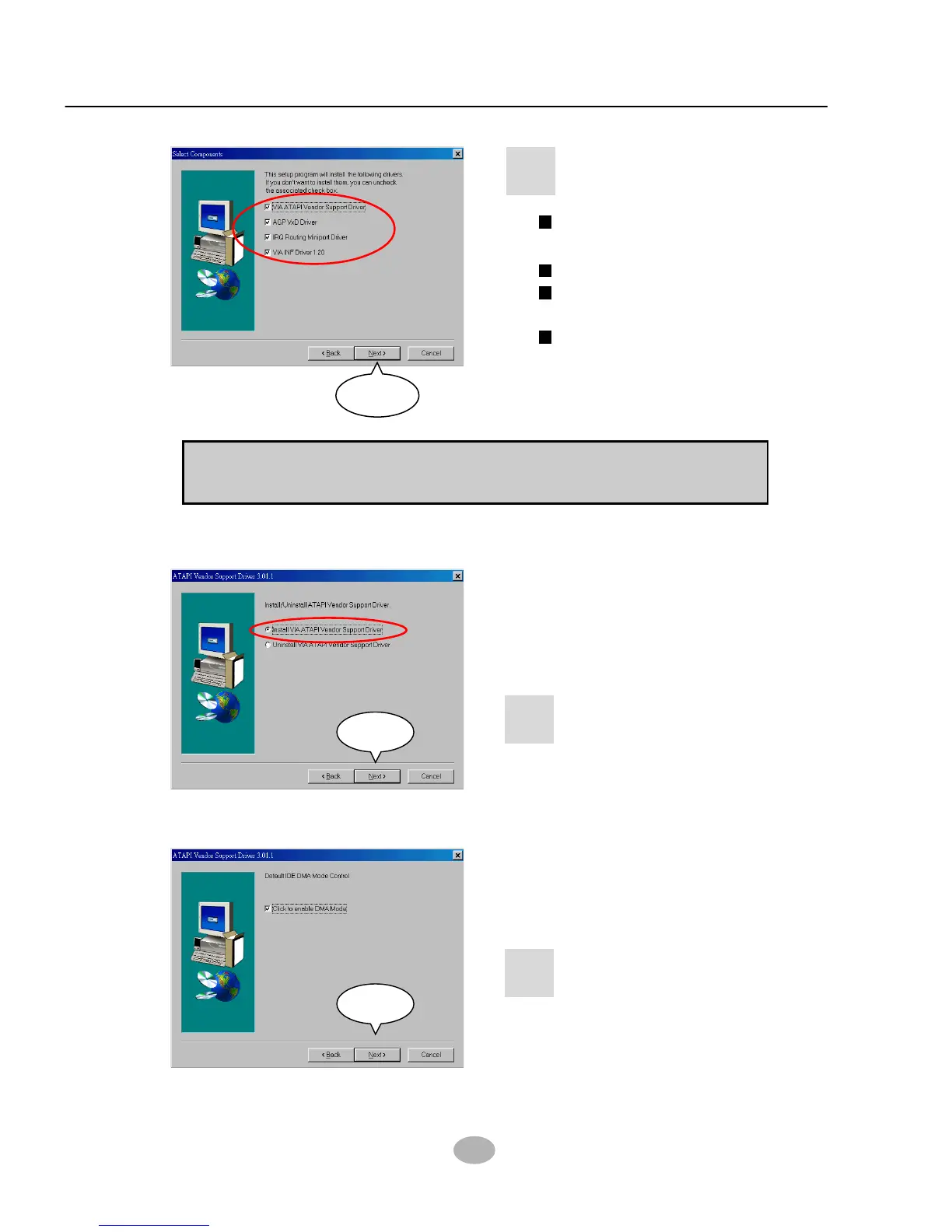
Bus Master PCI IDE
Driver
AGP VxD Driver
VIA Chipset Function’s
Registry
IRQ Routing Miniport
Driver
• Press select the
checkbox as below:
8
Next
Note: For user who is upgrading VIA Drivers, we recommend to install
the 4-in-1 as it will automatically detect and update the necessary drivers.
• Select “Install VIA ATAPI
Vendor Support Driver”
checkbox, then click the
“Next” button to continue.
9
Next
• Click on “Click to enable
DMA Mode” checkbox to
enable DMA function, then
click the “Next” button to
continue.
10
Next



 To Next Page