INSTALLER TEST MODE
If everything is properly wired, the dehumidier and all of
the wired components will turn on and off during Installer
Test Mode to demonstrate that all are properly operating.
Installer Test Mode lasts for four (4) minutes. If the ON/
OFF button is pressed during test mode, the dehumidier
will exit Installer Test Mode and return to the OFF screen.
If any of the outputs in the Installer Test do not turn on or
an error code is displayed, see the Troubleshooting section
beginning on page 19.
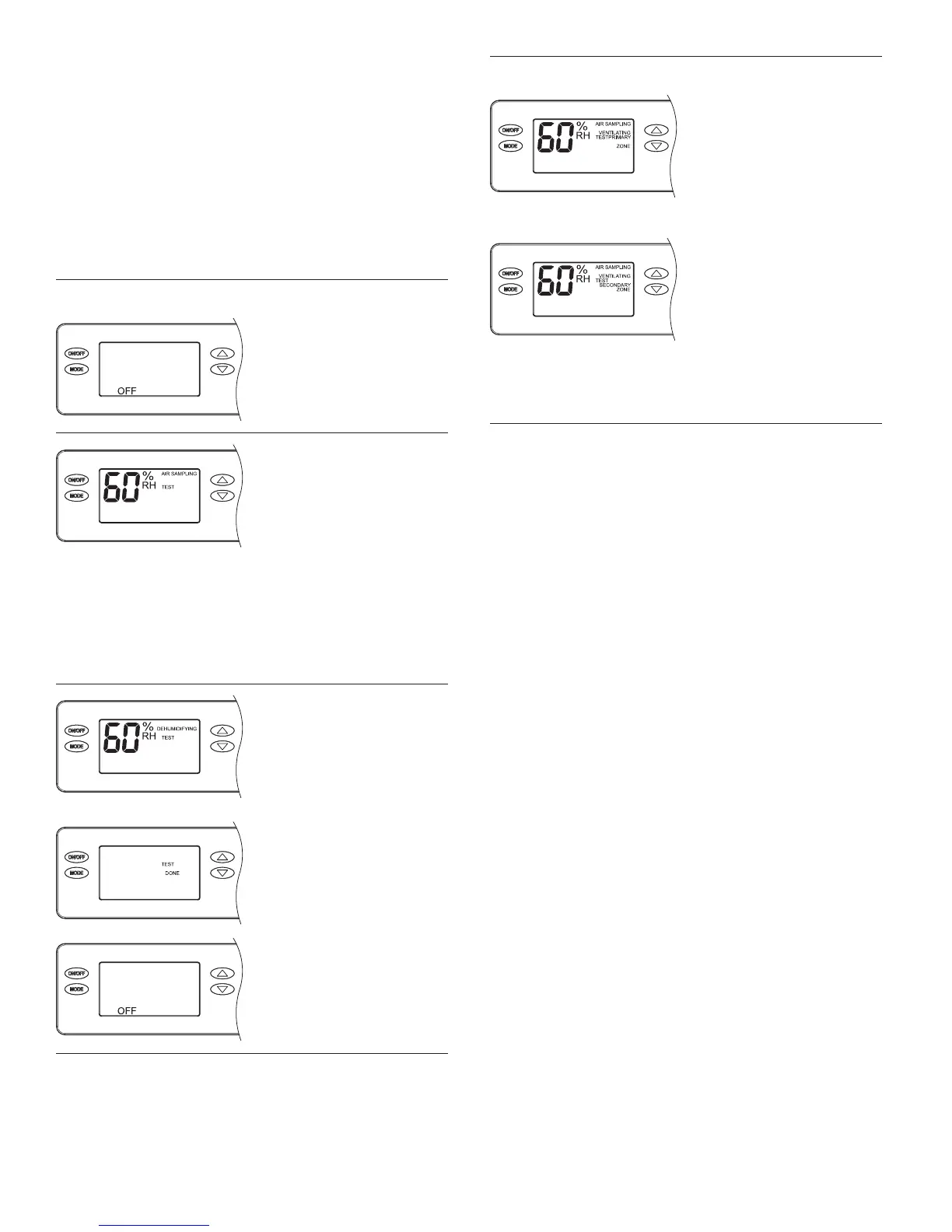
Dehumidication Only
If the dehumidier is not
already OFF, press the ON/
OFF button to turn it off.
Press and hold the ON/
OFF button and MODE
buttons for 3 seconds.
The measured humidity,
AIR SAMPLING and TEST
will show on the display. If
wired to the HVAC system,
the HVAC blower will turn
on and if there is/are
damper(s) wired to the DEH
DAMPER terminals of the
control, the damper(s) will
energize.
After three (3) minutes
the dehumidier
compressor will turn on
and DEHUMIDIFYING will
replace AIR SAMPLING on
the control screen.
After one minute of
compressor operation,
all outputs will turn off
and DONE will blink for
3 seconds and then return
to the OFF screen.
Zoning and/or Ventilation
If the dehumidier has
been set up for ventilation,
VENTILATING will appear
on the display throughout
Installer Test Mode, and the
ventilation damper will be
energized.
If the dehumidier has been
set up for zoning, PRIMARY
ZONE will show on the
display for the rst minute
of dehumidier blower
operation. After one minute,
SECONDARY ZONE will
show on the display and
the zone dampers will
de-energize.
14


 To Next Page