15 3/27/2015
9 Retrieve or Delete Data
•
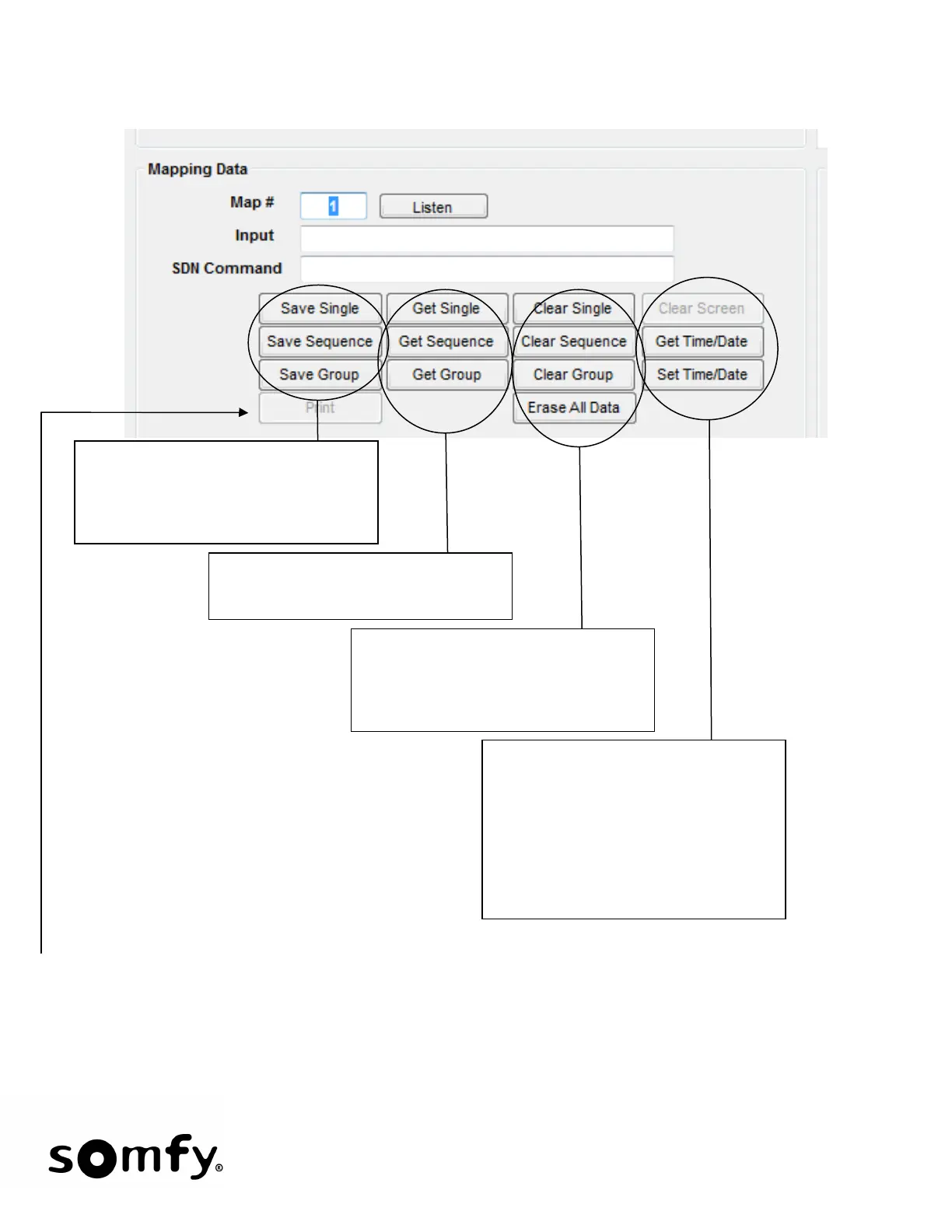
Save Commands save the data to the
Somfy Connect. Specifically the
map#, Lutron Input and Command
(SDN or RTS).
Get Commands retrieve and display
saved Data.
Clear Commands deletes the chosen
data set from the Somfy Connect.
Erase ALL Data deletes all data
except time/date and coordinates.
clears the retrieved
data text box. No data is deleted
from the Somfy Connect.
Get and Set Time/Date are used to
retrieve and set the time of day and
day of the year.
Print is used to print the retrieved data displayed - useful for record keeping and future job reference.
Printing to a PDF file using PDF Writer wil be more practical as an actual printer will most likely not
be on site.


 To Next Page