19 3/27/2015
Events Continued
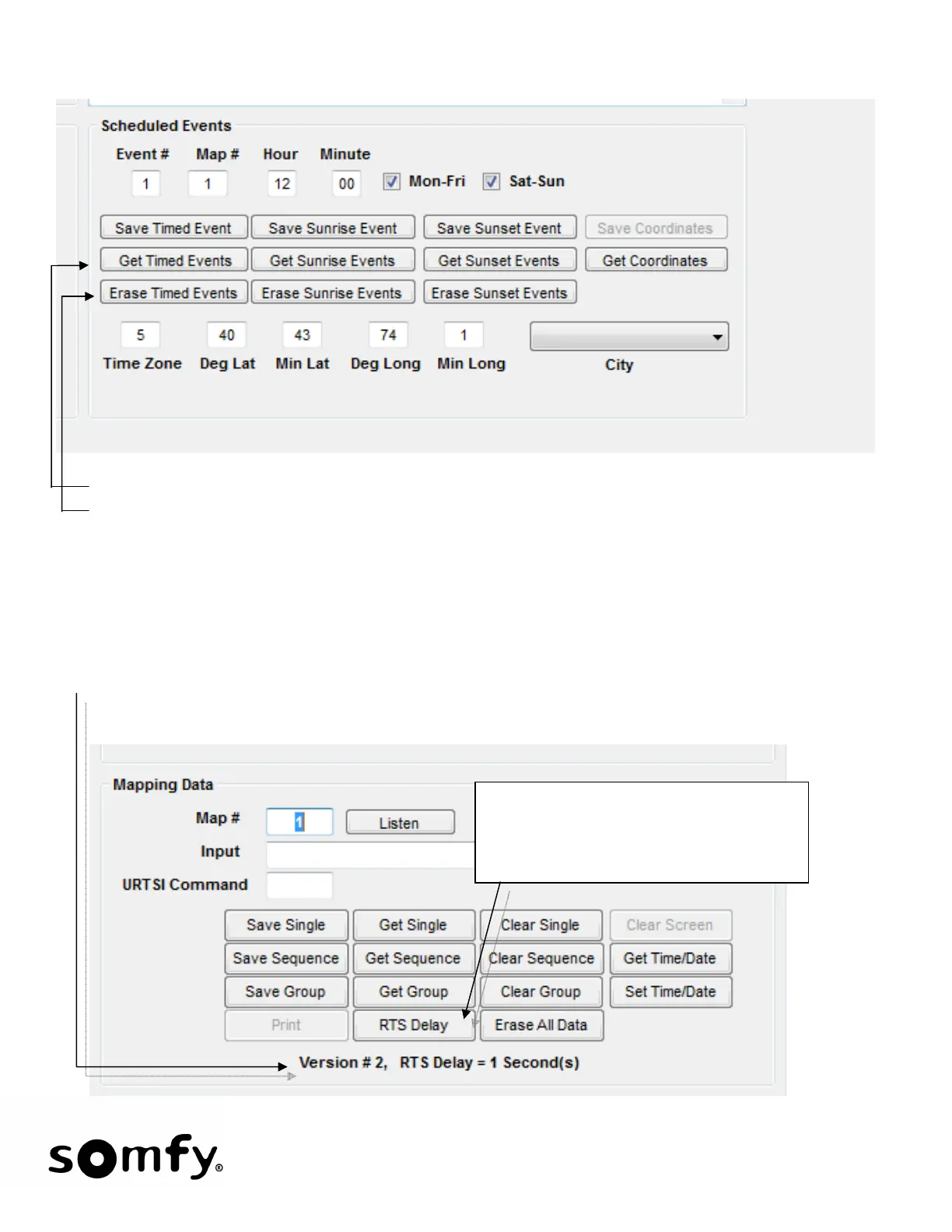
• Get Command Buttons will retrieve and display the saved data.
• Erase Command Buttons will delete the data set from the Somfy Connect.
• Get Coordinates will retrieve and display the saved coordinates including Time Zone. The saved city
(if there is one), Sunrise, and Sunset times for the present day will be displayed.
12 RTS Delay
For RTS systems, the URTSI must not transmit until the Lutron system is done transmitting. Otherwise the
systems will interfere with each other. The default RTS Delay is one second. Upon entering the program
mode, the present RTS Delay is displayed along with the Version of Firmware. To change the delay, select
RTS Delay.
Valid Delay entries are 1 to 10 with each
ascending number adding 250 ms.
1=250, 2=500, 3=750, etc. The default is
4=1000ms. Max is10=2500ms.


 To Next Page