17 3/27/2015
11 Creating Timed, Sunrise, and Sunset Events
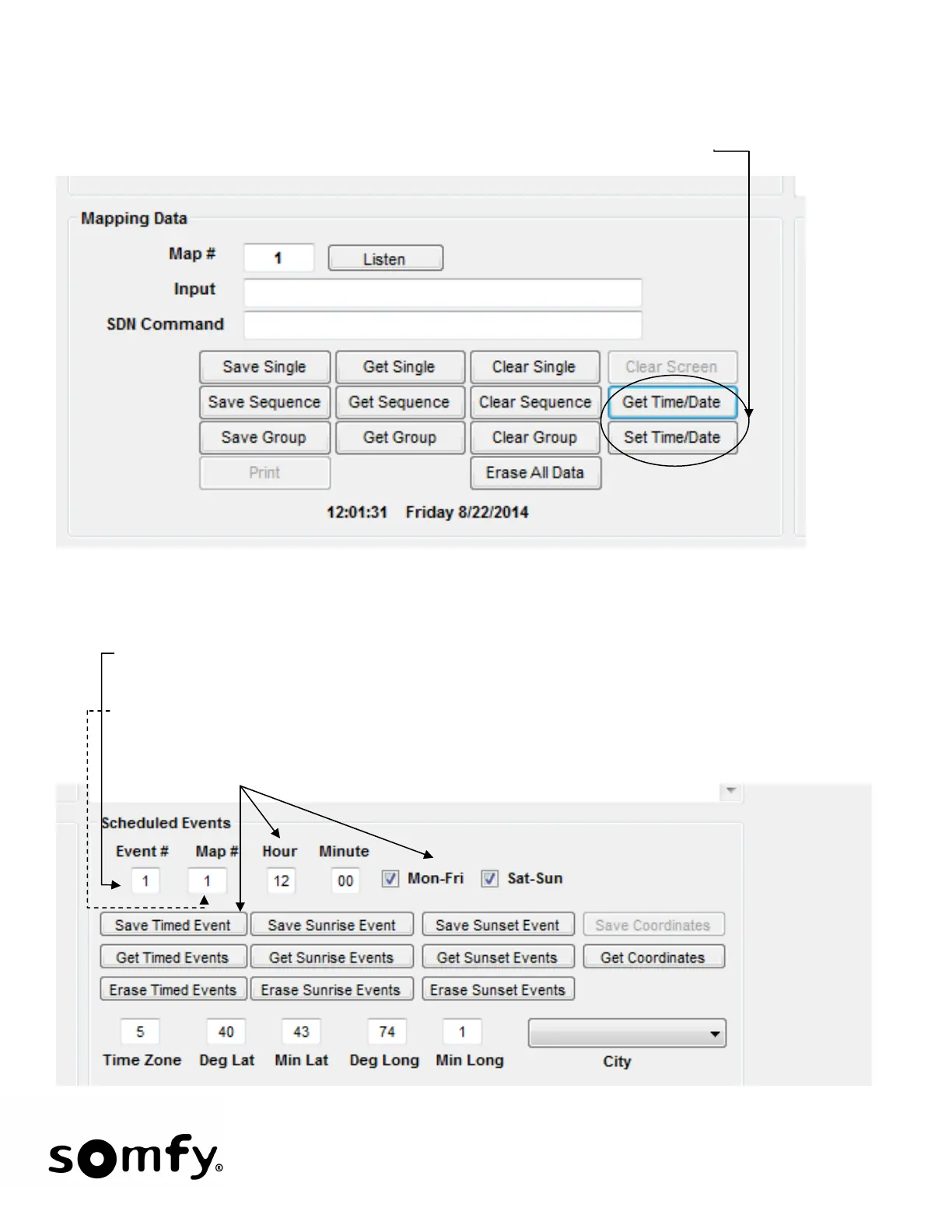
• Timed Event: The first step is to set the correct time of day, day of the year and whether or not Daylight
Savings Time is in effect. To check the present time/date, click Get Time/Date.
• Only single functions can be used for time events. To schedule an event click Get Single to retrieve
saved data: Note: Timed events must be separated by at least 2 minutes.
1. Choose Event # or use the default # that appears in the Event # field. The first event will start at 1
and the configuration program will increment this number as events are saved.
2. Choose Map #. Each event has a single function (previously saved) associated with it.
3. Set the time and days that the event (saved map) is to occur and click Save Timed Event. The stored
timed event will be displayed in the data text box.


 To Next Page