13 3/27/2015
8 Programming the Somfy Connect for RA2 to SDN.
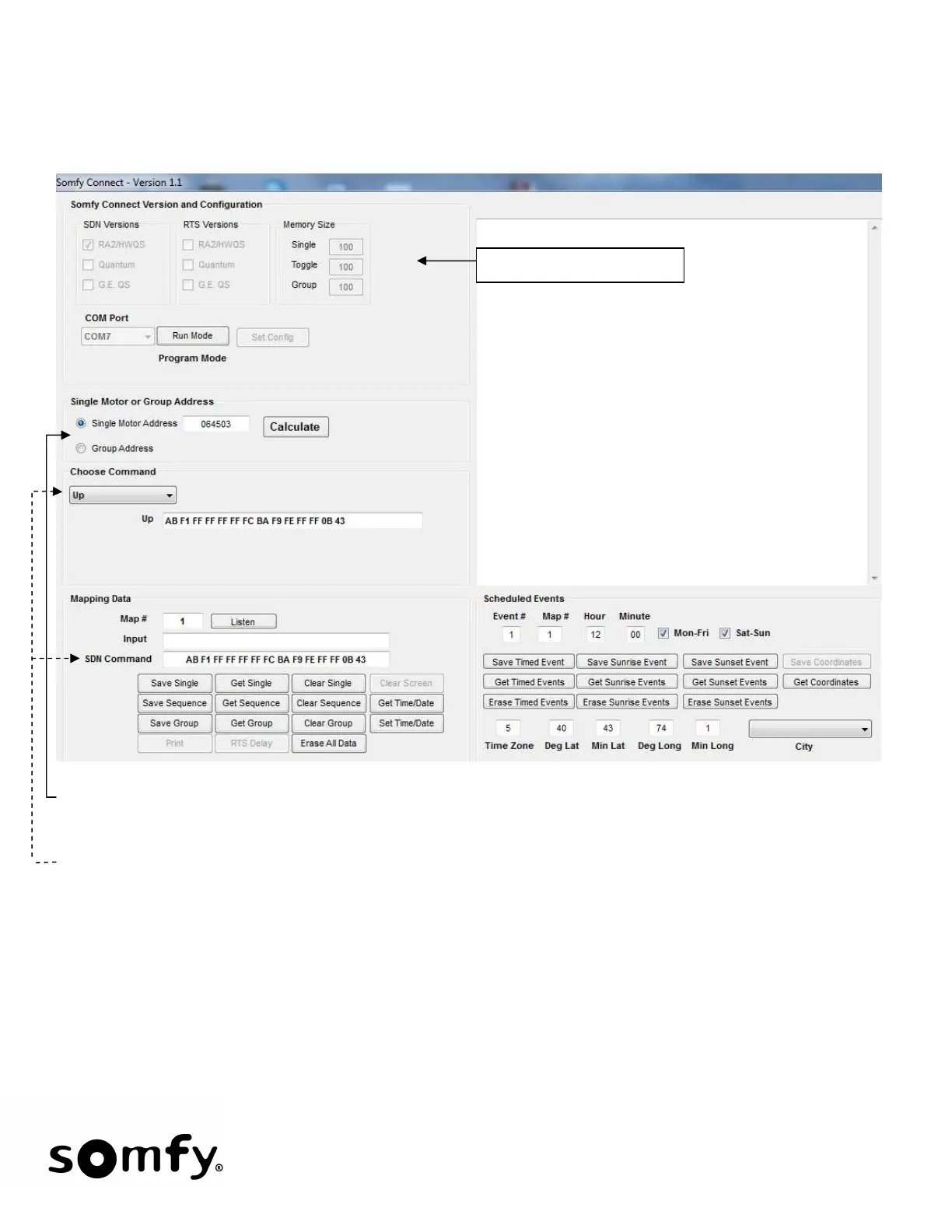
• Opening screen for RA2/HWQS to SDN:
• Select Single Motor Address (from motor label) or Group Address. Then enter the address in the text field
and click Calculate. In the example above, Single Motor Address 064503 was entered.
• Choose Command: for Single Function, any command can be chosen. For Sequence and Group functions,
the UP command must be chosen. Note that the SDN Command text box is auto populated with the SDN
command.
• Click Listen and press the Lutron Push-Button that will be associated with this command. During the Listen
mode, the Frame heading will change from Mapping Data to Listening and will flash until Lutron data is
captured.
Present Configuration


 To Next Page