5 3/27/2015
3 Control Options
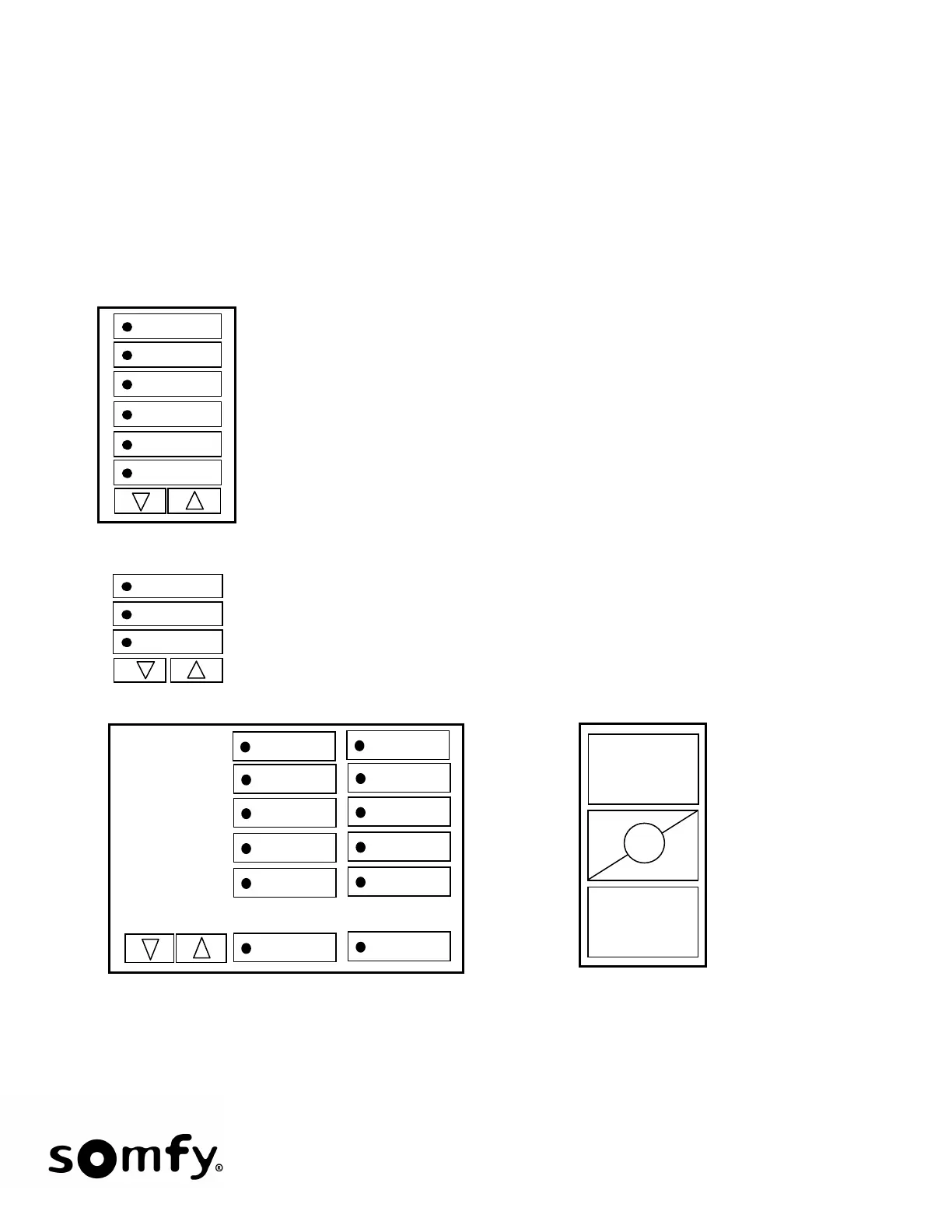
• Pico, Keypad, Table Top or Grafik Eye QS Single or Sequence Control: Any push-button can be assigned a
Single function or act as a Sequence control.
• Keypad, Table Top or Grafik Eye QS Group Control: Group Control is defined as a 2-button operation. The
user must pick the RTS channel or SDN Group/Motor Address button (Large Buttons) and then
Lower/Raise.
• Where supported by the Lutron equipment, both on-press and on-release actions of the Pico’s, Keypads,
Table-Tops and Grafik Eye QS can be assigned functions.
PICO
Table-Top
Keypad
For Keypad, Grafik-Eye QS, Table-Top and PICO control:
Single Control: Any push-button can be used and assigned a
command.
Sequence Control: Any push-button can be used.
Group Function: Large buttons select RTS Channels or SDN Single
Motor or Group Addresses. User must select a large button and then
Lower/Raise. PICO cannot be used as a Group Function Control.


 To Next Page