18 3/27/2015
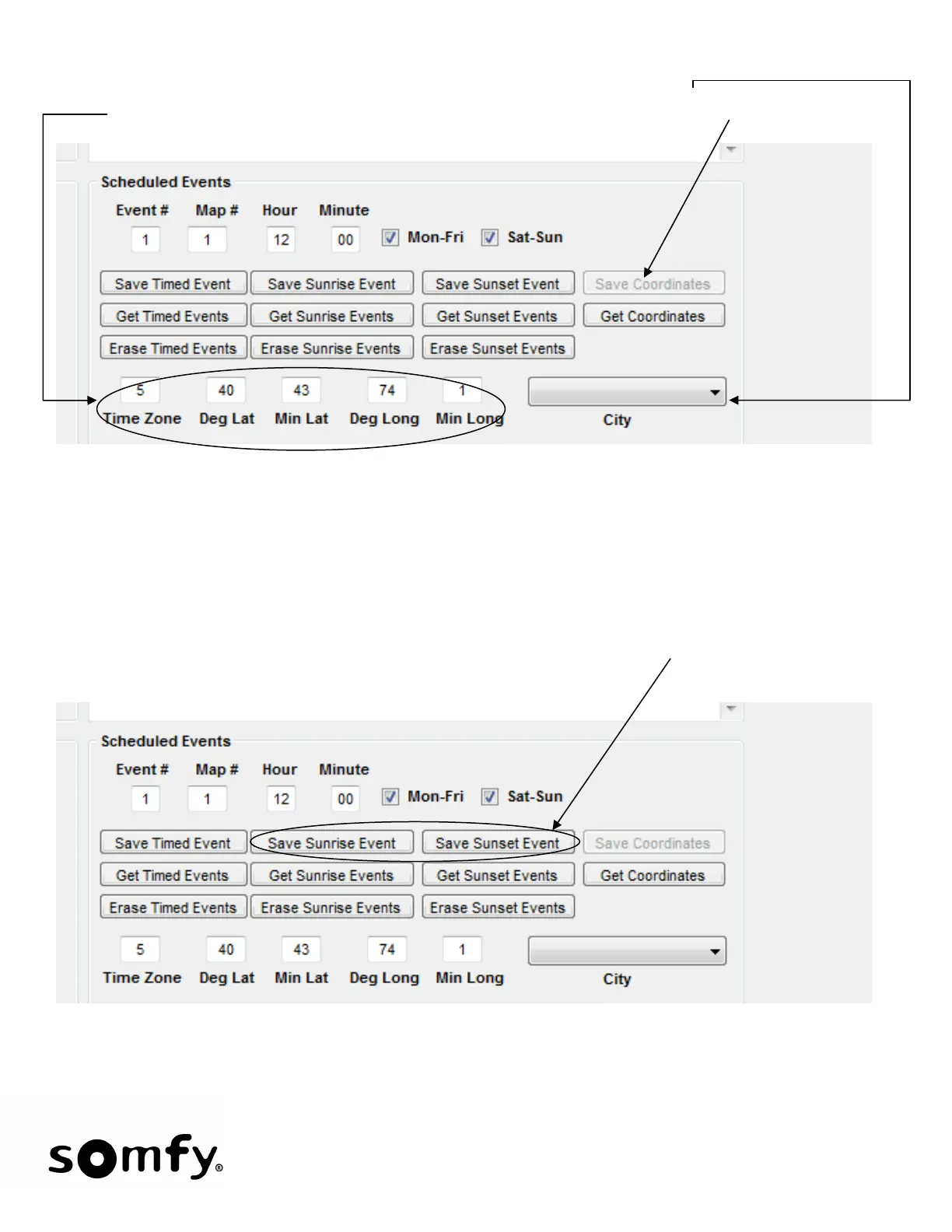
• Sunrise/Sunset Events: The first step is to enter the geographic location of the Somfy Connect. The
default is New York, NY. Location can be picked from the City drop-down menu or exact coordinates &
time zone can be entered. Once a city is selected or coordinates entered, click Save Coordinates.
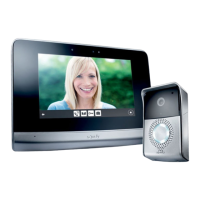
• Like Timed Events, Sunrise and Sunset events can only use previously saved Single Functions. To save
a Sunrise/Sunset Event, click Get Single to retrieve saved data.
1. Choose Event # or use the default # that appears in the Event # filed. The first event will start at
#1 and the configuration program will increment this number as events are saved.
2. Choose Map #. Each event has a single function (previously saved) associated with it.
3. Sunrise & Sunset Events occur every day of the week. Click Save Sunrise Event or Save Sunset
Event. The stored data will be displayed in the data text box.


 To Next Page