Step 7 / 8
OPERATION
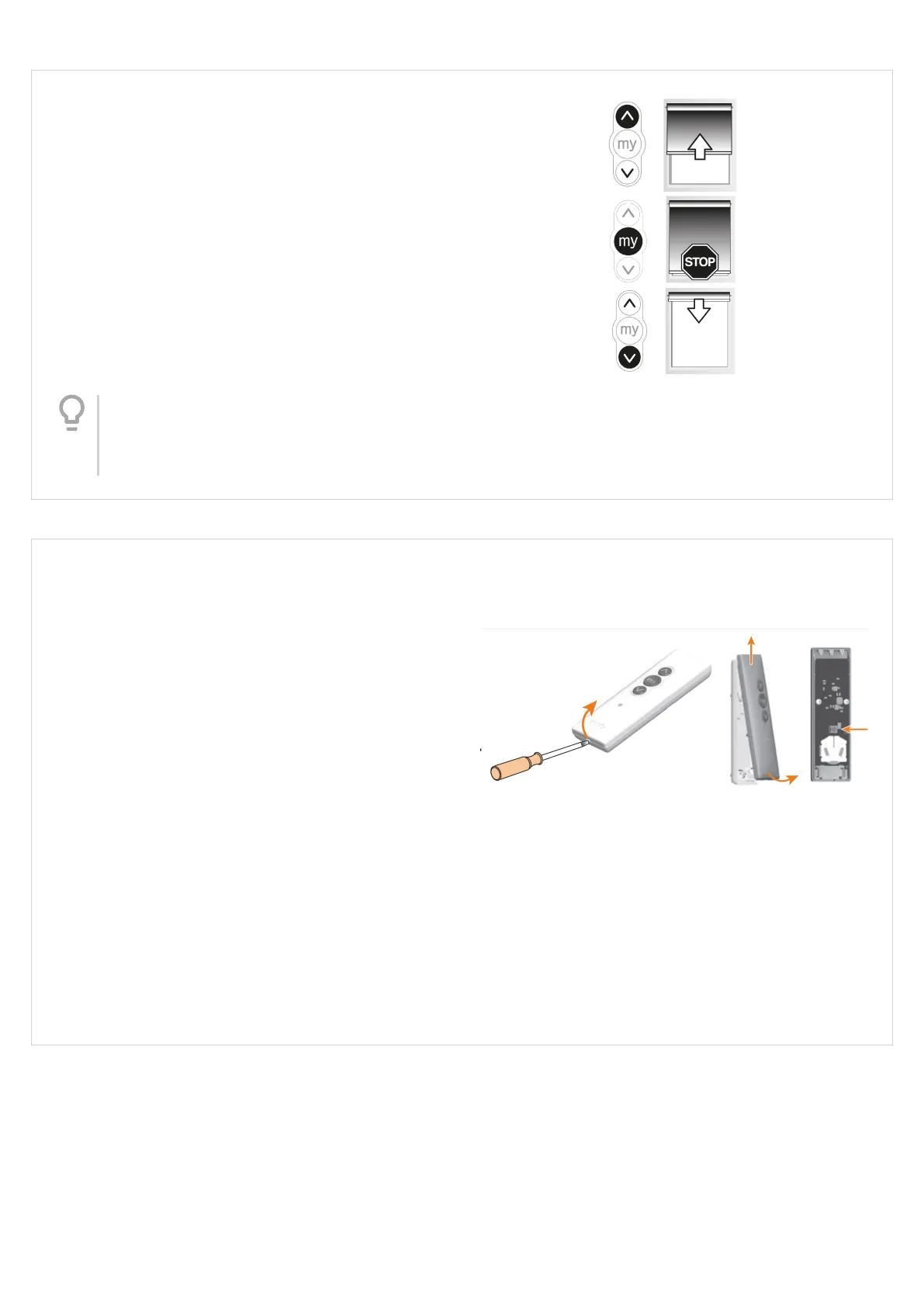
Once you have woken the motor up, test your blind by
pressing the down button on your control.
The blind will travel down and stop at the factory
preset position (this can be adjusted).
Use the directional buttons to test operation.
Tip
Refer to the ‘Adjusting the stop positions’
section to ne tune the stop positions to
your desired position.
Step 8 / 8
SITUO PROGRAM BUTTON
All the instructions listed in the roller blind section
can be completed with the Situo control (adjust stop
positions, 'my' position, motor reset).
However the handset cover may require removing to
access the program button if a motor reset is
required.
Look at the back of the control - if a small circular
button can be seen, then the cover does not require
removing. If you can't see a small circular button, then
the front cover requires removing to access it.
To open the front cover of the control - use the slot
located at the bottom to lift the front cover away from
the back. The program button is located just above
the silver battery cell holder.
Version 41
15




 To Next Page