EN
Copyright © 2016 Somfy SAS. All rights reserved.
9
6.2 Modifiable parameters
DISPLAY > BRIGHTNESS: adjustment of the screen brightness
DISPLAY > CONTRAST: adjustment of the screen contrast
DISPLAY > COLOR: adjustment of the screen colour
MEMORY > COPY TO SD CARD:
NO: standard parameter
YES: starts the procedure of copying recordings onto the SD micro-card.
Note: the parameter YES can only be selected if an SD micro-card is installed in the monitor.
MEMORY > FORMAT SD CARD:
NO: standard parameter
YES: starts the formatting of the SD micro-card.
Note: the parameter YES can only be selected if an SD micro-card is installed in the monitor.
TIME > DAY: sets the day
TIME > MONTH: sets the month
TIME > YEAR: sets the year
TIME > HOUR: sets the hour
TIME > MINUTE: sets the minutes
Note: the date and time appear on the recordings, for example to know when a visitor has pressed on the call button.
EXIT: enables the user to exit the menu.
7 INSTALLING THE MEMORY CARD
It is possible to add an SD micro-card in the Premium io monitor in order to recover the images recorded. This card must be
placed in support 35 (see illustration above).
Note: a 2 Go memory card can store about 1,000 photos.
The storage capacity of the monitor is 100 photos. When the storage limit is reached, the new photos delete the earliest ones.
8 USING THE VIDEOPHONE
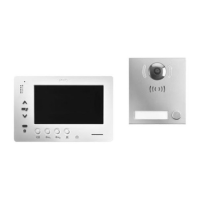
When a visitor presses the call button on the external module, the monitor rings several times (depending on the settings, see
“On standby: operation of the communication and control buttons (no. 2)”, page 4) and the image of the visitor is displayed
on the monitor(s) depending on the configuration of the installation.
8.1 Responding to a visitor
[1]. Press button , the LED located behind the pictogram lights up and communication with the external module is
activated .
[2]. You can communicate with your visitor.
Note: you can communicate with your visitor for a maximum of 1 or 2 minutes depending on the configuration of the external
module.
[3]. Press the button
again, the LED located behind the pictogram goes out and communication with the external
module is terminated.
8.2 Opening the gate and/or unlocking the electric latch (or lock)
Depending on the installation, this function can be activated by the button and/or the button .


 To Next Page
 Loading...