EN
Copyright © 2016 Somfy SAS. All rights reserved.
10
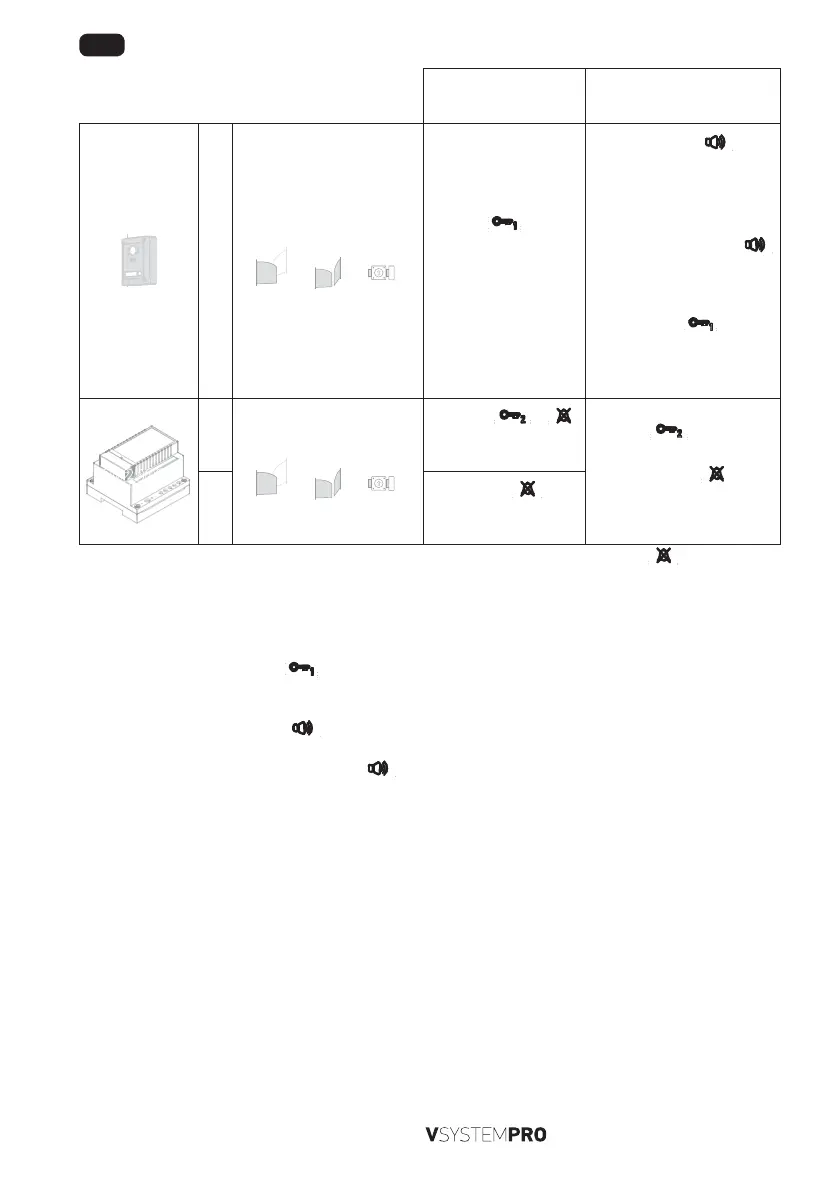
While communicating
with a visitor
While there is no communica-
tion with a visitor
R0
[a]
or
[b]
or
[c]
Press the button.
- The external module
relay is activated and the
monitor screen switches
off.
[1]. Press the
button,
the screen is switched on
and displays the video
from the external module
(ID = 1).
Note: if you press the
button twice, the video from the
external module configured
with ID = 2 is displayed.
[2]. Press the
button.
- The external module relay
is activated and the monitor
screen switches off.
9020031
R1
[a]
or
[b]
or
[c]
Press the or
button.
- Relay R1 is activated.
Press the
button.
- Relay R1 is activated.
Note: pressing the
button
activates the “do not disturb”
function.
R2
Press the
button
twice [*].
- Relay R2 is activated.
[*] if your installation includes several relay modules ref. 9020031, the number of times you press the
button determines
the relay to be activated (use the guide at the beginning of this document to see the corresponding functions).
8.3 Talking via two monitors
This function is only available if your installation has two monitors configured to accept this function. Communication between
two monitors is only available in audio mode.
[1]. On the 1st monitor, press the
button the number of times corresponding to the address or the extension of the
monitor to be called.
- The 2nd monitor rings.
[2]. On the 2nd monitor, press the
button.
- Audio communication is open between the two monitors.
[3]. To terminate the communication, press the
button on one of the two monitors.


 To Next Page
 Loading...