46
SENDING MESSAGES
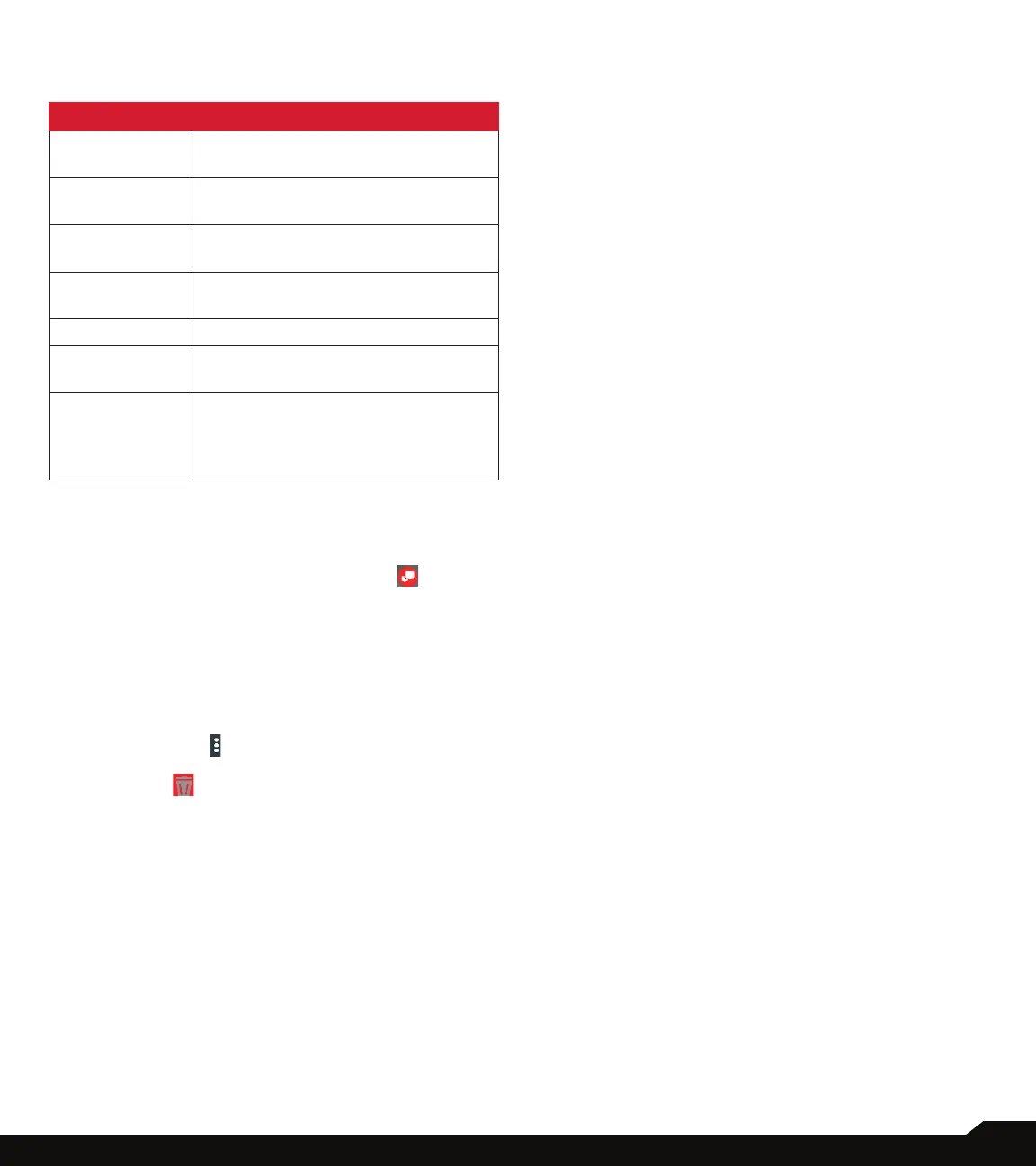
ACCOUNT
SETTINGS DESCRIPTION
Restore
Messages
You can restore messages that you
saved to your phone’s SD card.
Report a Bug Describe what you were doing when
the error occurred.
Open Source
Licenses
The contacts added in the Whitelist
can automatically view your location.
Revert to
Default Reply
Displays the open source license.
Privacy Policy Displays the privacy policy.
Terms &
Conditions
Verizon messages terms and
conditions are displayed.
Delete My
Account
Enter your phone number and tap
on Delete Account. The account is
deleted permanently and cannot be
undone.
DELETING MESSAGES
To delete all the messages,
1. From Home screen, tap on Message+ ( ).
2. Long tap on the conversation and the
conversation gets selected. Tap on Delete
Conversation.
3. A conrmation message is displayed. Tap on
Delete to delete the selected conversation
OR
4. Tap and open the conversation to be deleted.
5. Tap on Option ( ) > Delete Messages.
6. Tap on the button next to the conversation. Tap
on Delete ( ).
Selected conversation is deleted.



 To Next Page