Operation and Maintenance Documentation GUARD v202301
WIFI functions
Setting/Reading work parameters
Work/Stop conditions
Weekly program
Temperature
Fan speed
Heating, ventilation, cool mode
CONNECTION INTELLIGENT WIFI WITH TUYA SMAR APP
1. Download the Tuya Smart app (available at App Store and Google Play)
2. The Control panel connects to the power supply and device, Panel INTELLIGENT should stay off
3. Turn on the Tuya app and follow the instruction in the app
4. For the connection process, please enable the GPS and Bluetooth in the phone
5. To activate the paring mode in the INTELLIGENT Panel tap twice and hold the “+” symbol for 5 seconds until the
“SA” symbol shows on the left side of the screen
6. Choose the „Add device” function, and the app should find the control panel automatically, press the "Add" button,
and after completing the configuration process, press "Next" and "Finished"
7. In the absence of the "Add" function, select the "Small devices" tab and the "Thermostat (Wi-Fi)" function. After that
enter the data to connect to the selected WiFi network and confirm, and then "Blink slowly".
8. A screen will be displayed with information about searching for a device. After detecting the driver, the connection
process is automatic. after completing the configuration process, press "Next" and "Finished"
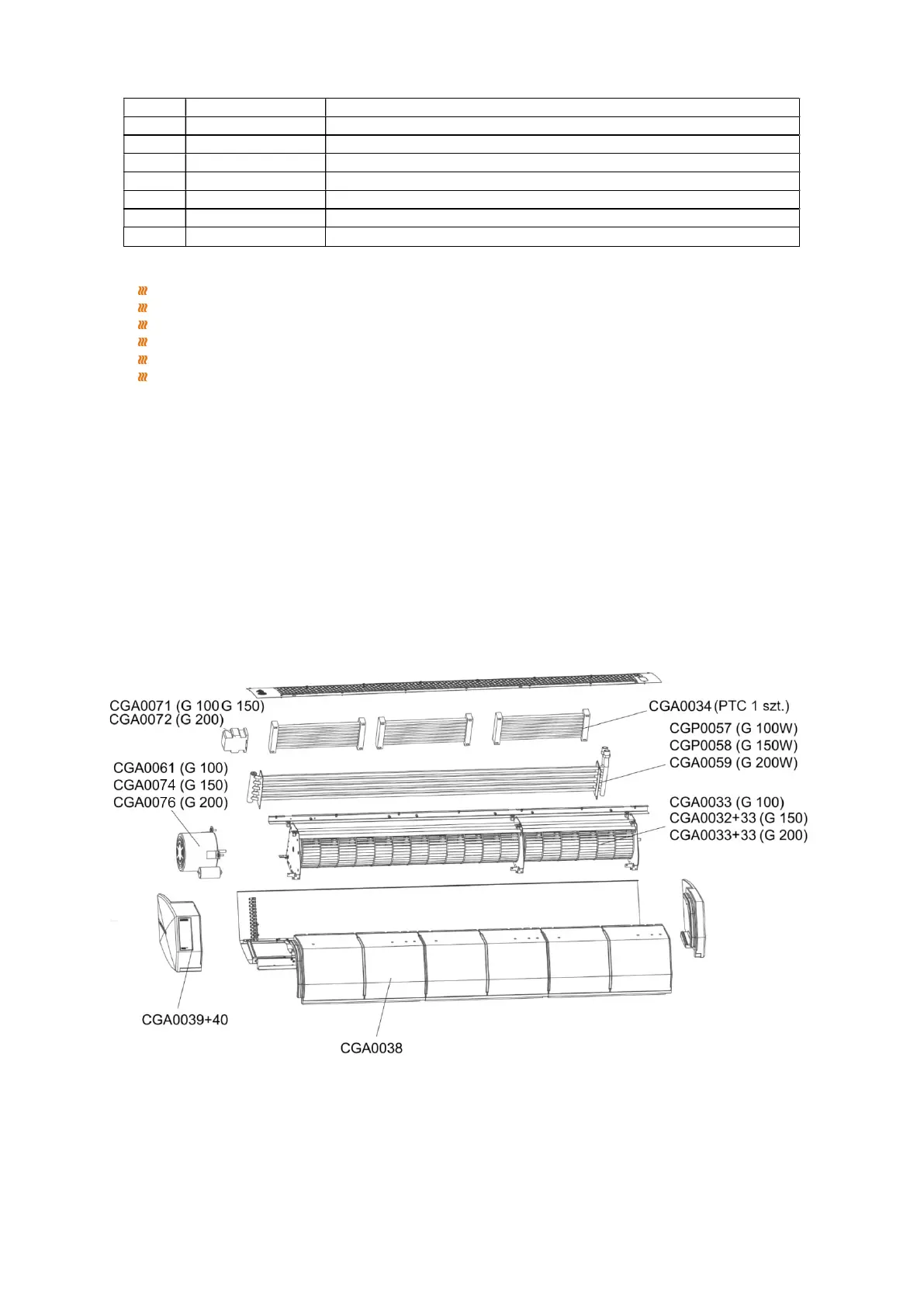
SPARE PARTS
duplex; PC or main controller is master; thermostat is slave
9 bits in total: 8 data bit + 1 stop bit
please refer to MOBUS instruction)
7 Thermostat address
1-247;(0 is broadcast address and stand for all thermostat without response)


 To Next Page