Chapter 2 Fitting and Connections
32 Chapter 2 Fitting and Connections
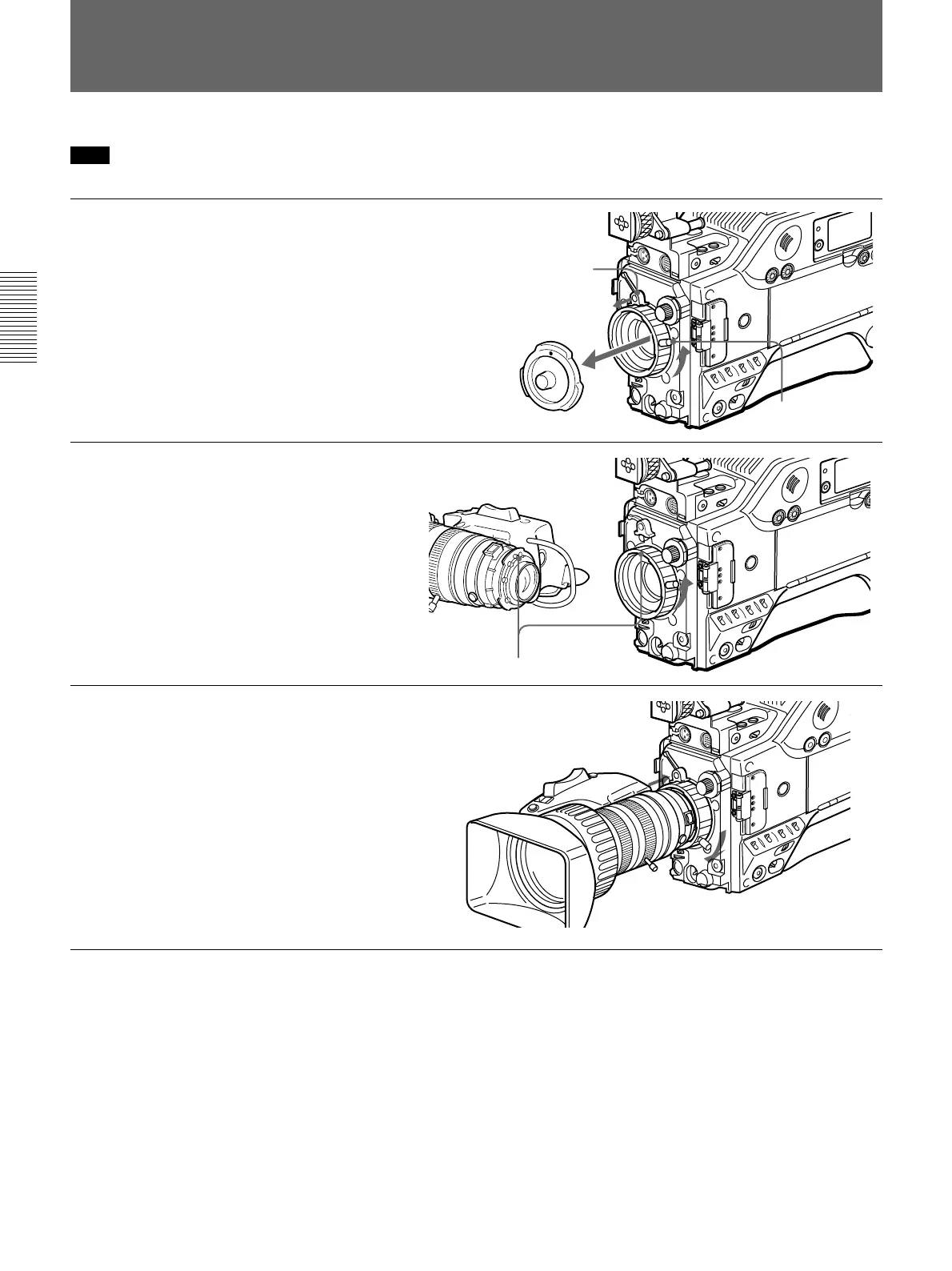
Fitting the Lens
Retaining rubber
Lens mount cap
Lens fixing lever
Align and push in.
Note
Be sure to turn off the power before fitting the lens.
1 Remove the retaining rubber
which prevents the lens mount
from coming loose, then raise
the lens fixing lever, and
remove the lens mount cap.
2 With the lens fixing lever
turned fully counterclockwise,
push in the lens, aligning the
projection on the lens with the
cutout on the camcorder.
3 Supporting the lens, turn the
lens fixing lever fully
clockwise. Replace the
retaining rubber on the lens
mount.







 To Next Page