15 (E)
Chapter 1 Overview
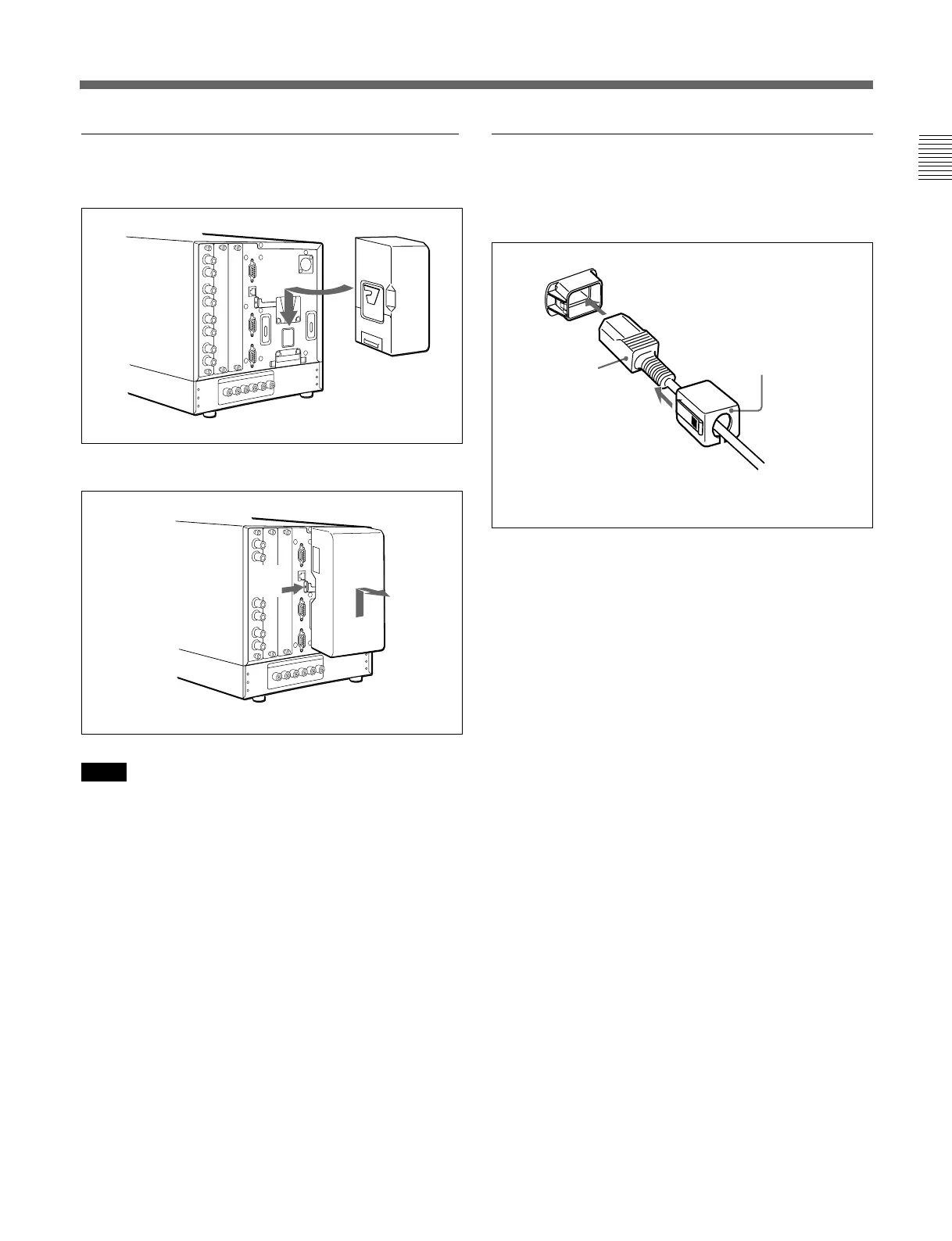
Connecting the AC power cord
Attach the AC adaptor to the monitor, and then
connect the supplied AC power cord.
Attach the AC plug holder to the AC power cord, and
connect it to the AC IN connector so that the cord does not
come loose.
AC plug holder (supplied)
AC power cord
(supplied)
Attaching the AC adaptor or battery
Attaching
Removing the AC adaptor or battery
Notes
• Use the supplied AC adaptor for the BVM-D9H1U/
D9H1E/D9H1A/D9H5U/D9H5E/D9H5A models
only. It is dangerous to use the AC adaptor for
models other than these.
• To remove the AC adaptor, first unplug the AC
power cord and then remove the AC adaptor.
21






 To Next Page