EasyManua.ls Logo

Sony CCD-TR814 - Page 44

Sony CCD-TR814
56 pages
Print Icon
To Next Page IconTo Next Page
To Previous Page IconTo Previous Page
Loading...
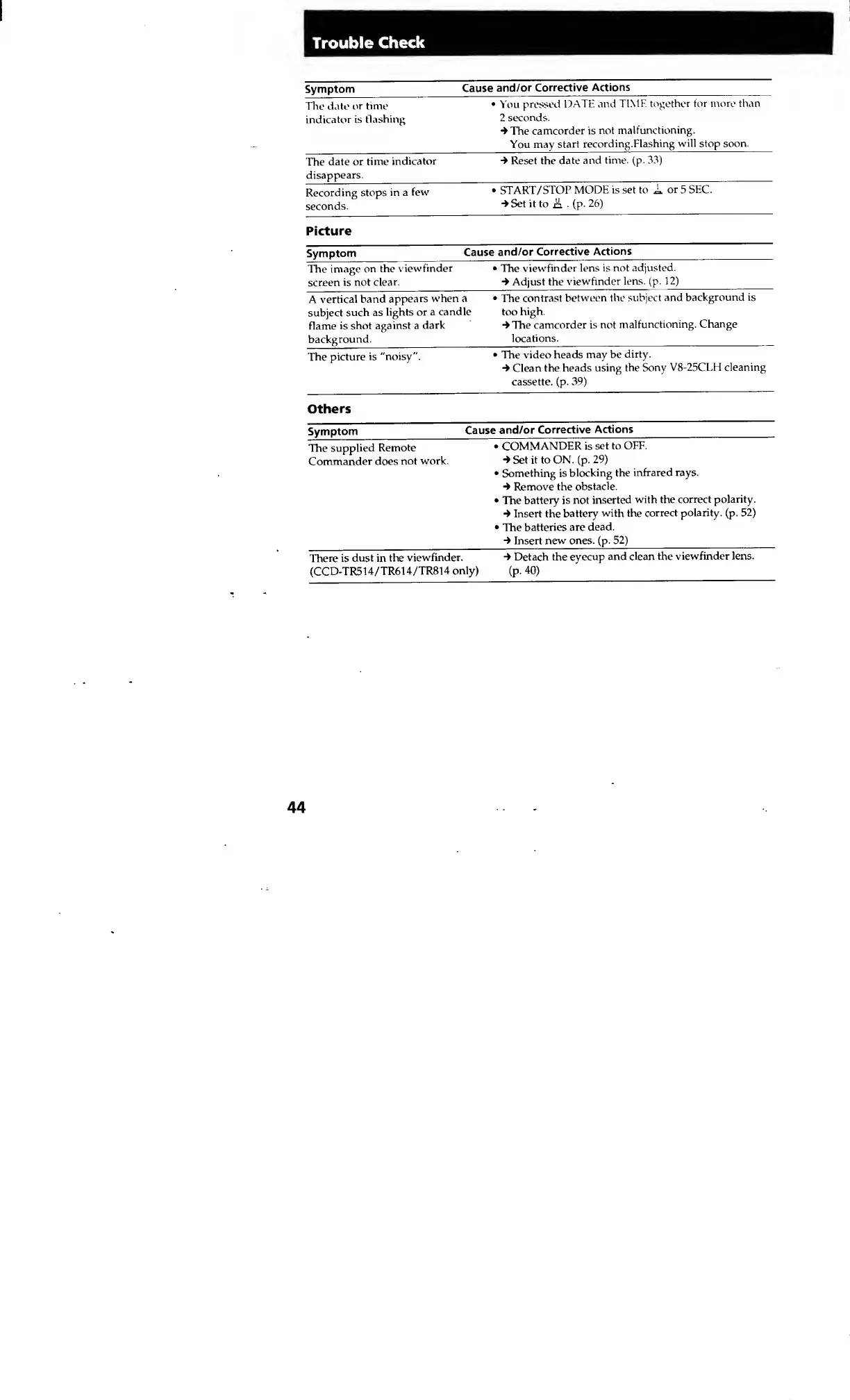
Trouble
Check
Symptom
Cause
and/or
Corrective
Actions
The
date
or
time
indicator
is
flashing
You
pressed
DATE
and
TIME
together
for
more
than
2
seconds.
4
The
camcorder
is
not
malfunctioning.
You
may
start
recording.Flashing
will
stop
soon.
The
date
or
time
indicator
disappears.
4
Reset
the
date
and
time.
(p.
33)
Recording
stops
in
a
few
seconds.
START/STOP
MODE
is
set
to
A
or
5
SEC.
4
Set
it
to
A
(p.
26)
Picture
Symptom
Cause
and/or
Corrective
Actions
The
image
on
the
viewfinder
screen
is
not
clear.
The
viewfinder
lens
is
not
adjusted.
4
Adjust
the
viewfinder
lens.
(p.
12)
A
vertical
band
appears
when
a
The
contrast
between
the
subject
and
background
is
subject
such
as
lights
or
a
candle
too
high.
flame
is
shot
against
a
dark
4
The
camcorder
is
not
malfunctioning.
Change
background.
locations.
The
picture
is
"noisy".
The
video
heads
may
be
dirty.
4
Clean
the
heads
using
the
Sony
V8-25CLH
cleaning
cassette,
(p.
39)
Others
Symptom
Cause
and/or
Corrective
Actions
The
supplied
Remote
Commander
does
not
work.
COMMANDER
is
set
to
OFF.
4
Set
it
to
ON.
(p.
29)
Something
is
blocking
the
infrared
rays.
4
Remove
the
obstacle.
The
battery
is
not
inserted
with
the
correct
polarity.
4
Insert
the
battery
with
the
correct
polarity,
(p.
52)
The
batteries
are
dead.
4
Insert
new
ones.
(p.
52)
There
is
dust
in
the
viewfinder.
4
Detach
the
eyecup
and
dean
the
viewfinder
lens.
(CCD-TR514/TR614/TR814
only)
(p.
40)